Chapter 3 Adjustment Mode
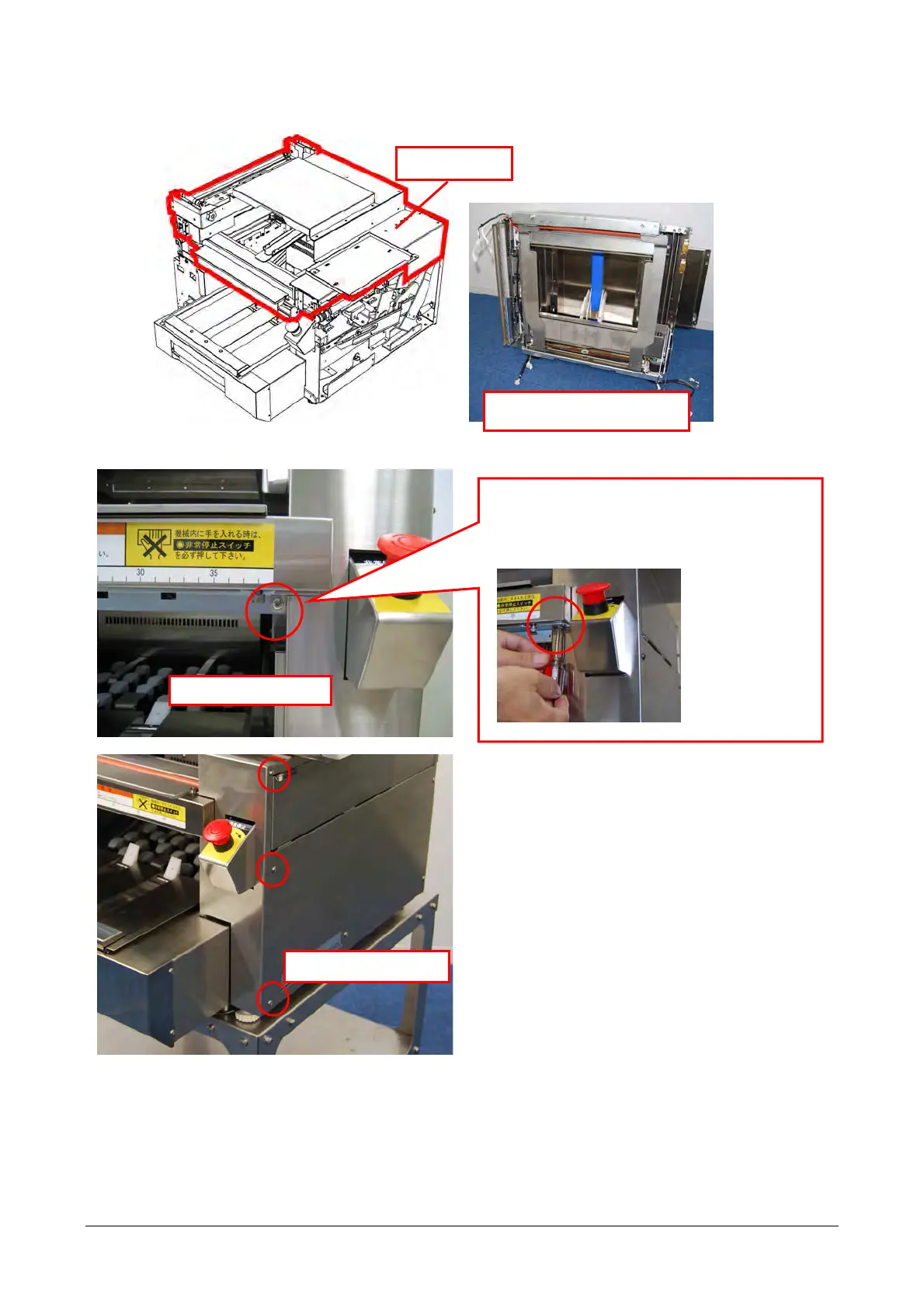
3.1.2 Removing the Wrapping Unit
Wrapping unit
Wrapping unit after being
removed
■ Removing the cover
1) Remove the screws (4) that fix the front-right cover to remove the cover.
Remove the screw (1).
* The screw position of the front-right cover may
differ depending on specifications. In the
configuration shown below, remove the screw
from the bottom.
Loosen the screws (3).
3-6


 To Next Page
 Loading...