Chapter 2 Functions for Each Mode
2.1 Normal Mode
2.1.1 Return Process at Power ON
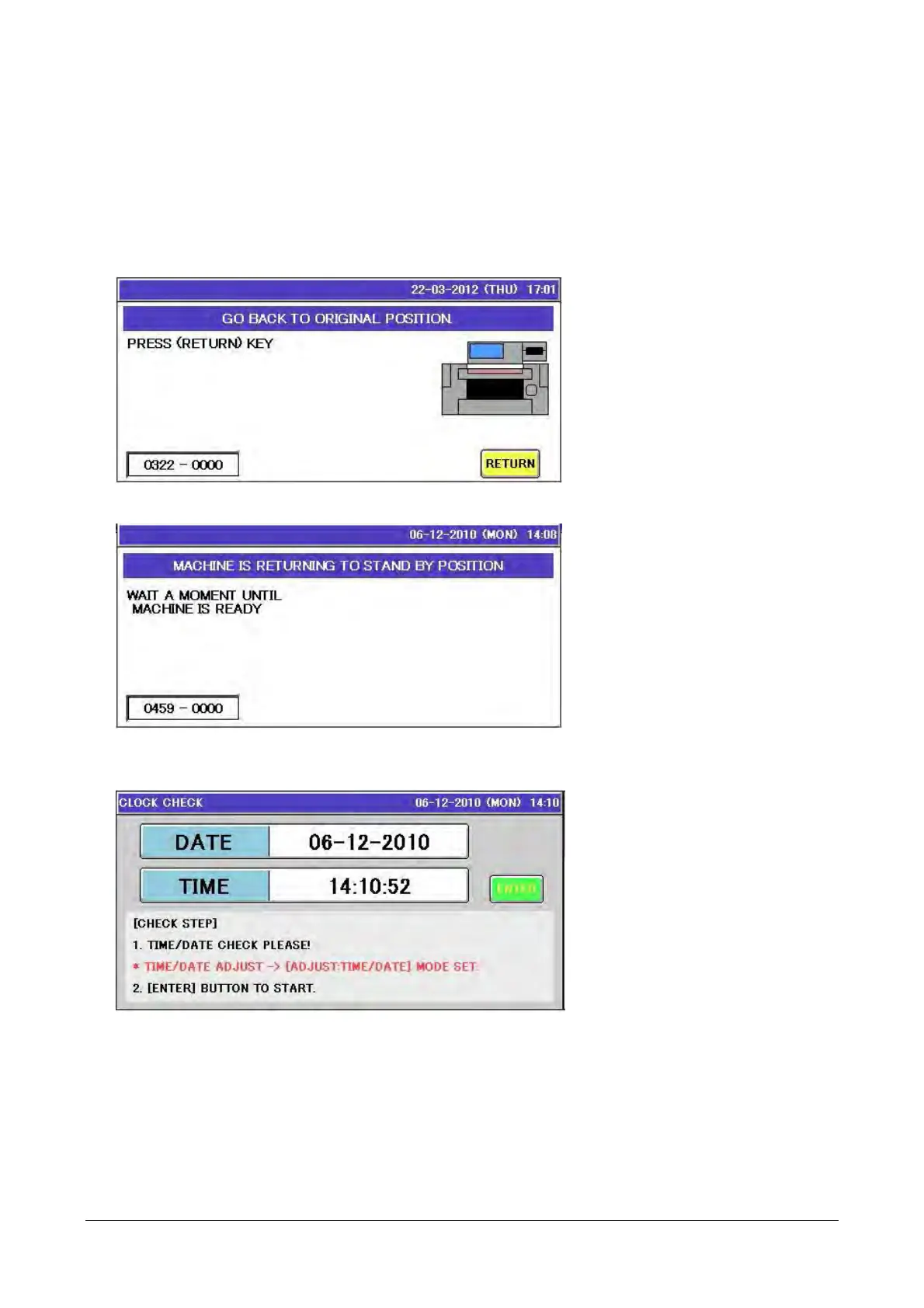
A screen appears when the power is turned on that requires confirmation for the return process.
1. A screen appears when the power is turned on that requires confirmation for the return process of each
drive unit.
2. Touch the [RETURN] button temporarily displays a screen as shown below.
__
3. A screen appears that requires confirmation of the clock. Check the date and time, then touch the
[ENTER] button.
__
2-2


 To Next Page
 Loading...