Chapter 2 Functions for Each Mode
SKIP: When the product master is sent from the host system, items
related to the wrapper (*) are omitted.
* Select this item if the host system does not support
WM-NANO.
(*) Items related to the wrapper = (TRAY No. / VOLUME / WRAP
MODE)
2.3.7 Tray Master Added to FILE SAVE / LOAD
The tray master has been added to the master list of [FILE SAVE / LOAD].
1. Insert a USB memory stick to the USB connector.
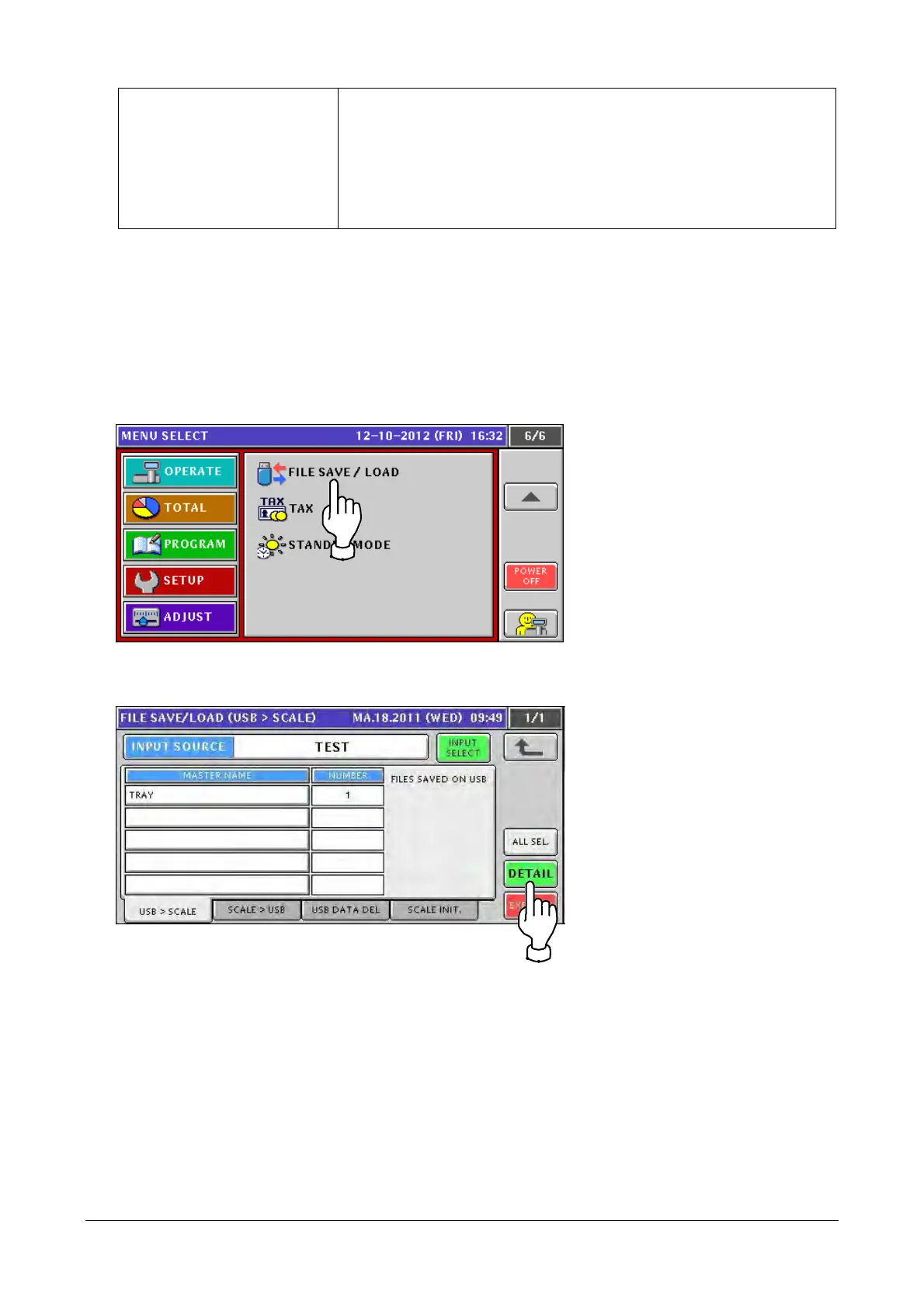
2. Touch [FILE SAVE / LOAD] in the SETUP mode screen.
If [FILE SAVE / LOAD] is not displayed, touch ▼ or ▲ button until it appears.
3. The [FILE SAVE / LOAD (USB > SCALE)] screen appears.
Touching the [DETAIL] button allows fine-adjustment of file input/output.
2-22


 To Next Page
 Loading...