Chapter 2 Functions for Each Mode
2.3.3 Items Added to PLU OVERWRITE
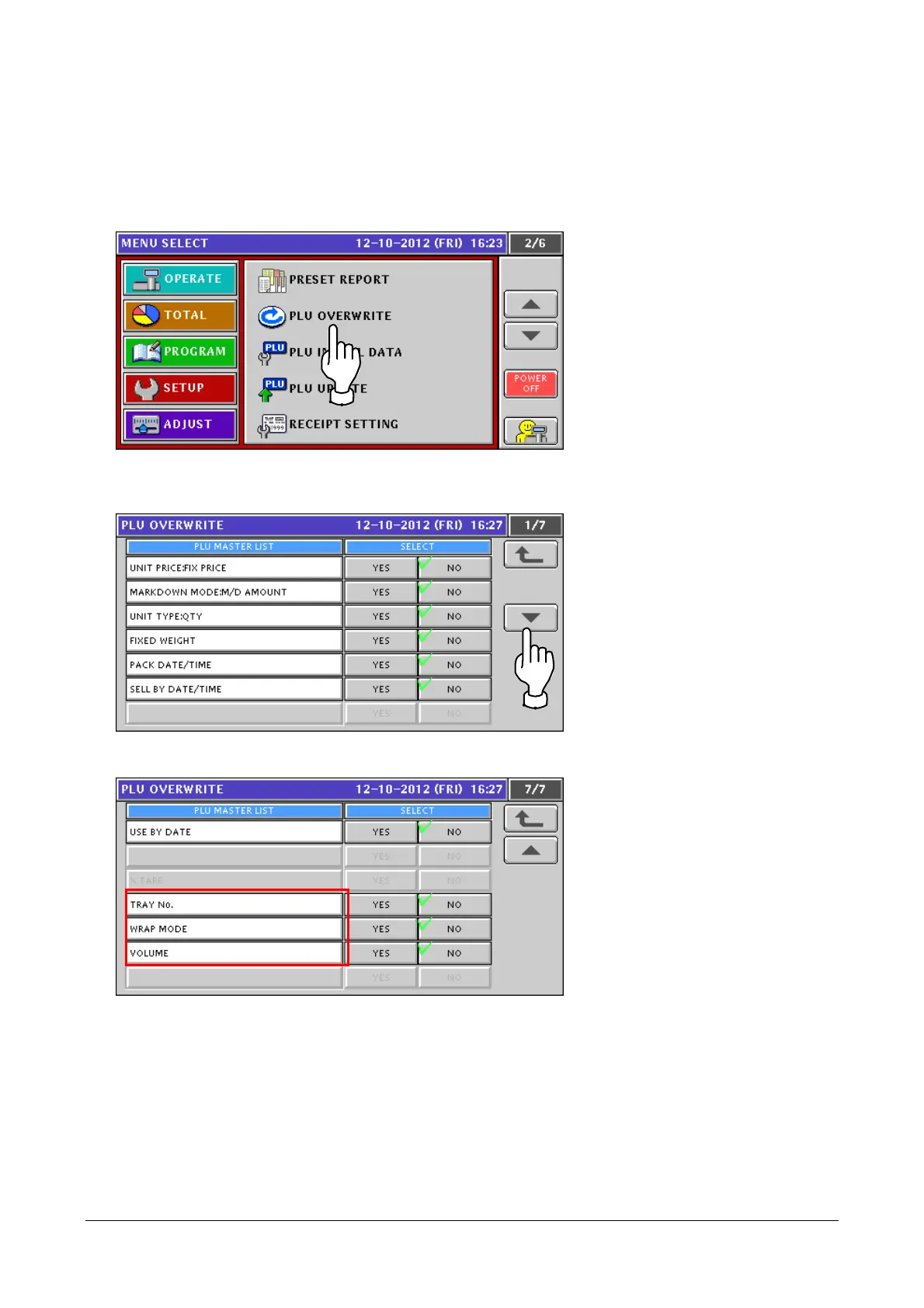
Items of TRAY No / WRAP MODE / VOLUME have been added to [PLU OVERWRITE].
1. Touch [PLU OVERWRITE] in the SETUP mode screen.
If [PLU OVERWRITE] is not displayed, touch ▼ or ▲ button until it appears.
2. The [PLU OVERWRITE] screen appears.
Touch ▼ or ▲ button to display an item you want.
The items in the red frames shown below have been added.
2-17


 To Next Page
 Loading...