Chapter 2 Functions for Each Mode
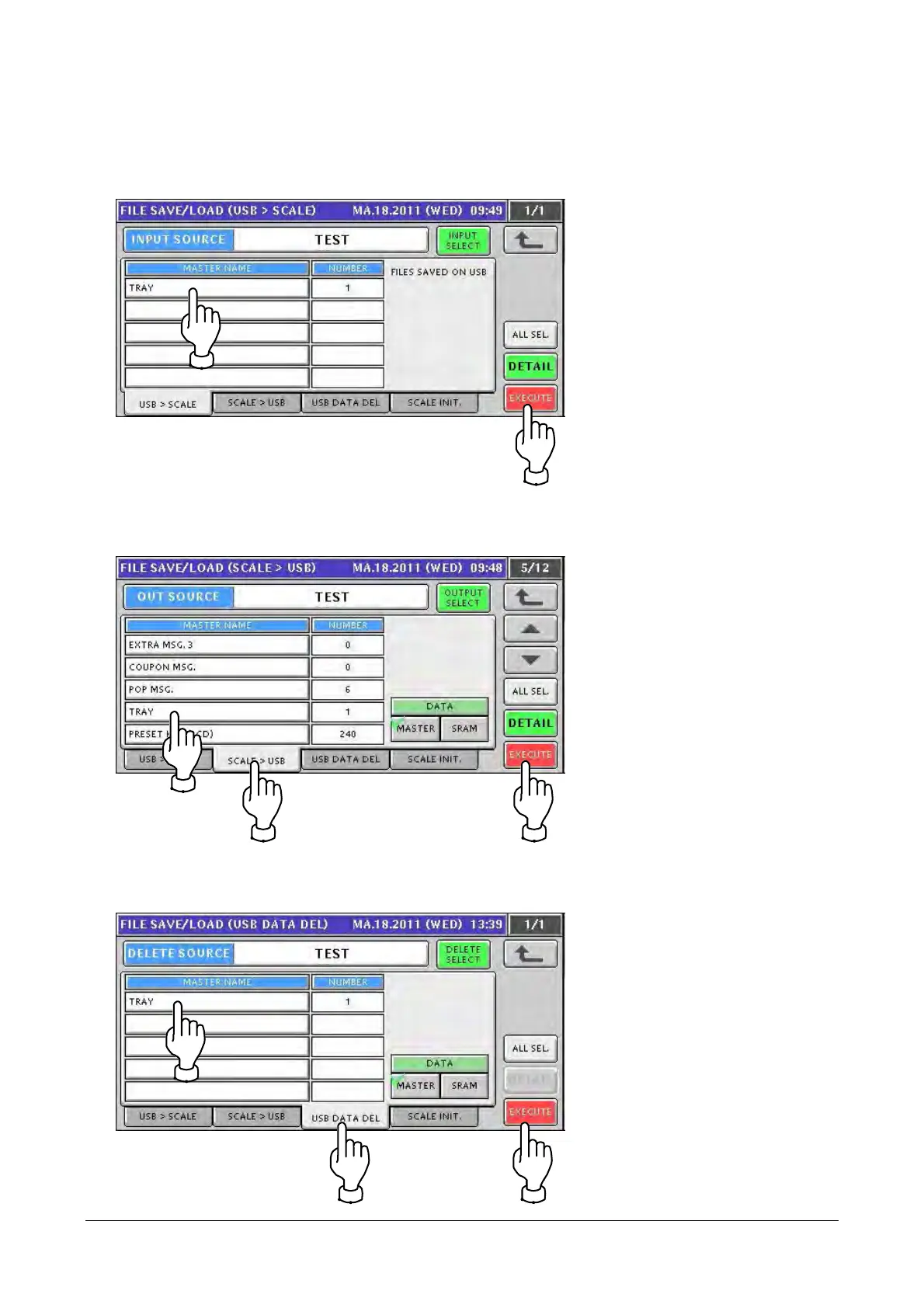
4. Select a tab to perform file input/output of a tray master.
● To input a tray master from a USB memory stick
Select a tray master and touch [EXECUTE].
● To output to a USB memory stick
① Touch the [SCALE > USB] tab.
② Select a tray master and touch [EXECUTE].
● To delete a tray master in a USB memory stick
① Touch the [USB DATA DEL] tab.
② Select a tray master and touch [EXECUTE].
2-23


 To Next Page
 Loading...