Chapter 3 Adjustment Mode
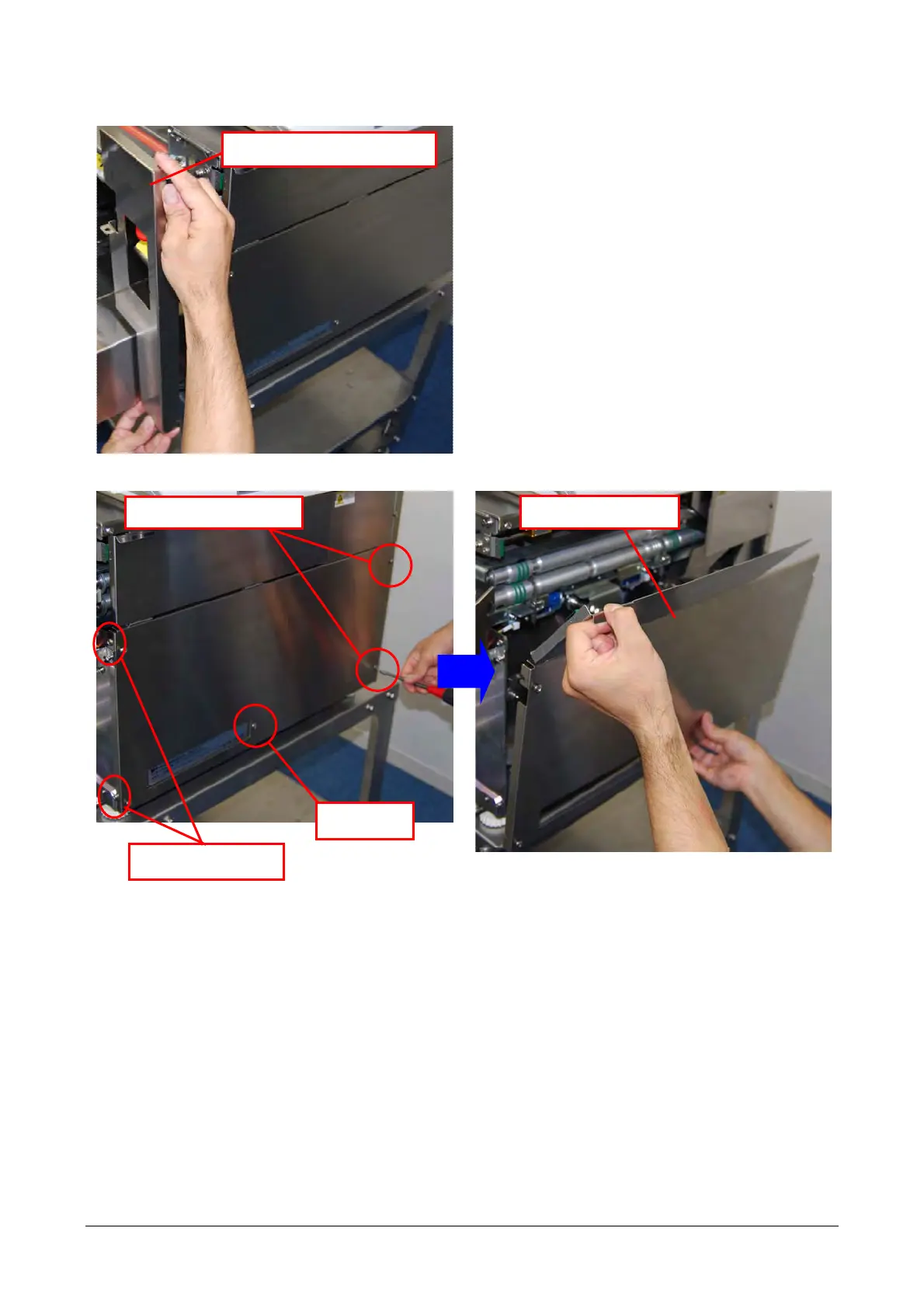
2) Remove the front-right cover
3) Remove screws (5) to remove the right lateral cover.
NOTE:
In removing the right lateral cover, pay attention not
to deform the hinge of the cover
Remove the front-right cover.
Right lateral cover
Loosen screws on
Loosen the screws.
Remove the
screw
3-7


 To Next Page
 Loading...