Chapter 3 Adjustment Mode
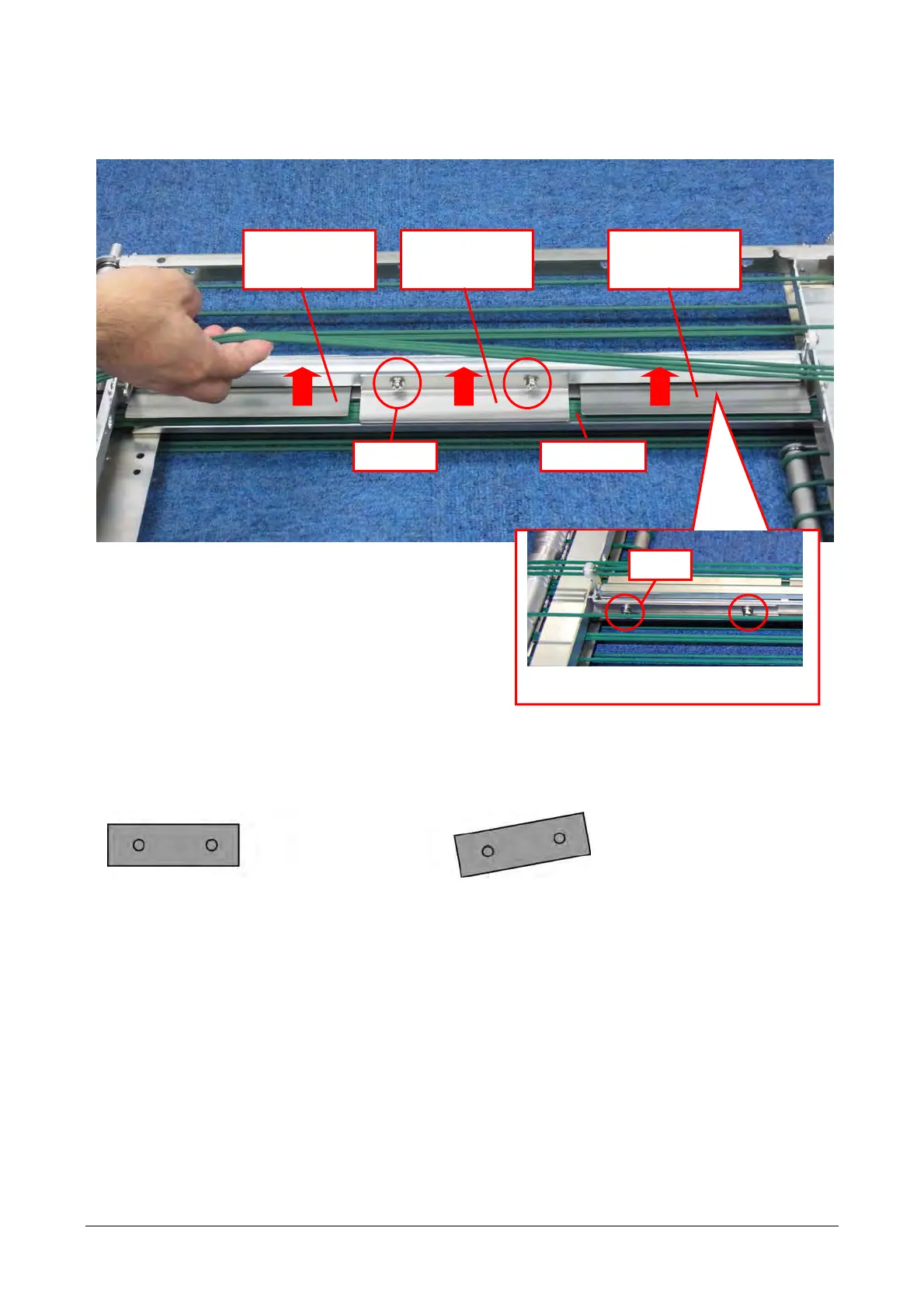
In the case shown in the photograph below, mount the clamp plates at a lifted position shown in the
direction of arrows as much as possible.
Fix each clamp plate with screws (2). Fix the left and right clamp plates at the back with screws (2).
・Mount the clamp plate horizontally.
Tighten screws keeping the clamp plate in a horizontal position. Otherwise, film cannot be caught
uniformly.
Round belts
Screw
Left and right
clamp plates and
round belts
Center clamp
plate and round
belts
Left and right
clamp plates and
round belts
Screw
Back side of the left and right clamp plates
Good example: Mounted horizontally Bad example: Mounted at a tilt
3-30


 To Next Page
 Loading...