HS-1RL User’s Manual Page 14
Interface Settings
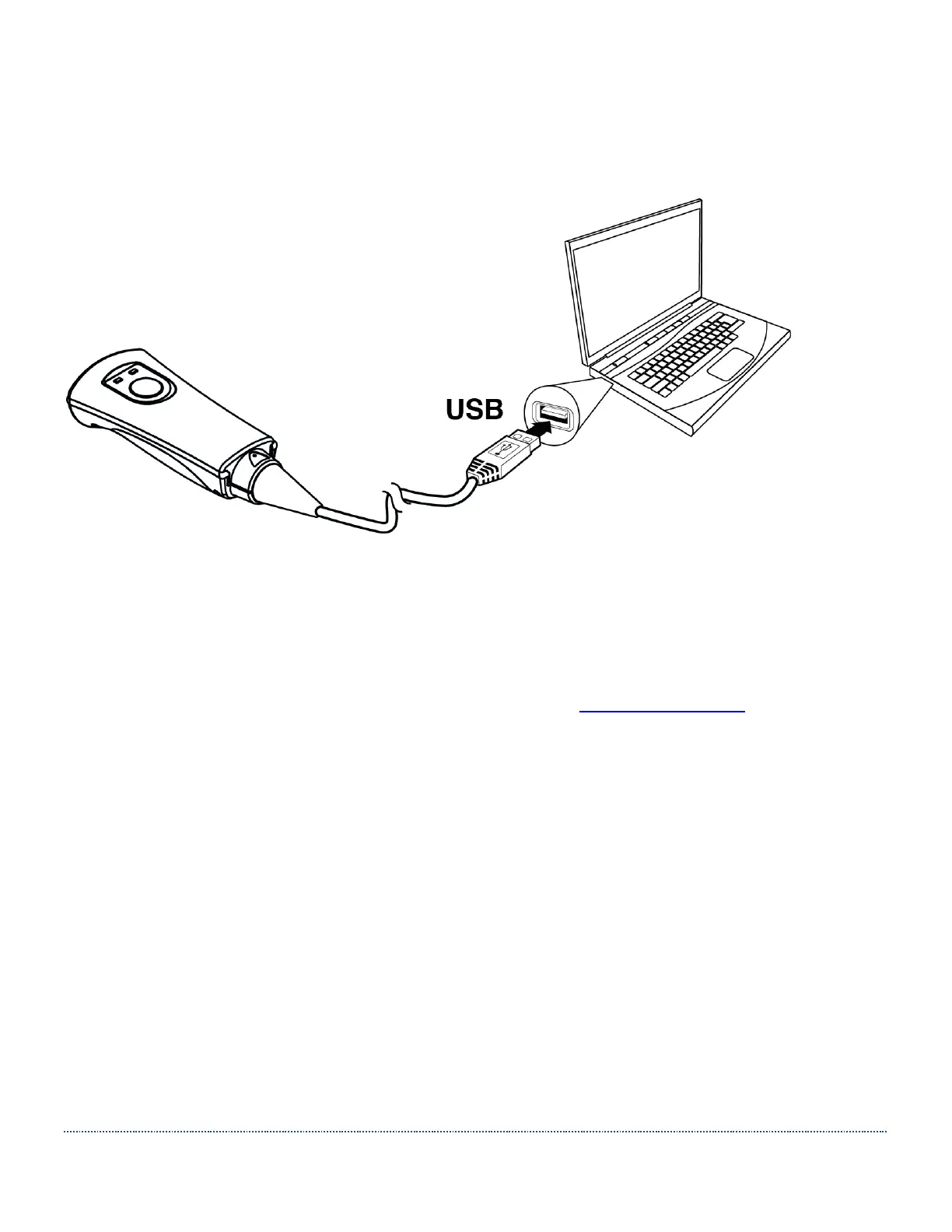
Connecting the HS-1RL with USB Port
By default, the HS-1RL is configured to communicate in USB HID Keyboard mode. For Windows
10 and Linux operating systems, no additional driver is required when using the device in the
default mode. USB devices are automatically detected after plugging in the device. If the
automatic detection fails, or for Windows 7 operating systems, follow these steps:
1. Download the driver from the HS-1RL support page on www.jadaktech.com and extract
the files to a chosen folder.
2. Turn off the power to the device/computer.
3. Plug the HS-1RL USB cable into your device/computer and then power up the
device/computer.
4. Open Device Manager and find “HS1RX” in the device listing with a yellow exclamation
mark in the lower left corner. Right click and select Properties.
5. Click Update Driver.
6. Click Browse My Computer for Driver Software.
7. Click Let me pick from list of device drivers on my computer.
8. Scroll down the window and select “Ports (COM & LPT)”.
9. Click Next, then Have Disk, then Browse.
10. Navigate to the previously chosen folder, where the driver .inf file is located. Select the
JADAK driver .inf file. Click Open, then OK.
11. Select HS1Rx, then click Next. Click Yes or Proceed to any warnings that may appear.
12. Windows should now display that the driver has been successfully updated.


 To Next Page