HS-1RL User’s Manual Page 25
5 - Data Editing
Data Editing Overview
When a barcode is scanned, additional information is sent to the host computer along with the
barcode data. This group of barcode data and additional user-defined data is called a “message
string.” The selections in this section are used to build the user-defined data into the message
string.
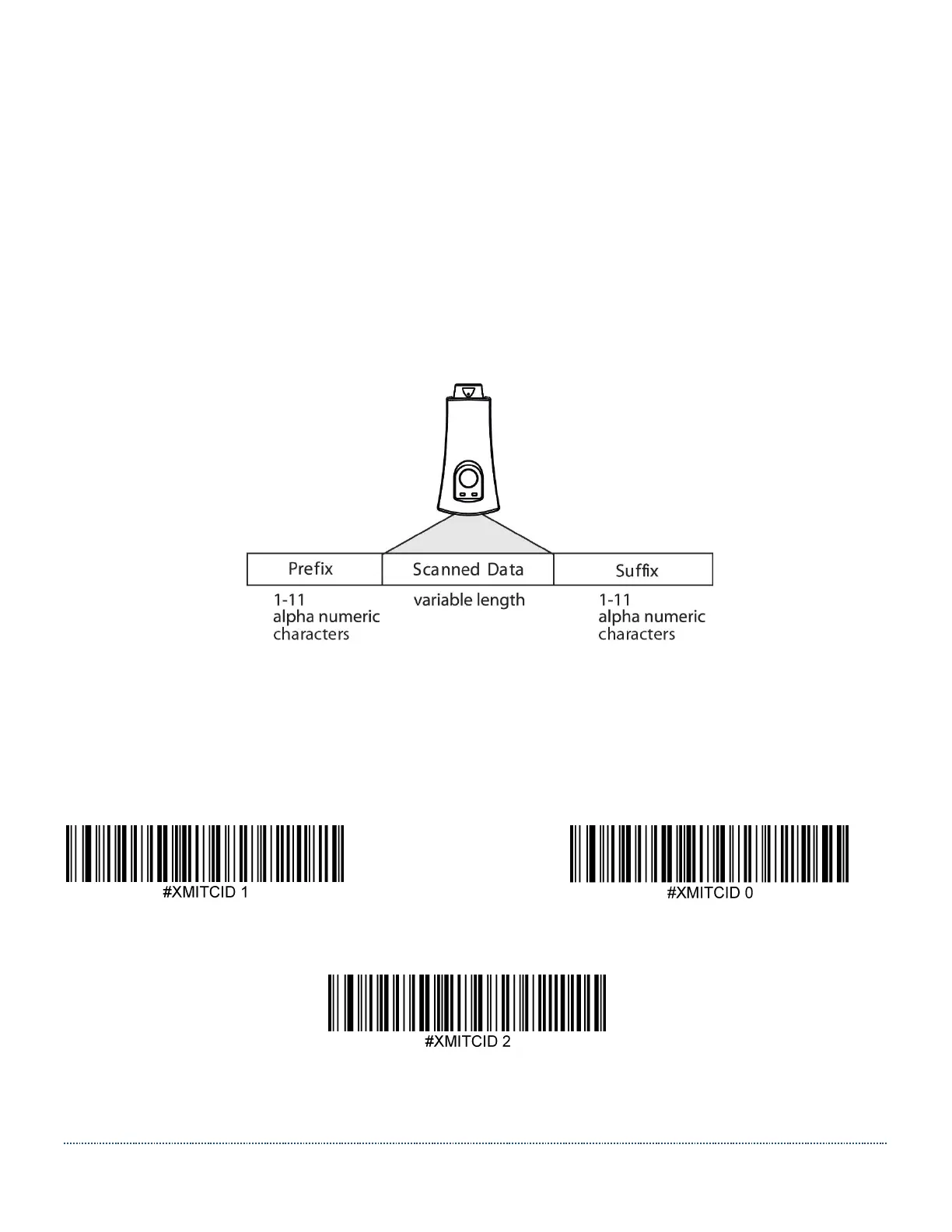
The following illustration shows the breakdown of a message string:
Transmit AIM ID Character (Not Supported in Current Firmware)
Use the following codes to transmit an AIM ID character or a Symbol ID Character.
See Appendix B for a chart of all supported barcodes and their corresponding AIM ID characters.
Default = Don’t Transmit AIM ID.
Transmit AIM ID * Don’t Transmit AIM ID
Transmit Symbol ID


 To Next Page