HS-1RL User’s Manual Page 20
No Reads
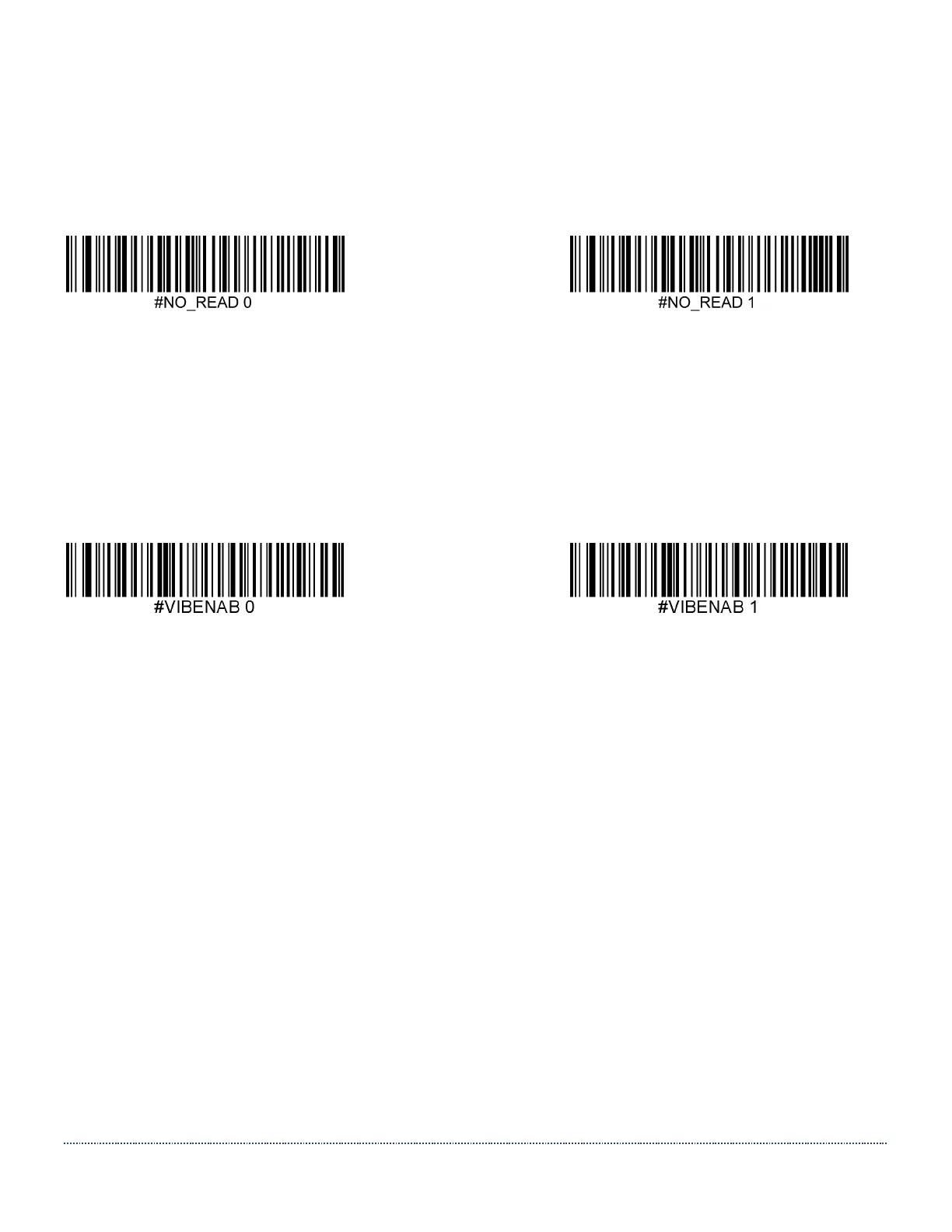
Not every trigger event will result in a successful barcode read. When there is no code read the
HS-1RL may return a no read signer in the form of the characters NR.
Default = Disable No Read.
* Disable No Read Enable No Read
Vibration
The HS-1RL has an optional internal Vibration function that can be turned on for good reads
(both RFID and barcodes). This can be very helpful in an environment where an audible beep
would be unwanted; for instance, in a patient ward at night in a hospital, where patients are
sleeping.
Default = Enabled
Don’t Vibrate * Vibrate on Good Read
Trigger Modes
In order to scan barcodes, you need to ‘trigger’ the HS-1RL.
This can be done in various ways. You can activate the HS-1RL by sending the trigger command
TRGON serially or by pressing the trigger button on the scanner itself.
Several supporting commands are provided to set the allowed trigger time-out (e.g. the
maximum time that the scanner will take to keep looking for a barcode.)
#TRGON This command turns the trigger ON.
#TRGOFF This command turns the trigger OFF.
Manual Trigger (level)
You can activate the imager by pressing the trigger or sending the serial trigger command
TRGON. When in manual trigger mode, the HS-1RL scans until a bar code is read, until
the trigger is released, a TRGOFF command is sent, or a time-out occurs.
Use the command below to enable Manual Trigger Mode.


 To Next Page