HS-1RL User’s Manual Page 38
building a menu command barcode.
Default Left boundary = 338. Default Right boundary = 506.
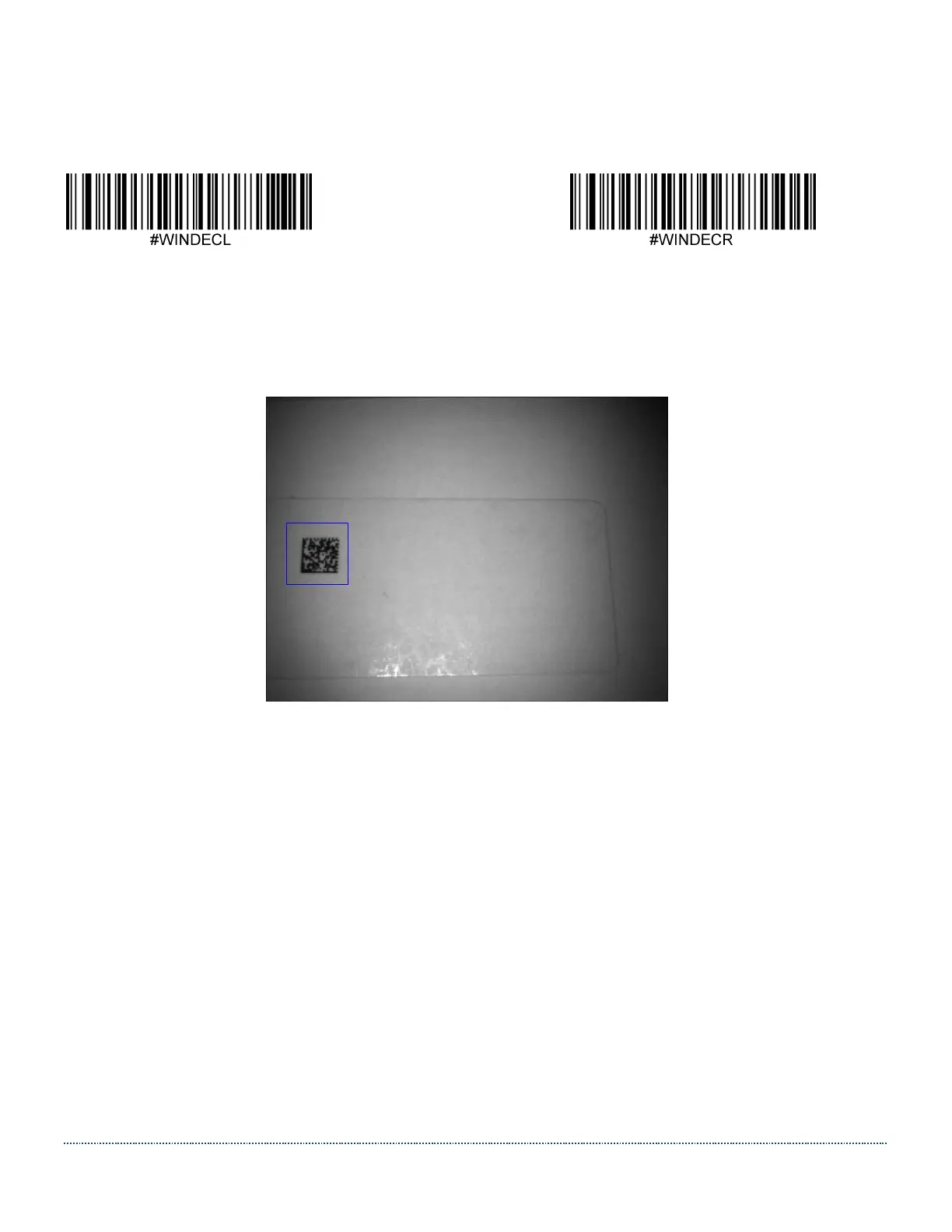
This is a screenshot of an example where a Decode Window with T=260, B=390, L=40, R=170
was used to speed up decoding a Data Matrix code that was offset to the left in the Field of View.
Note: This image was taken and transmitted using a regular HS-1 Scanner (non-RFID model).


 To Next Page