34
Replacing the Rotation Stopper Plate
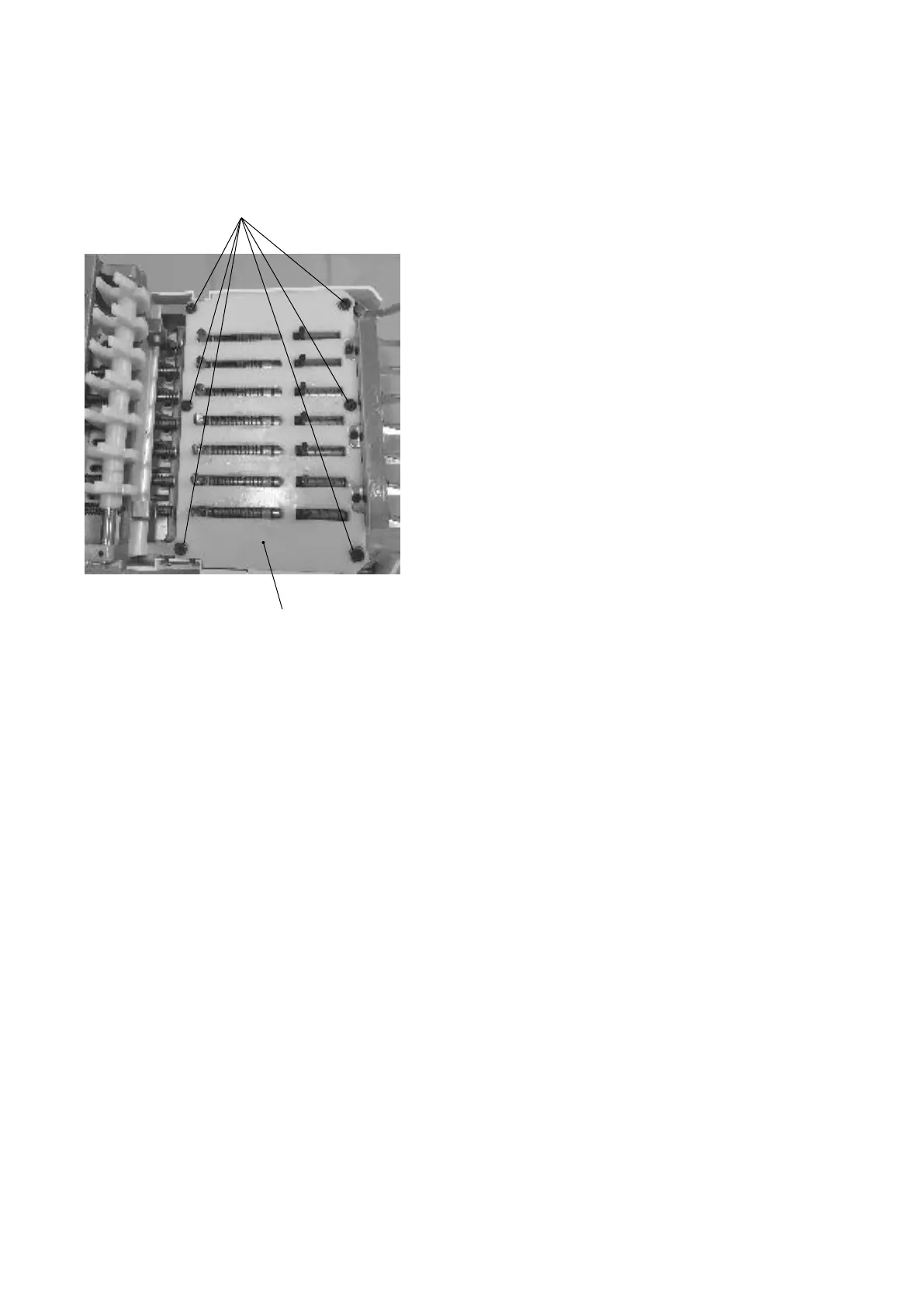
To remove:
1. Remove moving head (see pages 22 and 23).
2. Remove the setscrews (6 pcs.) and rotation stopper
plate.
To attach:
3. Attach the rotation stopper plate with the setscrews (6
pcs.).
The setscrews should be positioned at the center of
each holes when tightening each setscrews.
4. Attach moving head.
Setscrew
Rotation stopper plate


 To Next Page