40
Replacing the Lateral Moving Unit
To remove:
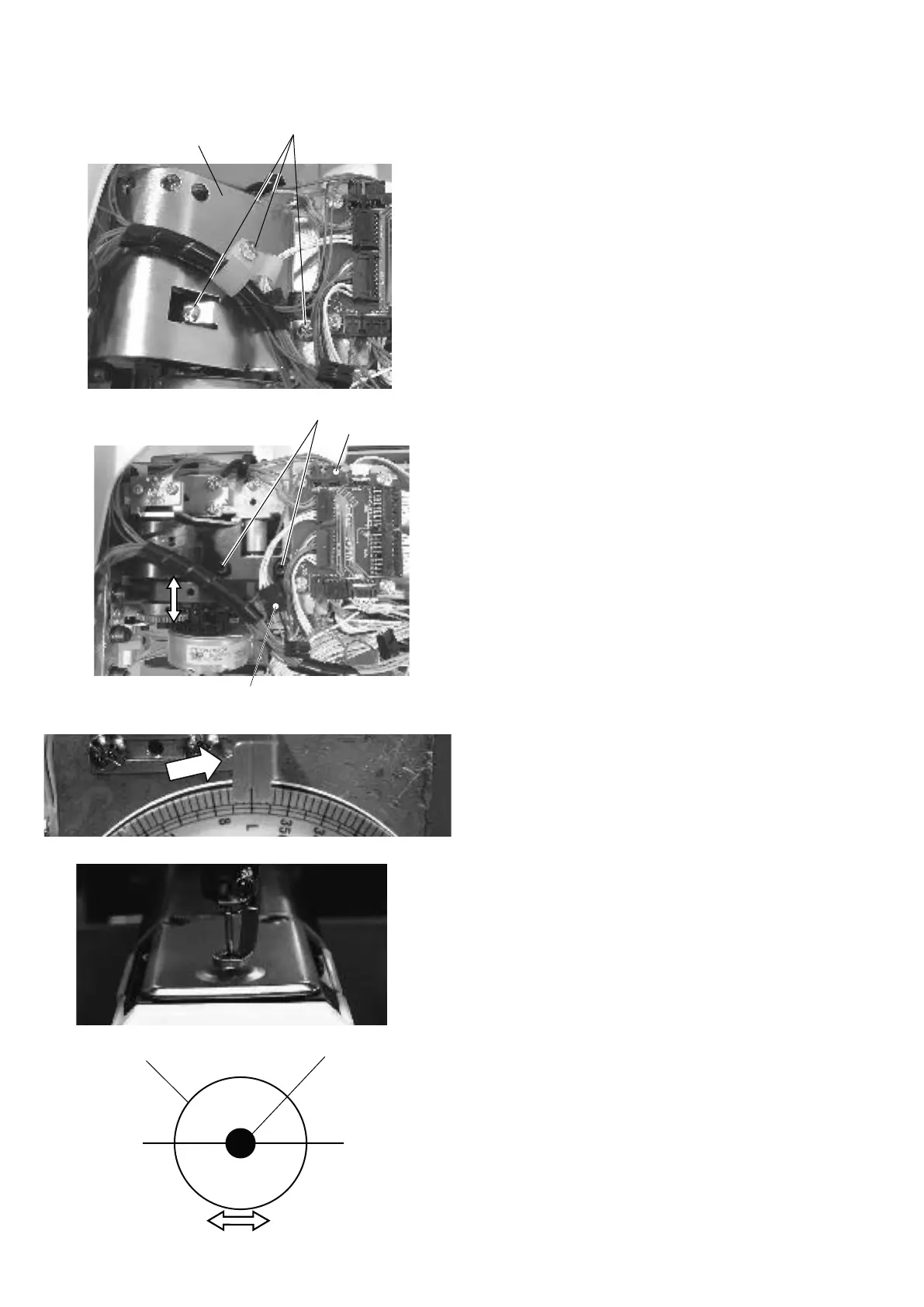
1. Remove the spool stand, right cover and left cover
(see pages 4 and 5).
2. Remove the thread tension panel (see page 4).
3. Remove the setscrews A (3 pcs.) and remove the
driver cover.
4. Disconnect the connectors.
5. Remove the setscrews B (2 pcs.) and remove the
lateral moving unit.
To attach:
6. Attachthelateralmovingunitandpartiallyxitwiththe
setscrews B (2 pcs.).
7. Push the needle bar down and rotate the handwheel
to set the index disk at “L”.
8. Adjust the position of the lateral moving unit so the
needle enters into the center of the hole in the needle
plate. Tighten the set screws B (2 pcs.) securely.
9. Connect the connectors and attach the parts removed
in steps 1 to 3.
Setscrew A
Setscrew B
Connector
Hole in the needle plate
Needle
Drive cover
Connector


 To Next Page