68
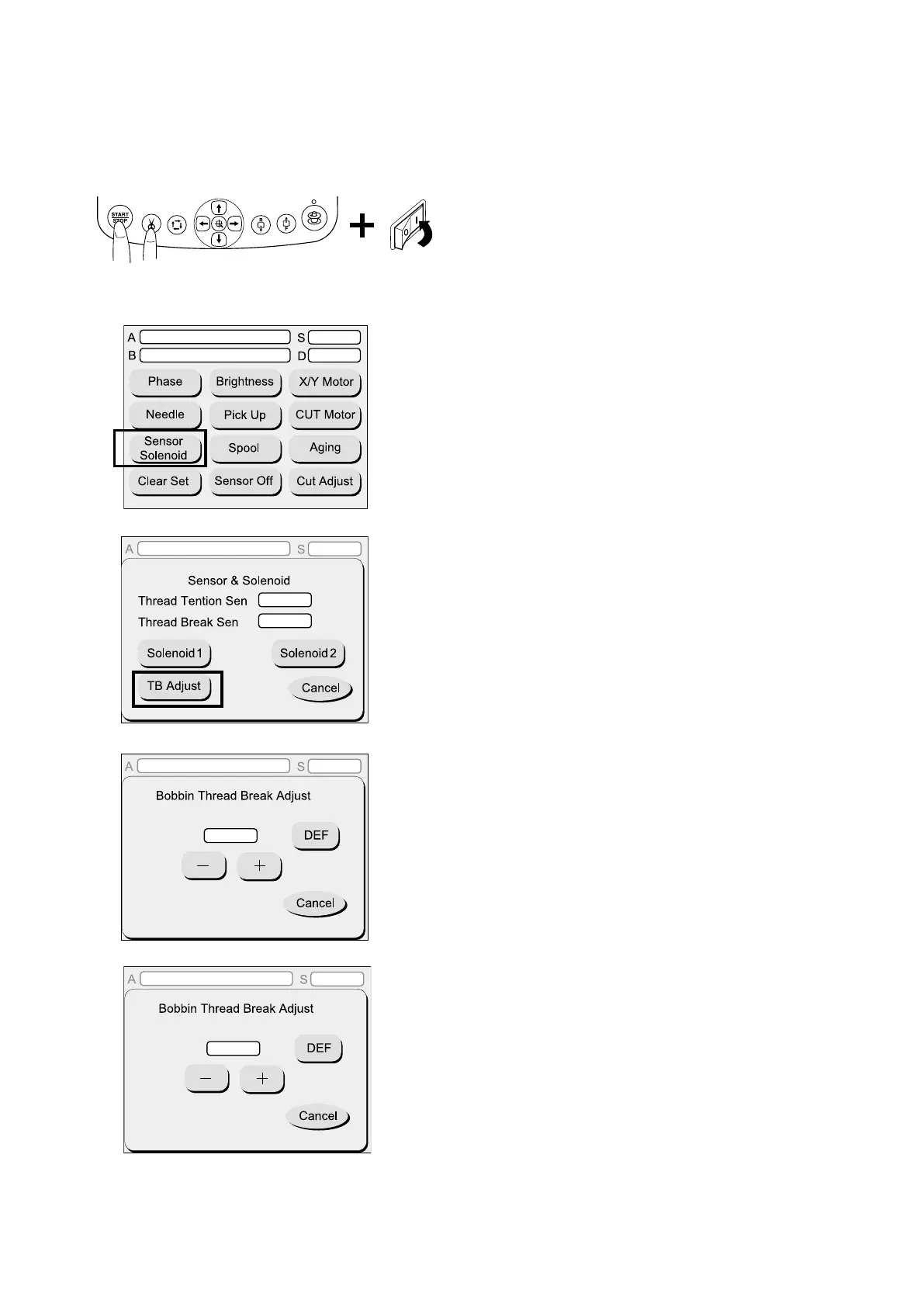
Adjusting the sensitivity of the thread breakage sensor
(Not necessary for machines with the old printed board G)
2. Press the sensor solenoid key.
3. Press the TAB adjust key.
4. Press the DEF key, “+” key or “-” key to set the
sensitivity of the thread breakage sensor to “59”.
1. For Version 2.00 and 3.00:
Press and hold the start/stop button and the thread
cutter button, and turn the power switch on.
1
2
3
4
5. Press the cancel key to register the setting.
771A-B:1-2.00-002
Ver.004
771A-A:1-2.00-002
771A-A:1-2.00-002
Ver.004
L
L
771A-A:1-2.00-002
Ver.004
42
771A-A:1-2.00-002
Ver.004
59
5


 To Next Page