SECTION 6 - JLG CONTROL SYSTEM
6-4 3121714
Press ENTER to select the ACCESS LEVEL menu.
Using the UP or DOWN arrow keys, enter the first
digit of the password, 3.
Then using the RIGHT arrow key, position the cursor to
the right one space to enter the second digit of the password.
Use the UP or DOWN arrow key to enter the sec-
ond digit of the password which is 33271.
Once the correct password is displayed, press ENTER .
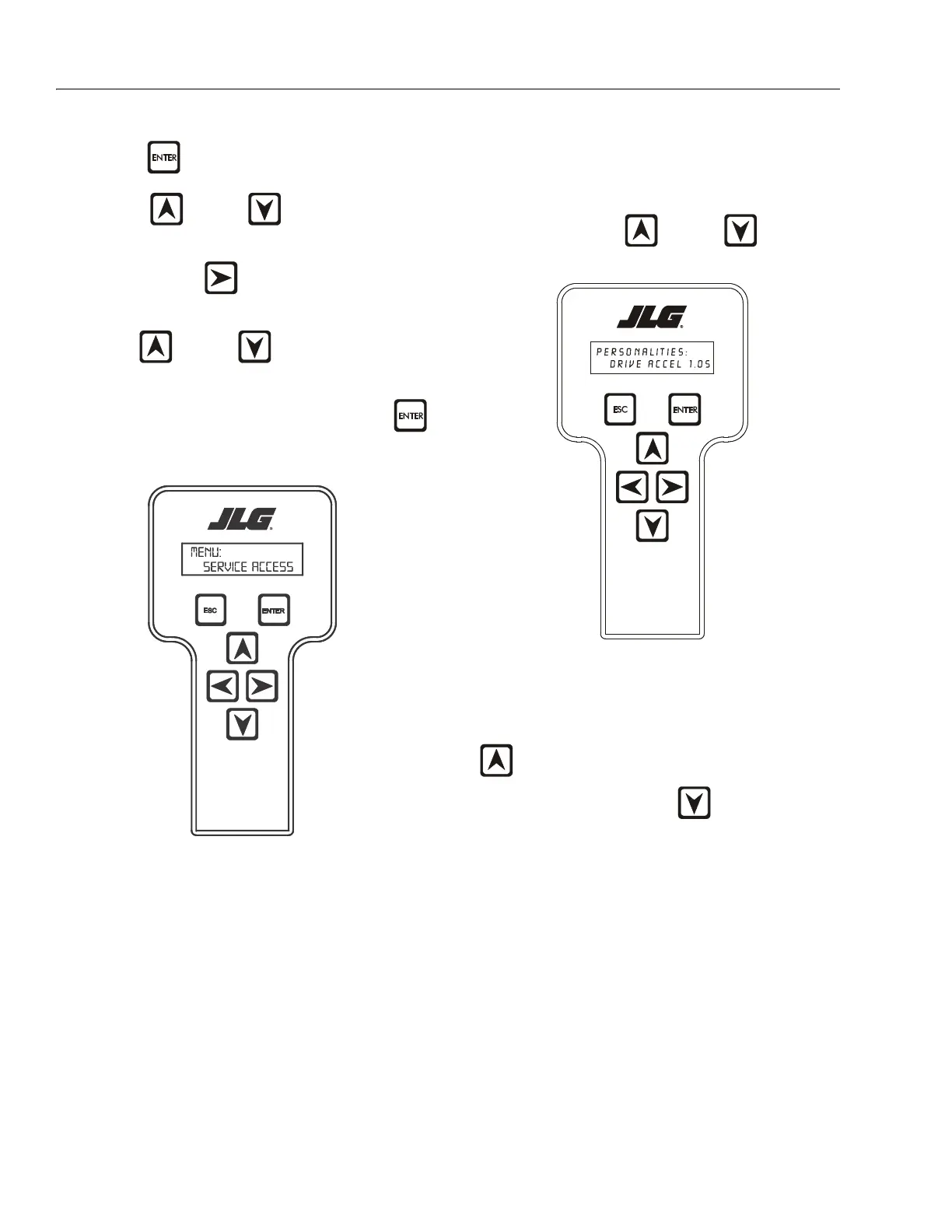
The access level should display the following, if the password
was entered correctly:
MENU:
SERVICE ACCESS
Repeat the above steps if the correct access level is not dis-
played or you can not adjust the personality settings.
Adjusting Parameters Using the Hand Held
Analyzer
Once you have gained access to level 1, and a personality item
is selected, press the UP or DOWN arrow keys to
adjust its value, for example:
PERSONALITIES:
DRIVE ACCEL 1.0s
There will be a minimum and maximum for the value to
ensure efficient operation. The Value will not increase if the UP
arrow is pressed when at the maximum value nor will
the value decrease if the DOWN arrow is pressed and
the value is at the minimum value for any particular personal-
ity. If the value does not change when pressing the up and
won arrows, check the access level to ensure you are at Service
Access.



 To Next Page