107
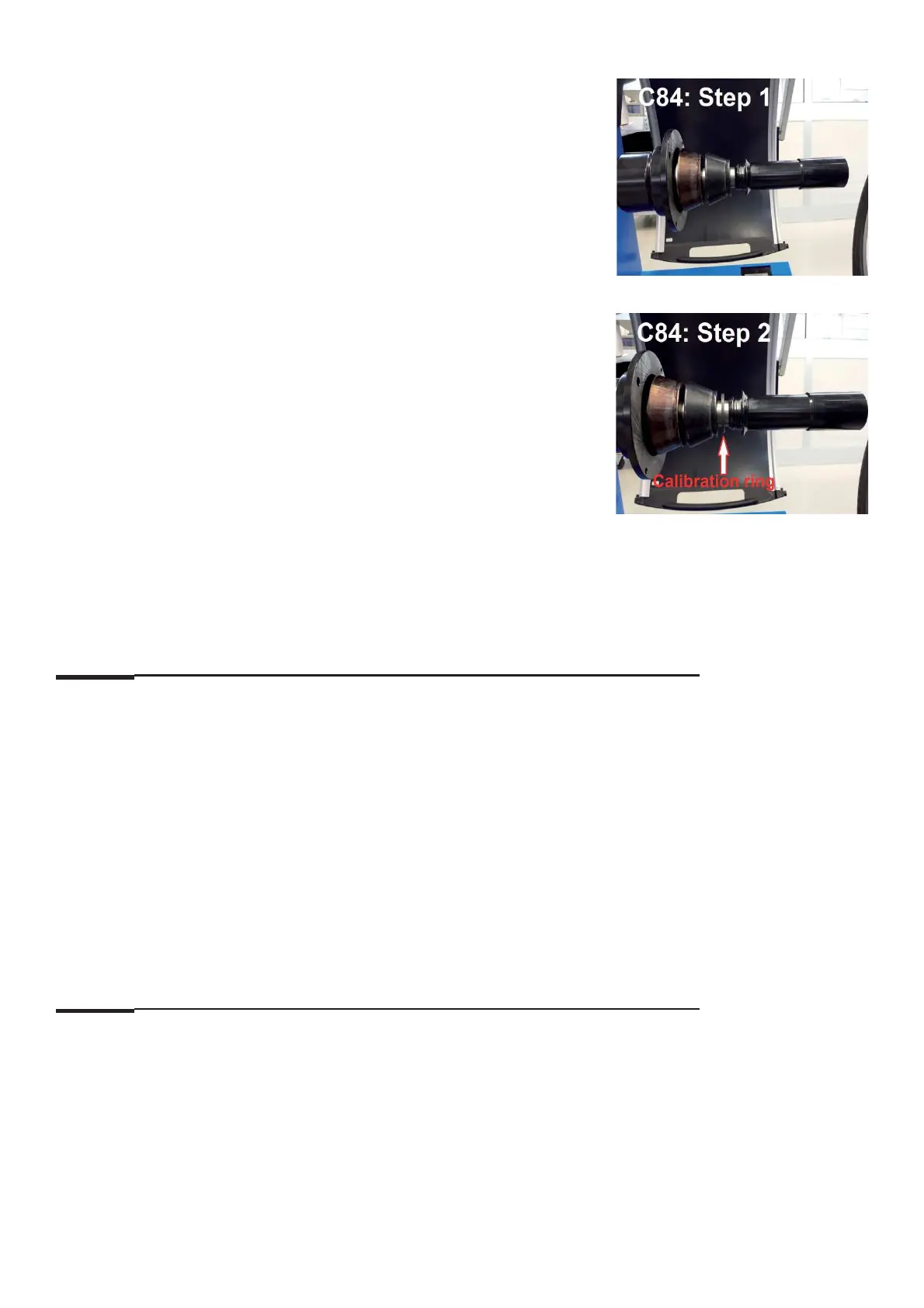
Step 1: Remove wheel adaptor from main shaft.
Clamp the medium and big cones on the shaft and lock
Close the wheel guard and press "START" key for the
measurement run.
Step 2: Unclamp the clamping sleeve and place the calibration ring between
the cone and the sleeve. Lock the cones again.
Step 3: Lower the wheel guard to begin a measuring run.
Comments: Complete this calibration with C88
C85 Copy content of serial EEPROM (EEP) from IBP to optoencoder
Options:
0 : No action
1 : Copy from Integrated Display EEP to opto EEP.
Special function: None
Description: To make sure the content is not overwritten by mistake, fi rst set display from 0 to 1 by using the
option selection.
Then the copying operation is started by pressing the Acknowledgment key.
Once copying has been completed, the machine is started again automatically.
Comments: None
C86 Copy content of serial EEPROM (EEP) from optoencoder to IBP
Options:
0 : No action
1 : Copy from optoencoder EEP to Integrated Display EEP.
Special function: None.
Description: To make sure the content is not overwritten by mistake, fi rst set display from 0 to 1 by using the
option selection.
Then the copying operation is started by pressing the Acknowledgment key.
Once copying has been completed, the machine is started again automatically.
Comments: See C85



 To Next Page