41
4.21 CHECK AND REPLACEMENT OF THE ELECTROMAGNETIC BRAKE
" : Medium Phillips and ! at screwdriver, Voltmeter, 2.5, 5 and mm allen key, 13mm wrench seeger pliers, tire lever,
scissors.
6 : 2h
i : Defective electromagnetic brake may cause the following malfunctions:
1. Machine does not brake the wheel.
2. 001090 during wheel clamping
3. 001091 during wheel unclamping
4. Noisy brakes during braking.
5. The stator is noisy when it holds the wheel in position.
TO CHECK THE ELECTROMAGNETIC BRAKE
Ø Check if make noise during the braking action.
Ø Check if pressing the pedal, the electromagnetic brake works or not.
Ø Check if pressing the pedal the IBP emits the beep.
Ø Take the voltmeter and set it in VAC.
Ø Position the voltmeter terminals on the stator vires of the connector X3 of the IBP.
Ø Press the brake pedal and make sure that there 150VAC. If there is no power, replace the IBP box. If there is
power replace the electromagnetic brake.
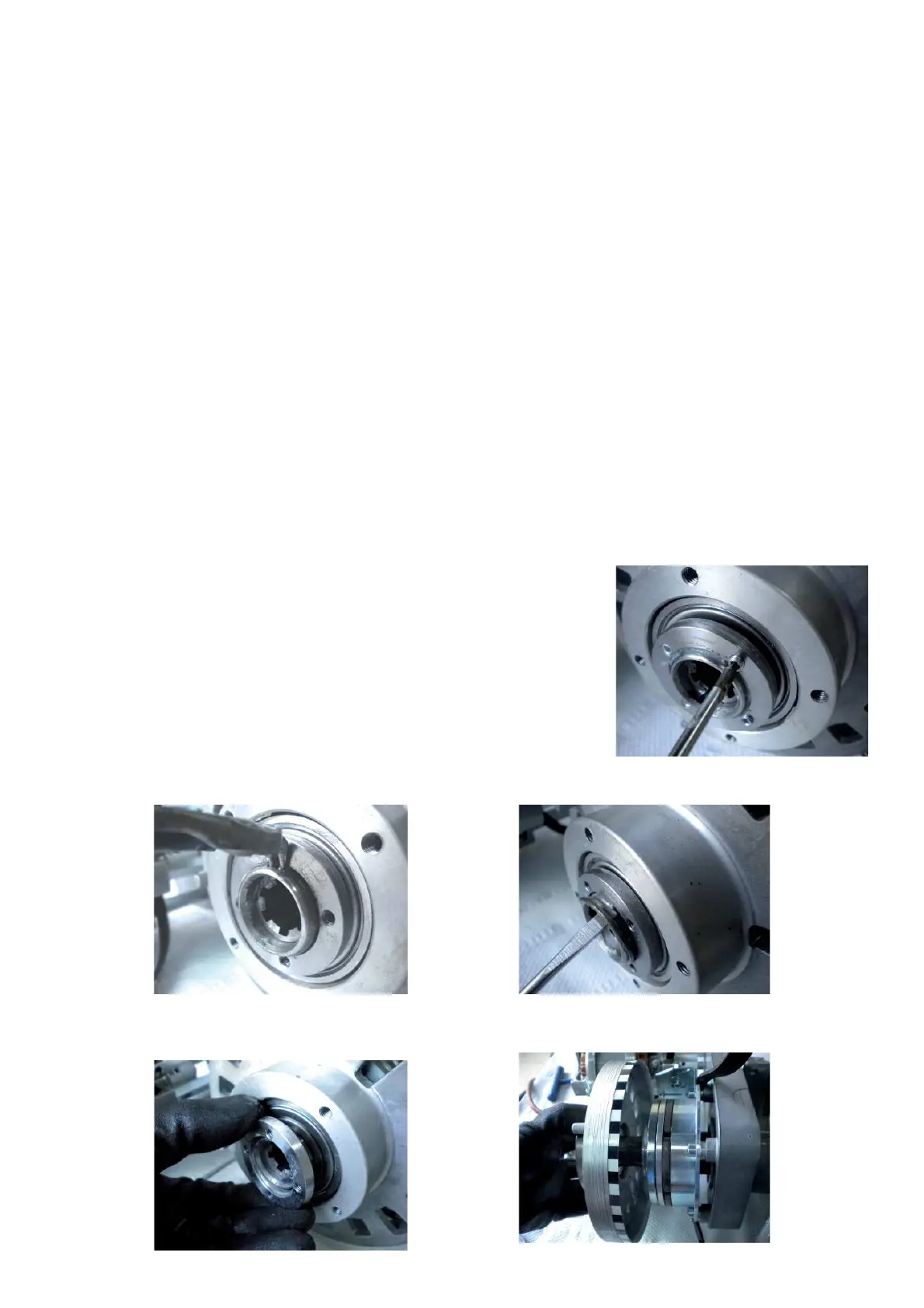
TO REPLACE THE ELECTROMAGNETIC BRAKE
Ø Remove the power clamp nut.
Ø Rmove the drive pulley optoencoder and the belt.
Ø Disconnect the electromagnetic wires from the connector X3 of the IBP2.
Ø Remove the 4 set screws
Ø Remove the clip ring.



 To Next Page