40
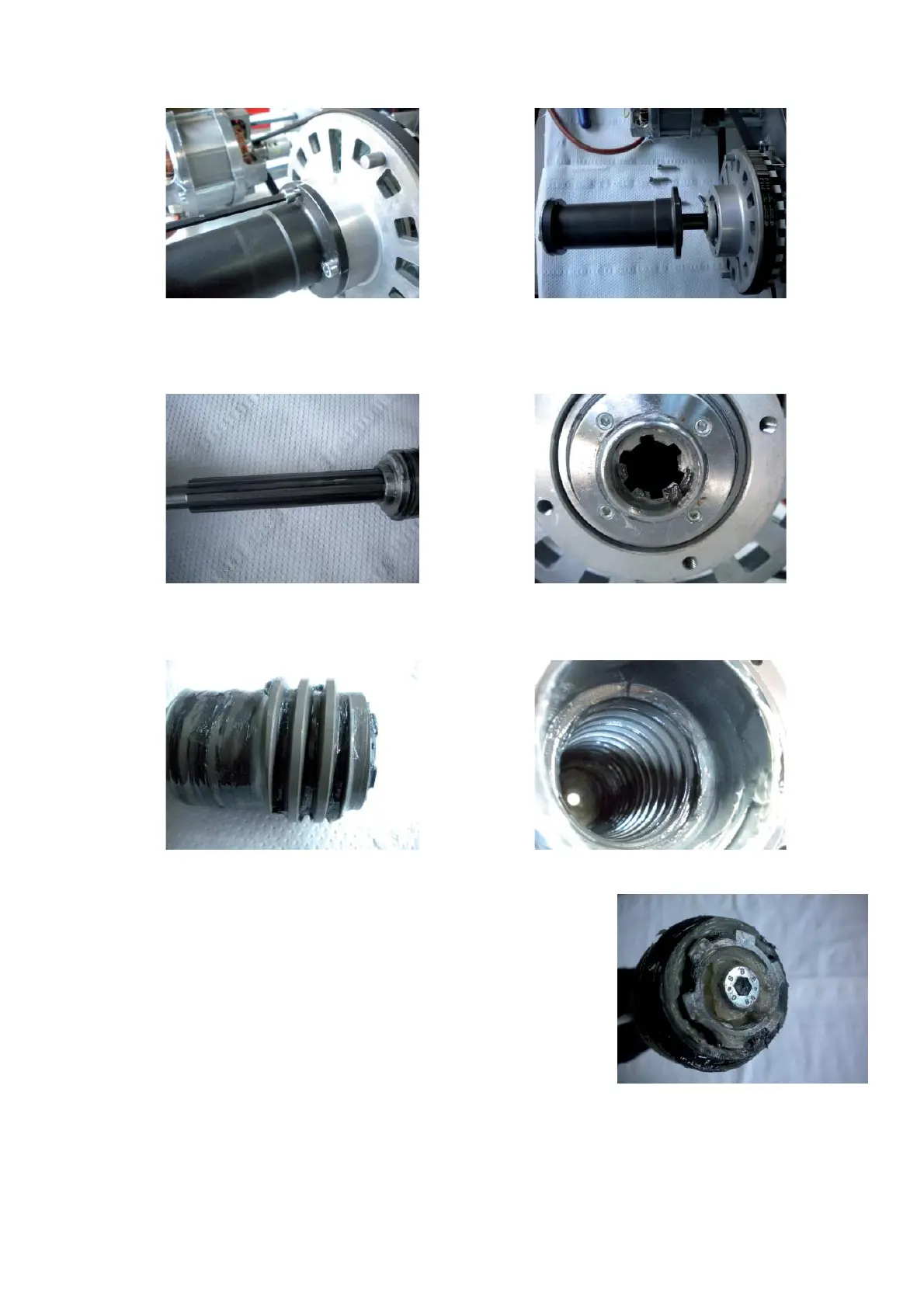
Ø Remove the 4 screws that secure the power clamp nut to the pulley. Slide the power clamp nut with the rod off
through the hole of the plastici body.
Ø Check if the tie rod and its guide on the vibratory system are ! ne. If the tie rod is worn out, replace the power
clamp nut kit. If the guides inside of the vibratory system are worn out, replace the complete vibratory system.
Ø Check if the worm screw and the nut are ! ne and well lubricated. If they are worn out replace the kit.
Ø Check if the screw that secure the worm screw to the shaft is ! rmly
tightened.
Ø Mount the power clamp to the vibratory assembly and secure it with the 4 screws.
Ø Mount the " ange and secure it with the 2 screws.
Ø Mount the plastic plug to the plastic body.
Ø Mount the weight tray.
Ø Turn the machine on.
Ø Calibrate with C84.
Ø Check if the balancer works ! ne again.



 To Next Page