25
4.6 CHECK AND REPLACEMENT OF THE POWER ENTRY MODULE
" : Voltmeter, medium ! at and Phillips screwdriver, scissors, 5mm allen key.
6 : 1h
i : Defective power entry module may cause the following malfunctions:
1. Turning the machine on, the main switch of the shop shuts off.
2. Turning the machine on the 6.3A fuses of the module blow up.
3. Turning the machine on, the machine does not show anything.
Before starting with any power entry module replacement, make sure about that the fuses are " ne or not.
TO CHECK THE POWER ENTRY MODULE
Ø Disconnect the power supply from the machine.
Ø Access to the IBP2 box.
Ø Disconnect the connector X41 from the IBP2 box or the Integrated board.
Ø Make sure that the switch is “OFF” position.
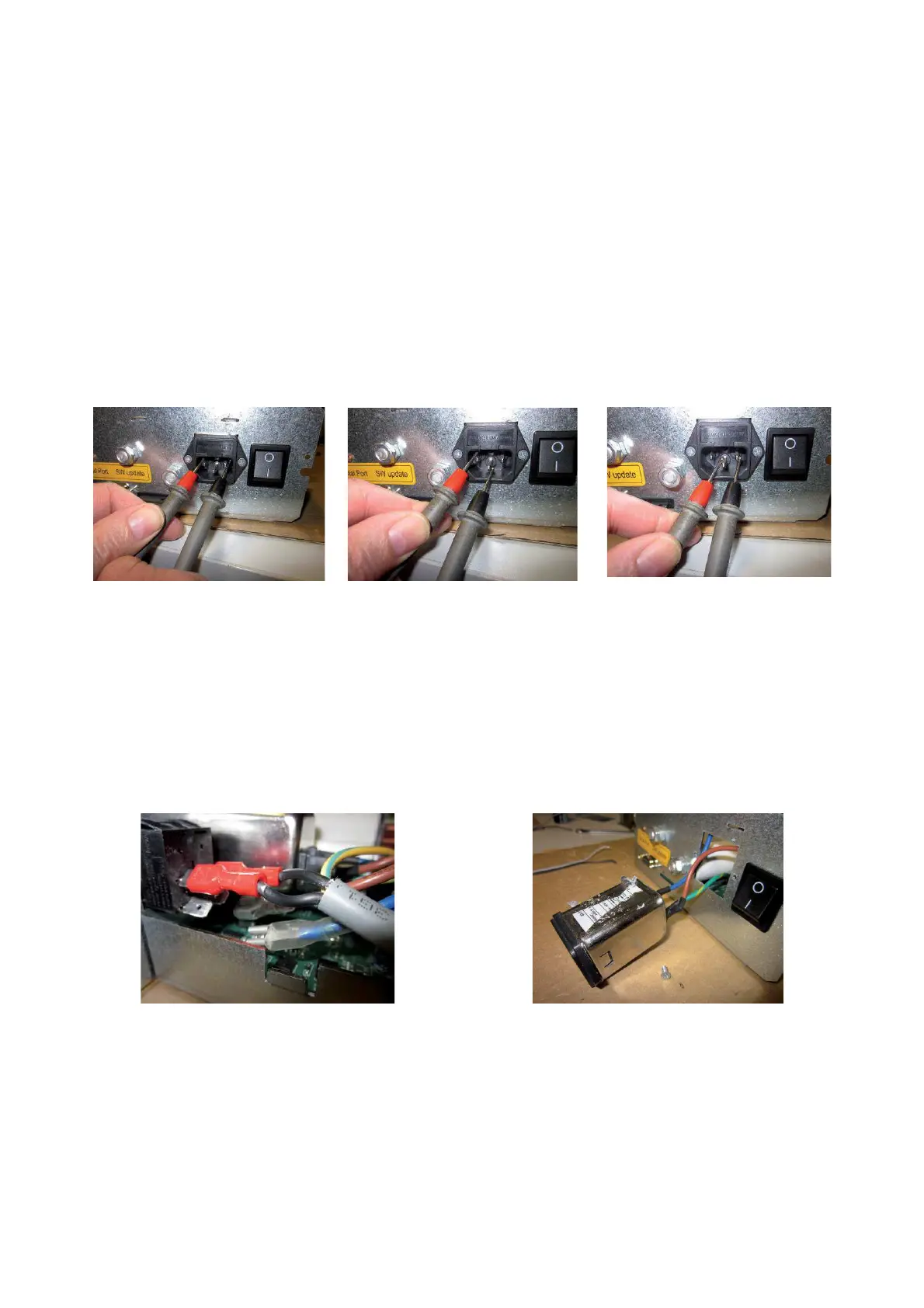
Ø Take a voltmeter and select it Ohm.
Ø Position the voltmeter terminals on Phase-Neutral, Phase-Ground and Neutral-Ground.
Ø If the voltmeter will emits a beep in one or more positions, the module is in short circuit and must be replaced.
Ø If the voltmeter will not emits any beep, the module is " ne and the problem is caused by IBP2 .
TO REPLACE THE NEW POWER ENTRY MODULE
Ø Turn the balancer off.
Ø Disconnect the power supply from the machine.
Ø Access to the IBP2 box
Ø Disconnect the Power Entry Module from the main switch.
Ø Take a small ! at or Phillips screwdriver to dismount the module.
Ø Take the new module and secure it to the bracket.
Ø Plug in the new module to the main switch.
Ø Plug in the machine to power supply.
Ø Turn the machine on and check if the machine works " ne.



 To Next Page