24
4.5 CHECK AND REPLACEMENT OF THE MAIN SWITCH
" : Voltmeter, medium ! at and Phillips screwdriver, scissors, 5mm allen key, 7 tube type key.
6 : 1.5h
i : Defective power entry module may cause the following malfunctions:
1. Turning the machine on, the main switch of the shop shuts off.
2. Turning the machine on, the machine does not show anything.
TO CHECK THE SWITCH:
Ø Turn off the balancer.
Ø Disconnect the power supply from the machine.
Ø Remove the weight from the balancer to access to the IBP2.
Ø Remove the IBP2 box from the machine and remove its cover to access to the switch.
Ø Disconnect the wires from the switch.
Ø Take the voltmeter and select it in Ohm.
Ø Turn switch to ‘0’ (off).
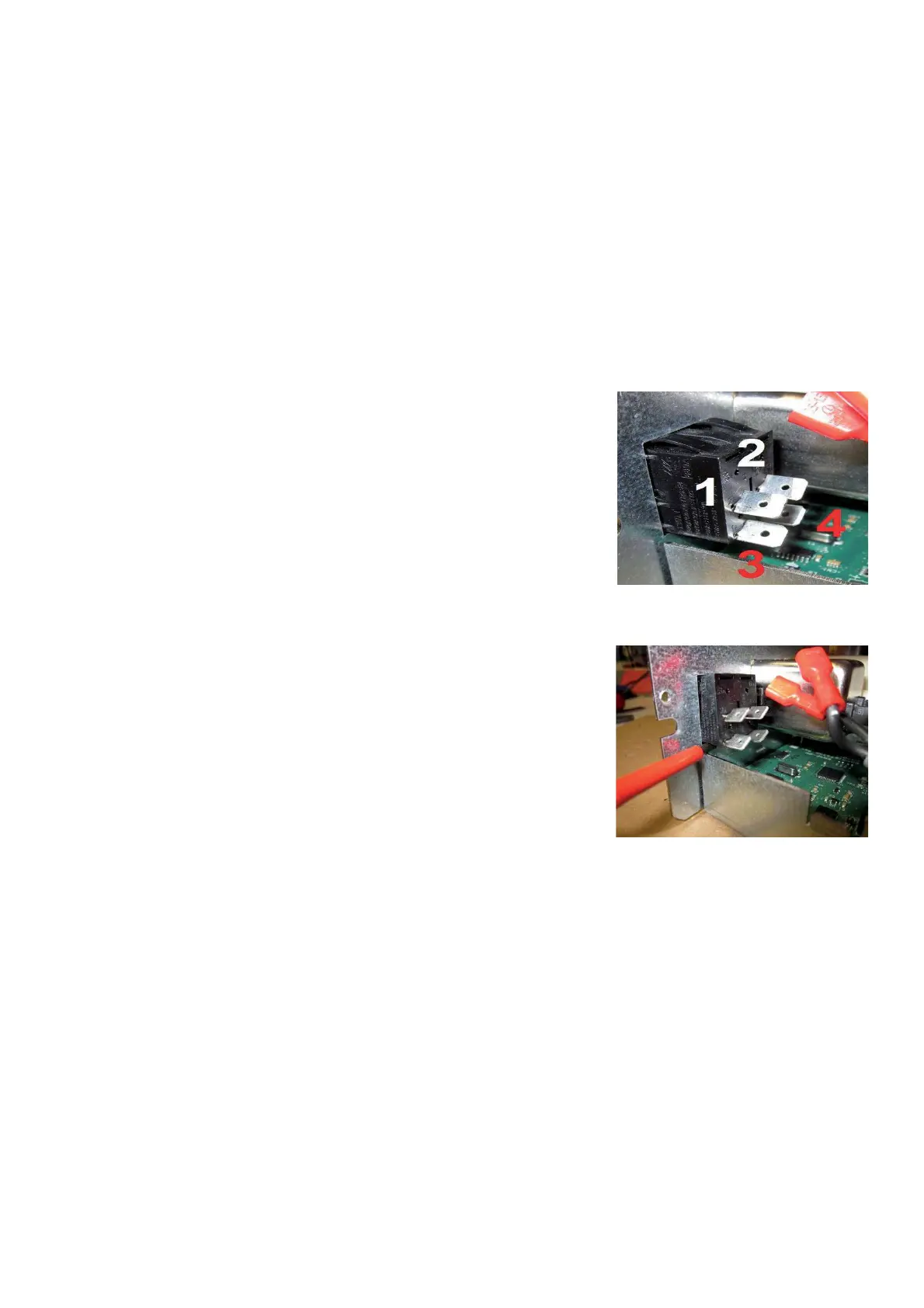
Ø Check that there is no continuity (W = in" nity) between any two terminals
1, 2, 3 and 4.
Ø Turn switch to ‘1’ (on).
Ø Check that there is continuity between terminals 1-2 and terminals
3-4 (W = 0 ~ 0.2) and discontinuity between terminals 1-3 and 1-4,
as well as 2-3 and 2-4.
TO REPLACE THE SWITCH:
Ø Take the small ! at screwdriver and push the switch clips and at the same
time push off the switch.
Ø Take the new switch and clips it in.
Ø Connect the wires to the switch.
Ø Mount the IBP2 box to the machine .
Ø Connect all wires to the box.
Ø Turn on the balancer and check if it works " ne.
Ø Install the weight tray.



 To Next Page