EasyManua.ls Logo

JRC NWZ-4610 - User Manual

JRC NWZ-4610
120 pages
Print Icon
To Next Page IconTo Next Page
Loading...
01ETM ISO 9001, ISO 14001 Certified
Printed in Japan
Marine Service Department
+81-3-3492-1305
+81-3-3779-1420
tmsc@jrc.co.jp
Telephone :
Facsimile :
e-mail :
AMSTERDAM Branch
Telephone :
Facsimile :
e-mail :
+31-20-658-0750
+31-20-658-0755
service@jrceurope.com
SEATTLE Branch
Telephone :
Facsimile :
e-mail :
+1-206-654-5644
+1-206-654-7030
marineservice@jrcamerica.com
CODE No.7ZPNA4284CODE No.7ZPNA4284
NOV. 2013 Edition 2 JRCNOV. 2013 Edition 2 JRC
Not use the asbestos
For further information,contact:
URL http://www.jrc.co.jp
INSTRUCTIONINSTRUCTION
MANUALMANUAL
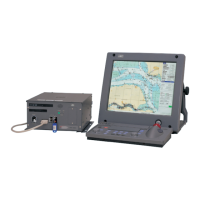
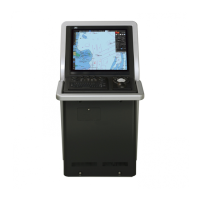
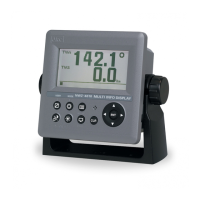
MULTI INFORMATION DISPLAYMULTI INFORMATION DISPLAY
NWZ-4610NWZ-4610

Table of Contents

Other manuals for JRC NWZ-4610

Questions and Answers

  • L
    Linda HughesSep 10, 2025
    Why is there no transmission to external devices from my JRC Monitor?
    • D
      dlewisSep 10, 2025
      If your JRC Monitor isn't transmitting to external devices, it might be due to a few reasons. You may need to configure the output settings. Also, ensure that the configured channel is correct. If the problem persists, the DISP-DPU or POWER SUPPLY UNIT might be broken, and you should consult with JRC or our agents.
  • M
    Morgan TaylorAug 23, 2025
    Why is there no transmission to external devices from my JRC NWZ-4610 Marine Equipment?
    • S
      Shannon CowanAug 23, 2025
      If your JRC Marine Equipment isn't transmitting to external devices, start by checking the interface settings to ensure the output settings are configured correctly and that the channel is correct. If the problem persists, the DISP-DPU or POWER SUPPLY UNIT may be broken.
  • F
    fernandezaustinAug 25, 2025
    What should I do if my JRC Marine Equipment is not receiving data from the sensor?
    • C
      crystal08Aug 25, 2025
      If your JRC Marine Equipment isn't receiving data from the sensor, check the connection cable to ensure it is properly connected. If the connection is secure, the sensor itself may be broken.
  • C
    Christopher WhiteAug 27, 2025
    Why is data not being shared on my JRC Marine Equipment?
    • A
      Aaron CisnerosAug 27, 2025
      If data is not being shared on your JRC Marine Equipment, verify that the RS-485 bit rate is correct. Also, check that the RS-485 output sentence is selected, and confirm that the cable is properly connected.
  • B
    blanchardryanAug 28, 2025
    Why are the dimmers not interlocked on my JRC NWZ-4610?
    • M
      Mary MorrisAug 28, 2025
      If the dimmers are not interlocked on your JRC Marine Equipment, check the RS-485 bit rate, ensure the dimmer group number is correct, and verify the dimmer unit. Also, make sure the cable is properly connected.
  • K
    Kristina DurhamAug 29, 2025
    What to do if the alarm sound is not generated on JRC Marine Equipment?
    • O
      oconnorscottAug 29, 2025
      If the alarm sound is not generated on your JRC Marine Equipment, check the alarm sound setting to ensure it is not turned off. If the setting is correct, the buzzer may be broken.
  • A
    Anthony MillerSep 18, 2025
    Why does the LCD display not display anything on my JRC Monitor?
    • K
      Katie TaylorSep 18, 2025
      If the LCD display on your JRC Monitor is blank, the LCD display is broken, and you should consult with JRC or our agents.
  • P
    Paul FrederickSep 12, 2025
    What to do if there is no reception from the sensor on my JRC Monitor?
    • C
      colin09Sep 12, 2025
      If your JRC Monitor isn't receiving data from the sensor, the issue might stem from a disconnected sensor cable, so check the connection cable. If the connection is secure, the sensor itself might be broken, and you should consult with JRC or our agents.
  • C
    Claire MeltonSep 8, 2025
    What to do if the JRC Monitor power does not turn on?
    • J
      johnpalmerSep 8, 2025
      If the JRC Monitor doesn't power on, several factors could be at play. First, verify that the ship junction box and the power supply equipment (if applicable) are correctly supplying power by checking their cabling. If the cabling is intact, inspect the fuses connected to both the power cable and the power supply equipment, replacing them if necessary. If these steps don't resolve the issue, the display unit switch may be broken, and you should consult with JRC or our agents.
  • S
    sharon80Sep 5, 2025
    Why is the alarm sound not generated on my JRC NWZ-4610?
    • A
      Andrew DeleonSep 5, 2025
      If you are not hearing the alarm sound on your JRC Marine Equipment, first check the alarm sound setting to ensure it is not turned off. If the setting is correct, the buzzer may be broken, and you should consult with JRC or our agents.

Summary

Usage Hints: Important Warnings

General Warnings

Details critical warnings for safe operation, covering electrical hazards and damage prevention.

Cautions for Safe Operation

Chapter 2: Components and Display Operation

Understanding Display Screen Elements

Explains how to read and interpret various data displayed on the unit's screen.

Chapter 4: Operation and Settings

Menu Structure and Basic Operations

Explains menu navigation, power on/off, screen adjustments, and basic operations.

Display and System Settings

Covers display settings like contrast, backlight, and system configurations like units and time.

Alarm Settings and Configuration

Details how to configure various alarms, including system, speed, and environmental alarms.

Installation Settings and Data Management

Guides through installation setup, RS-485 communication, serial ports, and data sharing.

Chapter 5: Maintenance and Troubleshooting

Troubleshooting Common Malfunctions

Offers solutions for identifying and resolving common operational problems and abnormalities.

Chapter 6: Installation Guide

Cable Connections and Peripheral Setup

Details how to connect various cables, data ports, and optional peripherals.

JRC NWZ-4610 Specifications

General IconGeneral
BrandJRC
ModelNWZ-4610
CategoryMarine Equipment
LanguageEnglish

Related product manuals