– 106 –
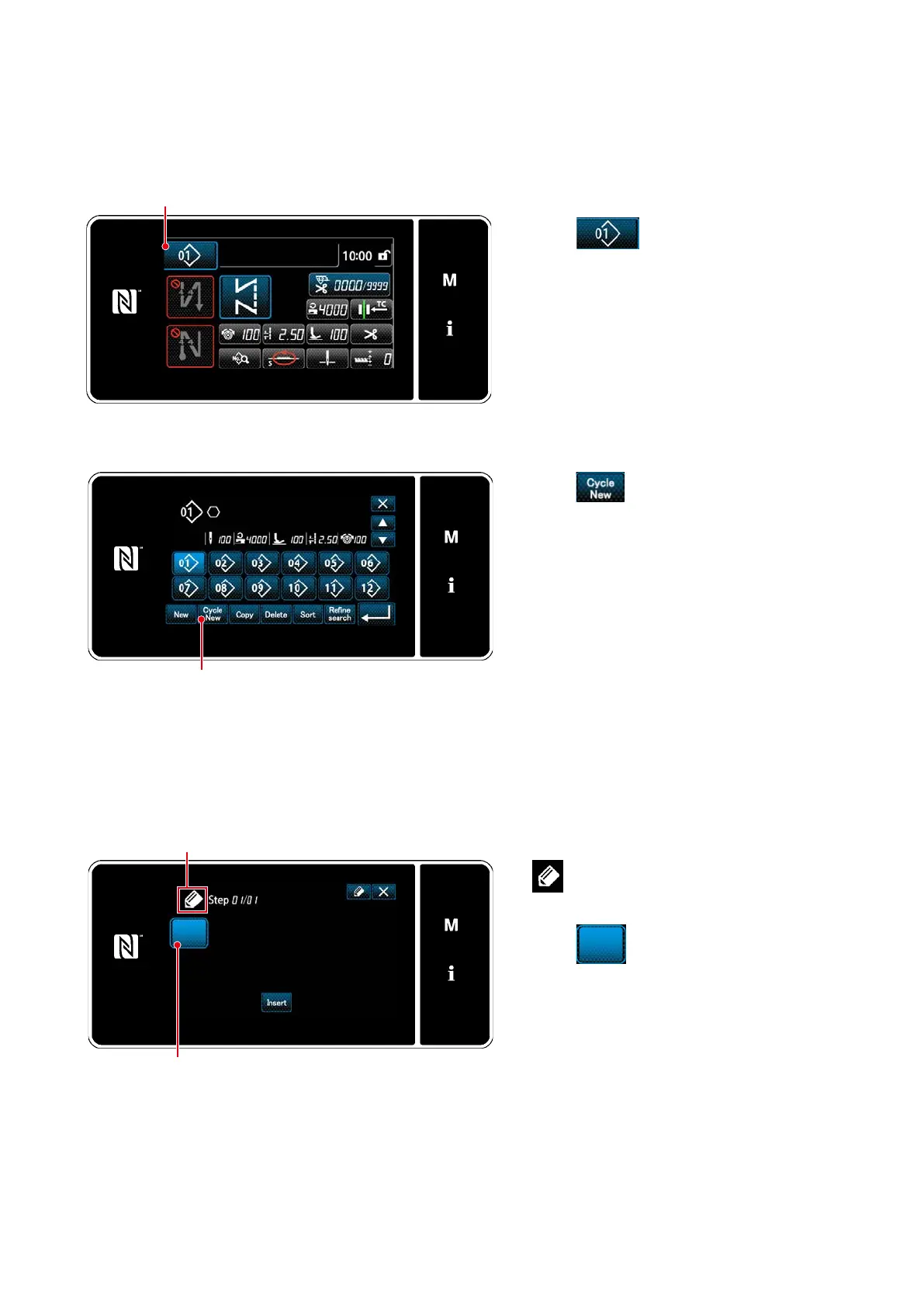
8-3-3. Creating a new cycle pattern
①
Selecting the new cycle pattern creating function
1. Press
❶
on the sewing screen un-
der the maintenance personnel mode.
The "sewing pattern number list screen (In
numerical order)" is displayed.
<Sewing screen (Maintenance personnel mode)>
<Sewing pattern number list screen (In numerical order)>
②
Registering a pattern in new cycle sewing data
2. Press
❷
.
The "new cycle sewing pattern edit screen"
is displayed.
* This operation is to be carried out under the maintenance personnel mode.
❶
❷
<New cycle sewing pattern edit screen>
1.
A
which indicates that a new pattern is
being created is displayed on the screen.
2. Press
❸
.
The "registered cycle pattern selection
screen (In numerical order)" is displayed.
❸
A



 To Next Page
 Loading...






