– 122 –
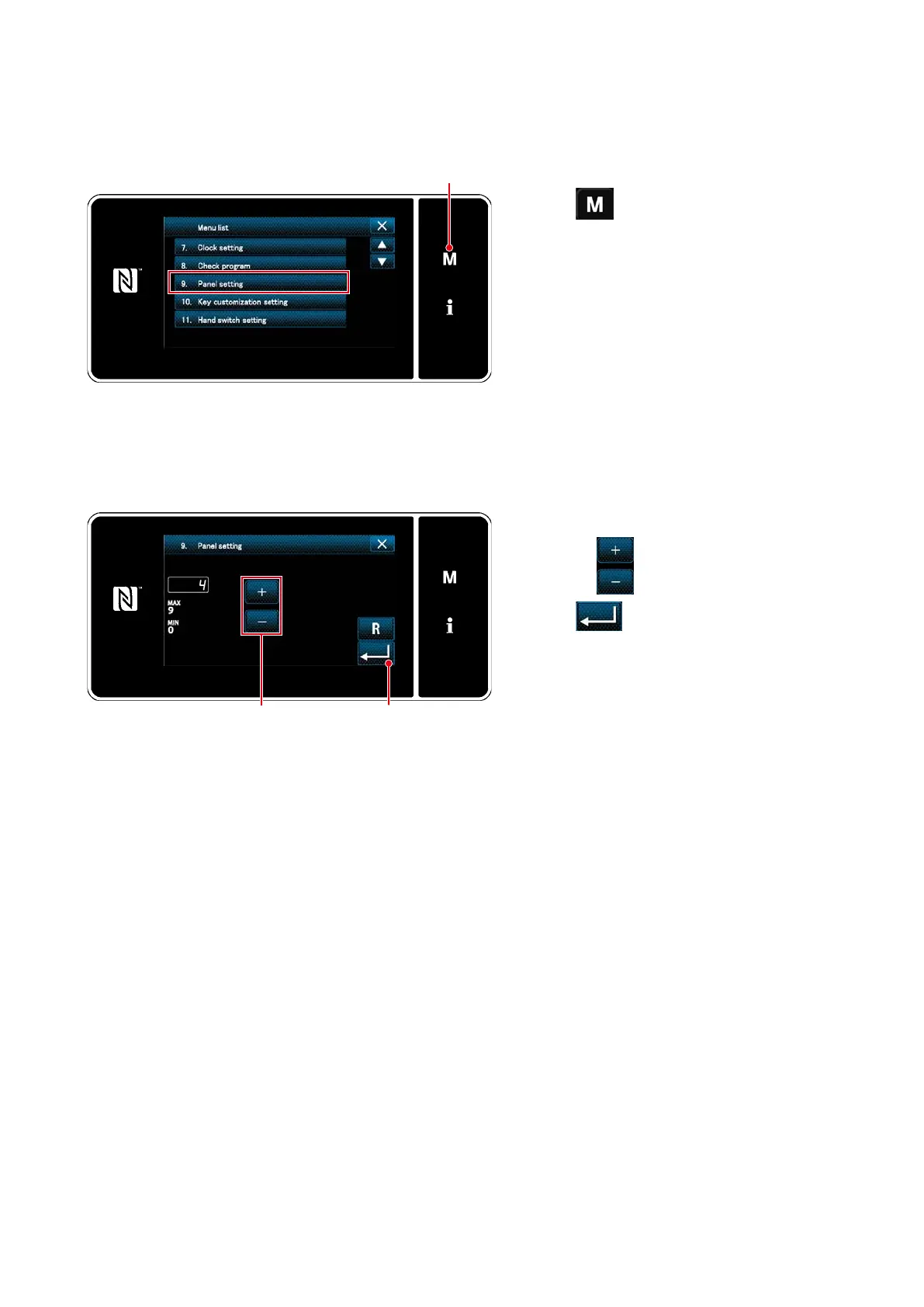
8-8. Adjustment of brightness of the LED panel
<Mode screen>
1. Press
❶
.
The "mode screen" is displayed.
2. Select the "9. Panel setting".
The "operation panel setting screen" is dis-
played.
3. Brightness of the operation panel is adjust-
able with
❷
.
4. Press
❸
to conrm the setting.
Return the "mode screen".
<Operation panel setting screen>
❶
❷ ❸
Screen brightness of the LED panel can be changed.



 To Next Page
 Loading...






