4-2-8. Teaching function
This is the function that enables entry of the number of stitches of a sewing pattern using the actual
number of stitches sewn.
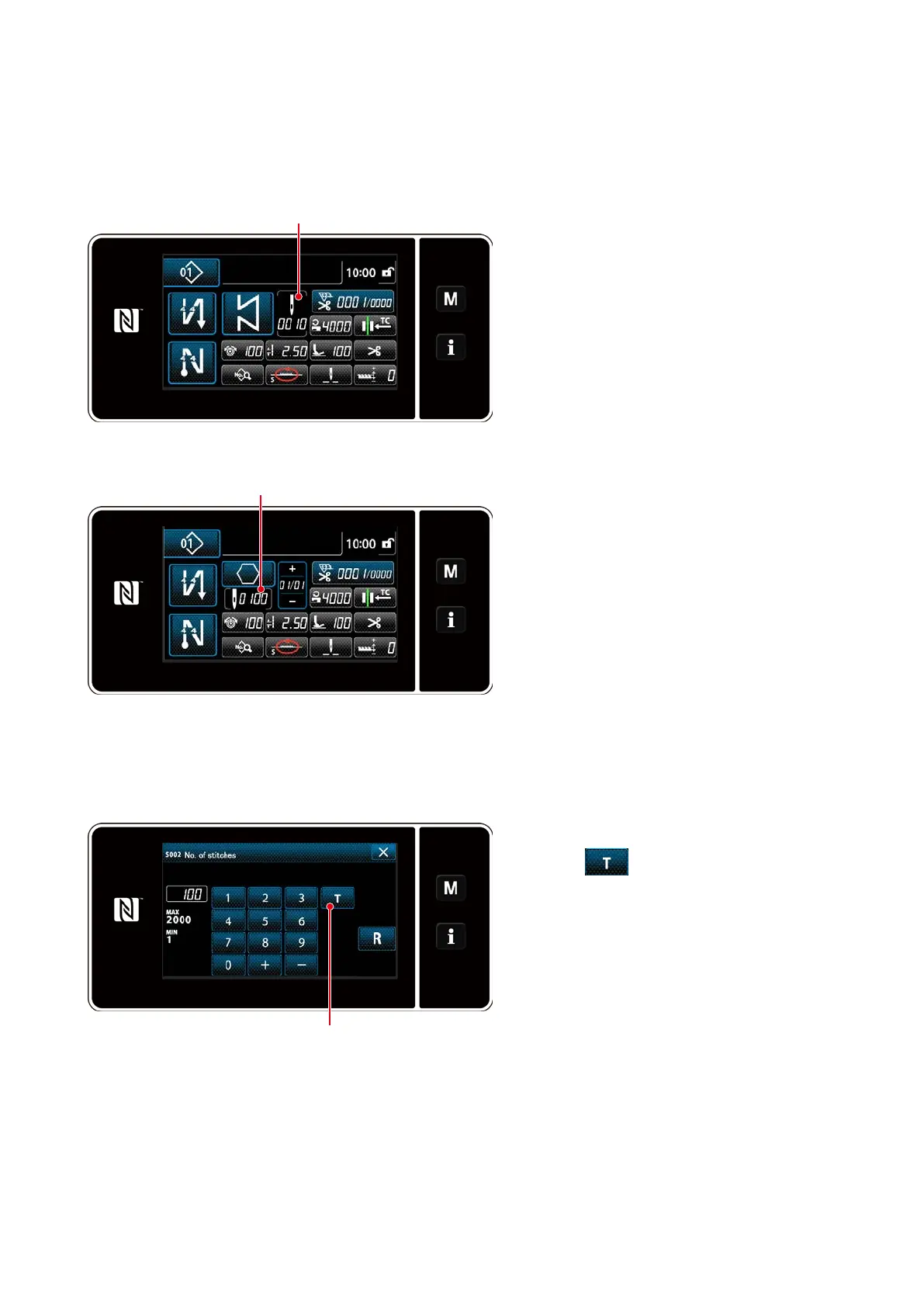
This function screen can be displayed from the sewing data edit screen.
* The teaching function can be used in the case the "constant-dimension sewing" or "polygonal-shape
stitching" is selected.
Press
❶
on the sewing data list screen.
Then, the number of stitches input screen is
displayed.
①
Turning ON the teaching function
Press
❷
to turn ON the teaching
function.
②
Starting teaching
The input value is set to 0 (zero). De-
press the pedal to start sewing. Count
the number of stitches until the sewing
machine stops.
③
Conrming the data entered under the
teaching mode
Conrm the content of teaching by carry-
ing out thread trimming.
Return the current screen to the sewing
screen (maintenance personnel mode).
<Number of stitches input screen>
(1) How to set (constant-dimension sewing)
<Sewing screen (constant-dimension sewing)
(Maintenance personnel mode)>
<Sewing screen (polygonal-shape stitching)
(Maintenance personnel mode)>
❶
❶
❷
– 48 –



 To Next Page
 Loading...






