– 25 –
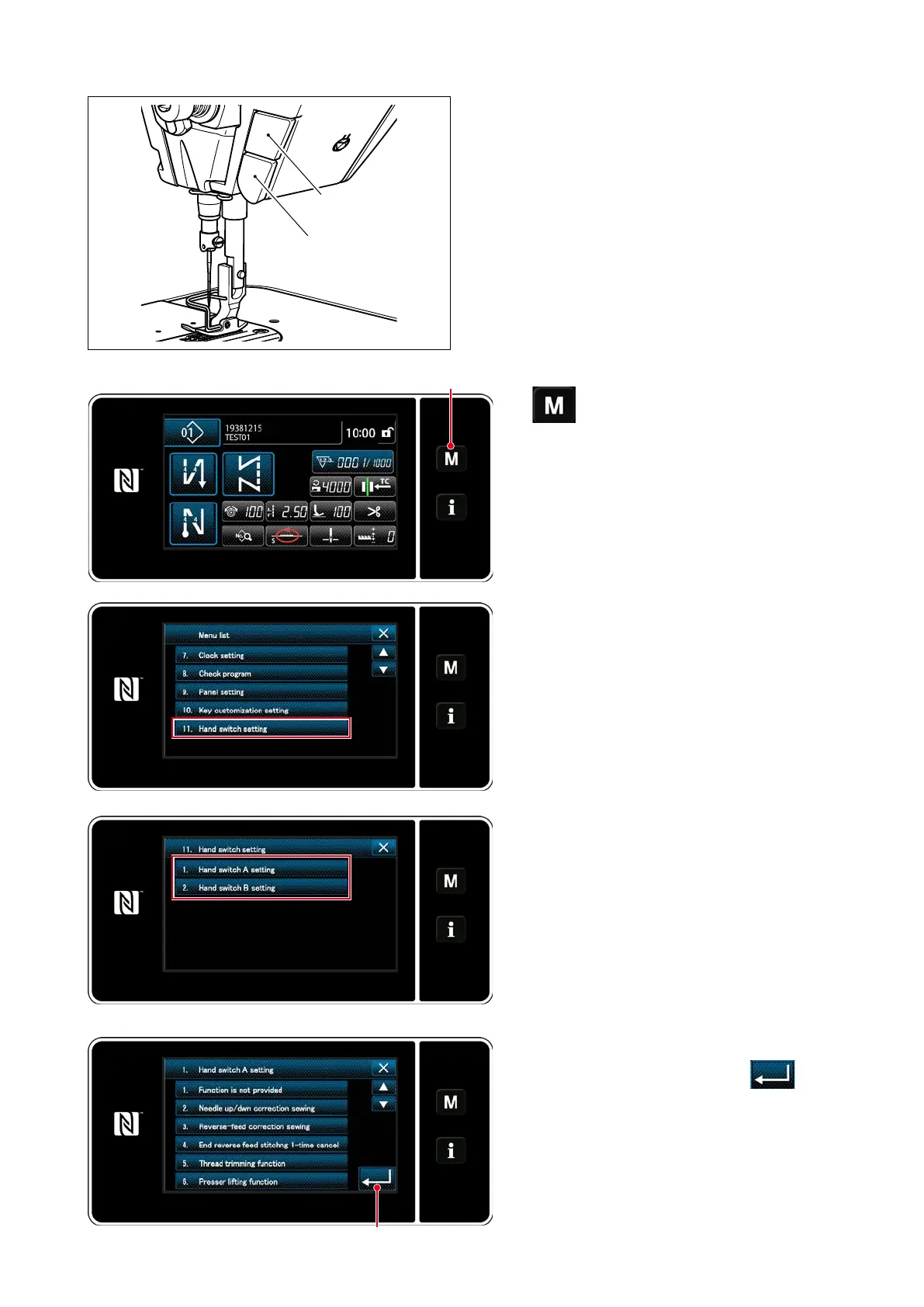
3-11. Custom switch
Various operations can be carried out by operating
custom switch B.
* It is also possible to assign an operation to custom
switch A.
The initial values are as follows:
Custom switch A
: Input of reverse feed
stitching switch
Custom switch B
: One-touch changeover
switch
B
A
1)
❶
held pressed for three second.
The "mode screen" is displayed.
2) Select the "11. Hand switch setting".
3) Select the switch to be set.
4) Select the function item which is to be as-
signed to the switch, and press
❷.
❶
❷



 To Next Page
 Loading...






