①
Display the sewing-start reverse-feed stitching edit screen and set up a shape
・
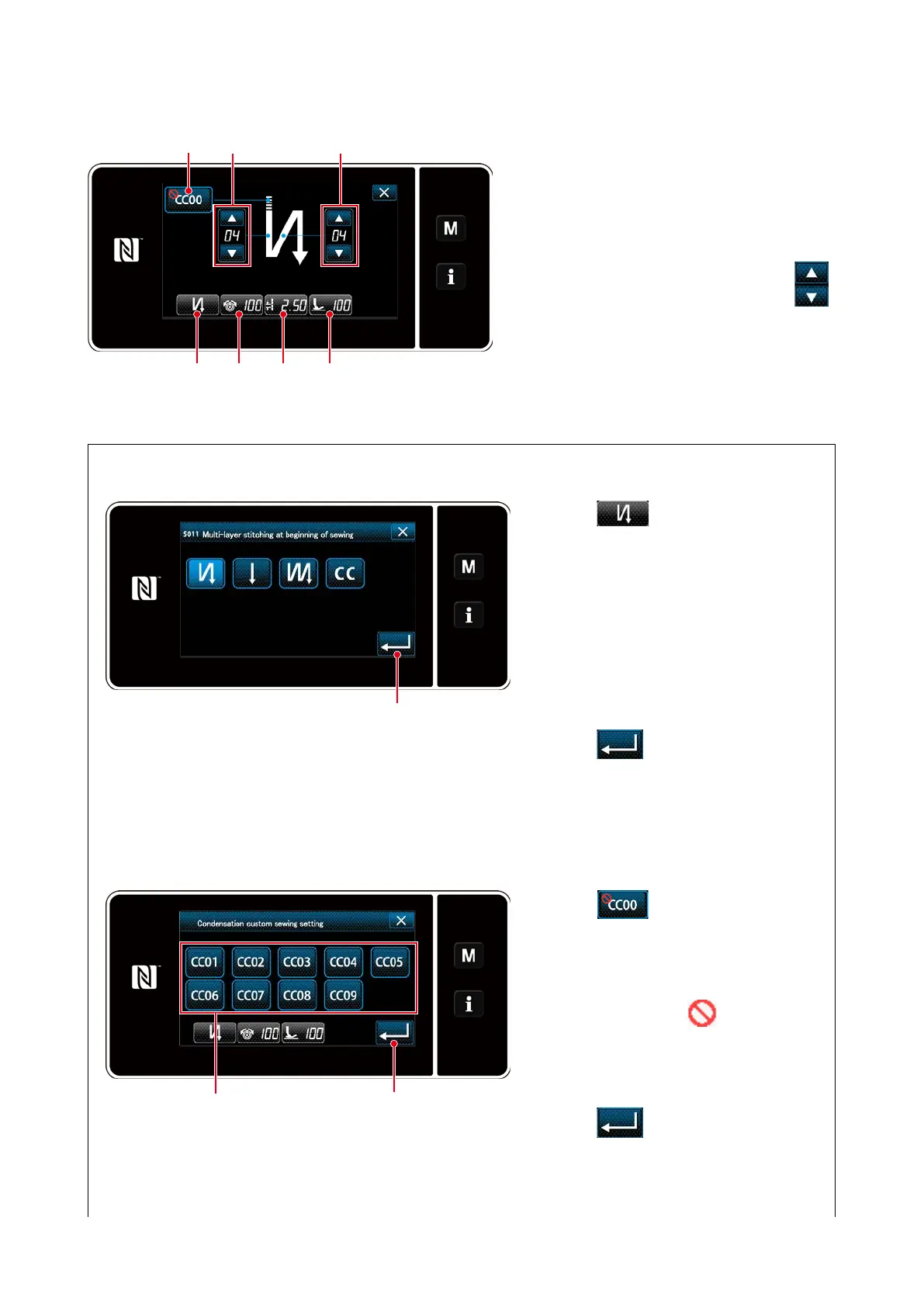
Selecting the type of sewing-start reverse-feed stitching (
A
)
◆
For the maintenance personnel mode
1. Display the sewing-start reverse-feed
stitching edit screen referring to the case
of the operator mode.
2. Change the number of stitches of sew-
ing-start reverse-feed stitching with
❷
.
<Sewing-start reverse-feed stitching screen
(maintenance personnel mode)>
1. Press
A
. Then, the type of
reverse-feed stitching input screen
is displayed. Select the desired type
of sewing-start reverse-feed stitch-
ing pattern from four different types;
i.e., reverse-feed stitching (single),
condensation stitching, double re-
verse-feed stitching and Condensa-
tion custom.
2. Press
❹
to conrm the afore-
mentioned operation and return the
current screen to the sewing-start
reverse-feed stitching screen.
<Type of reverse-feed stitching input screen>
・
Selecting the condensation custom (
B
)
1. Press
B
. Then, the conden-
sation custom selection screen is
displayed.
* In the case the condensation custom
button is not used, mark is
displayed.
2. Press button
❺
to select the conden-
sation custom.
3. Press
❹
to conrm the afore-
mentioned operation and return the
current screen to the sewing-start
reverse-feed stitching screen.
<Condensation custom selection screen>
B
❷ ❷
A EDC
❹
❺ ❹
– 38 –



 To Next Page
 Loading...






