9
2 Instrument description
2.1 Display and controls
1. not from the configuration level,
if a parameter has already been altered there.
H
The life of the background illumination can be prolonged by using
the screen saver.
v Chapter 4 “Configuration parameters”,
Parameters
! Display off
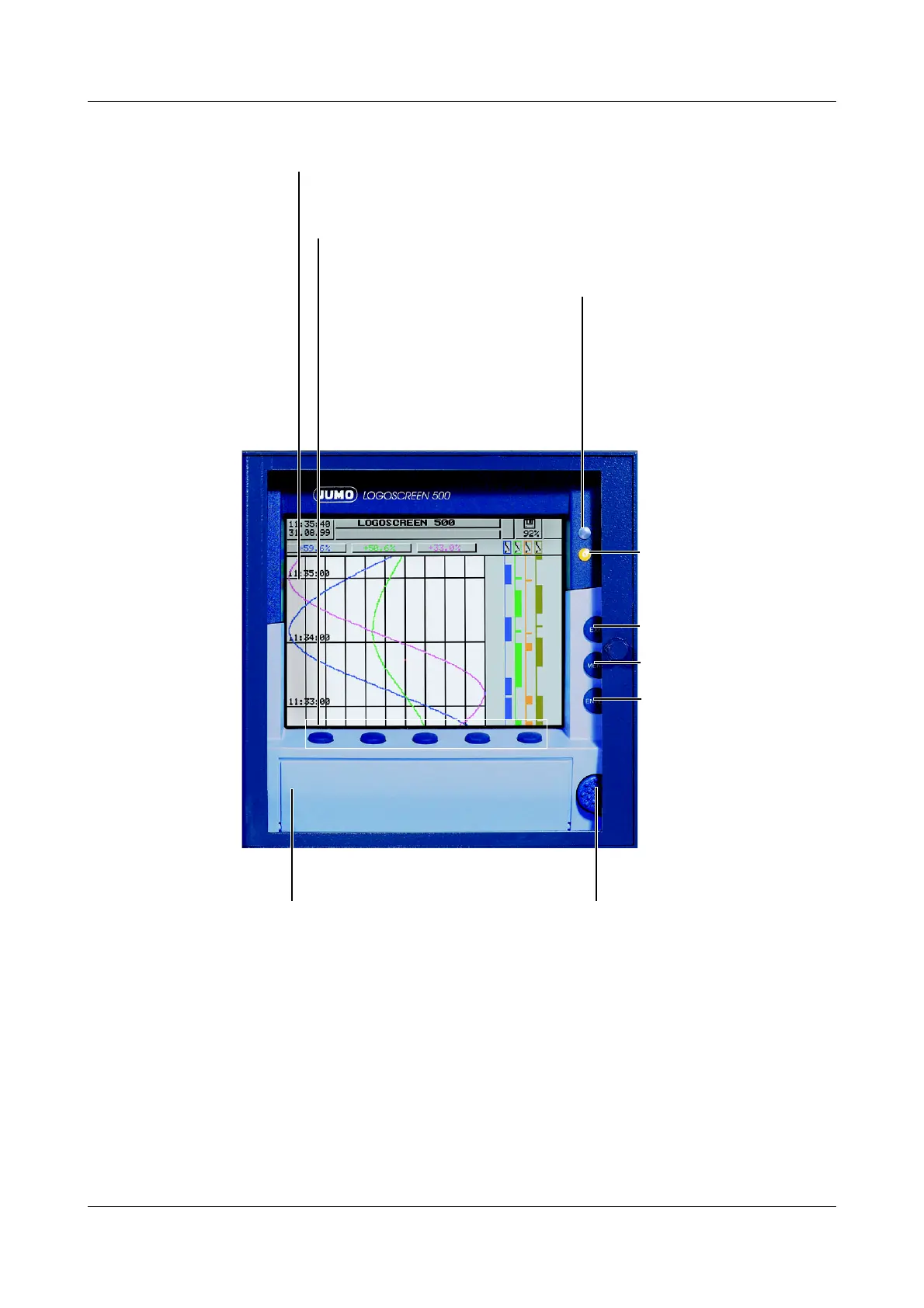
Status LED (red)
is on continuously while
an alarm is present
Enter
- select menu item
- enter input
Menu
back to the basic menu
1
Exit
- previous window
- cancel
current action
Menu-dependent function keys (softkeys)
screen-dependent function, represented by text or symbols
Color display
320 x 240 pixel, 27 colors
Cover
of the disk drive
for opening the disk drive
cover
Power LED (green)
is on continuously as
soon as power is applied;
flashes when the screen
saver is activated.



 To Next Page