25
3 Operation and visualization
3.2 Visualization
As has already been mentioned in Chapter 2.2 “Operating principle and graph-
ic elements”, the softkeys can be found at the bottom of the screen. They
change their function according to the menu and are indicated as symbols or
in plain language.
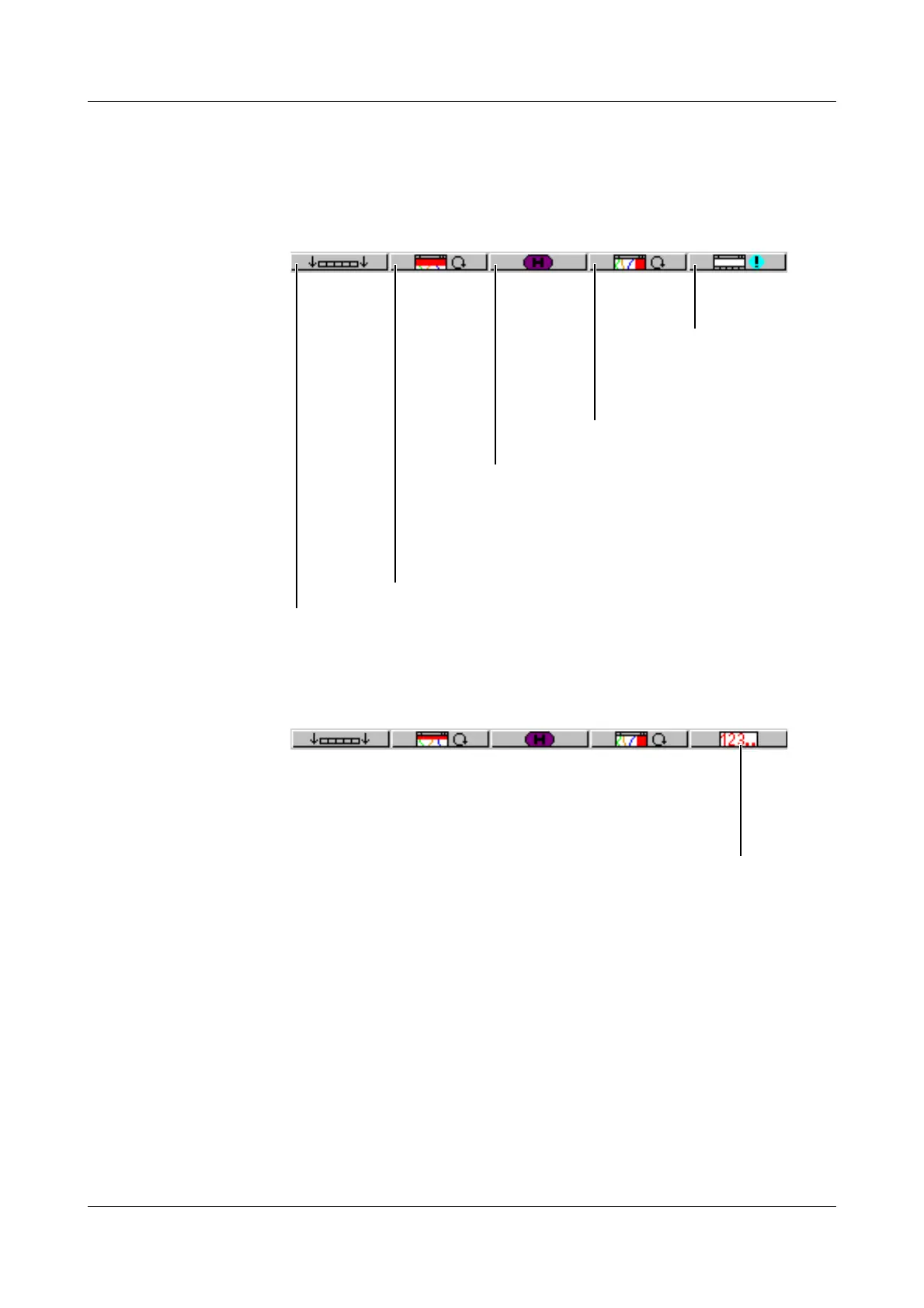
With instrument software version 133.03.xx (or higher), it is possible to equip
the recorder with “Counters/integrators” (extra code). In this case, the symbol
for indicating the counts will appear below the softkey on the right, the symbol
for showing the event list is shifted to the counter display.
Evaluate stored measurement
data (history)
Hide function keys (softkeys)
Alter signal type
(representation)
- analog inp.
- analog & event
Alter channel representation (header)
- diagram representation with digital display (meas. small)
- diagram representation with scaling
- diagram representation with bargraph
- digital display large (meas. large)
- curve representation (header switched off)
Show event
list
Show counters / integrators / timers



 To Next Page