27
3 Operation and visualization
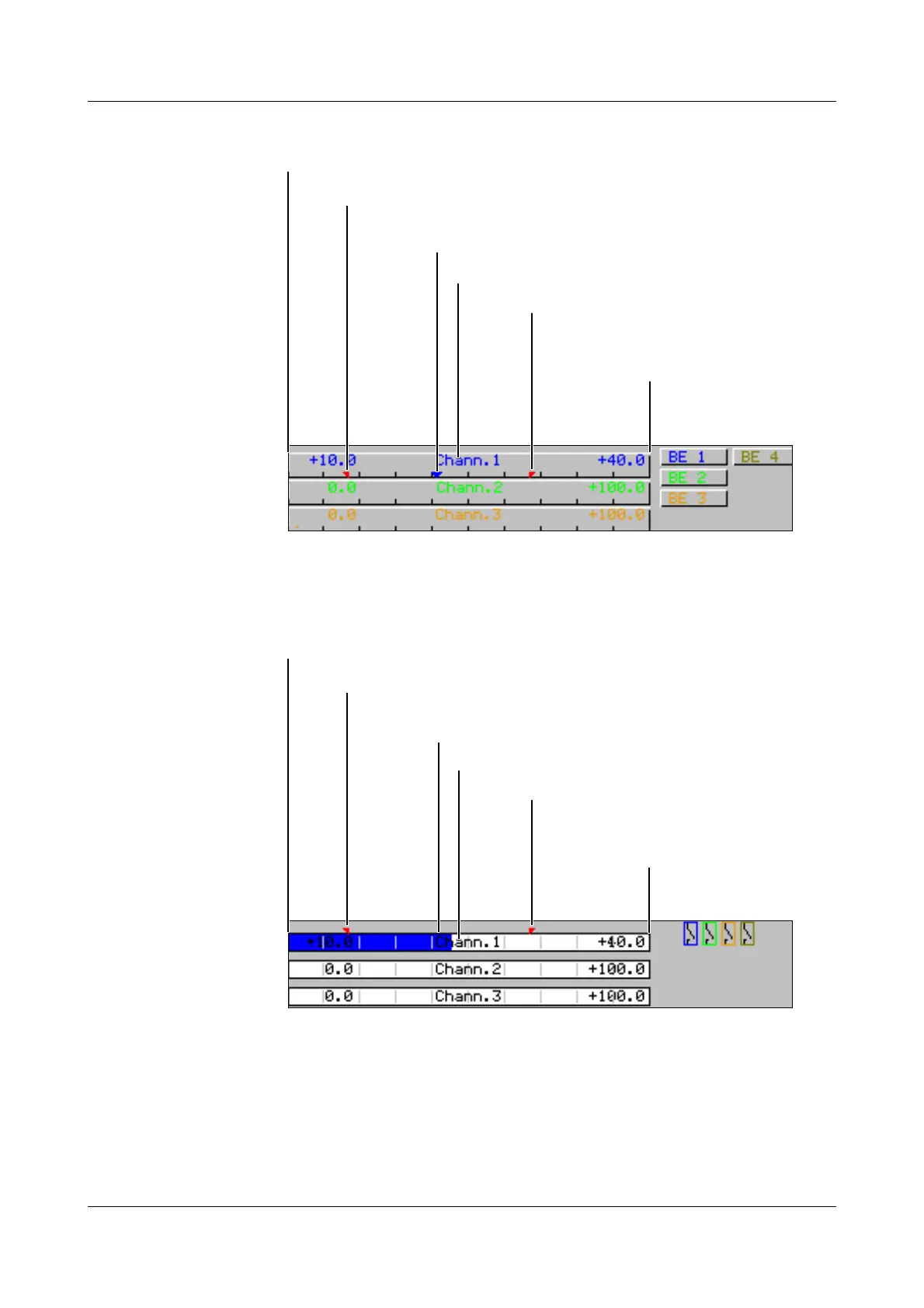
3.2.2 Diagram representation with scaling
The parameter Parameters ➔ Diagram view ➔ Channel indication is available
for selecting which scaling (on which channel) is the be indicated.
3.2.3 Diagram representation with bargraph
Using the parameter Parameters ➔ Diagram view ➔ Channel indication, it is
possible to select which bargraph (on which channel) is to be indicated.
Scaling start of the selected channel
Lower limit marker of the selected channel
(no display when alarm is off)
Upper limit marker
(no display when alarm
is off)
Current measurement
Channel name
Scaling end
of the selected channel
Scaling start of the selected channel
Lower limit marker of the selected channel
(no display when alarm is off)
Upper limit marker
(no display when alarm
is off)
Scaling end
of the selected channel
Current measurement
Channel name



 To Next Page