3 Operation and visualization
24
3.1 Basic menu
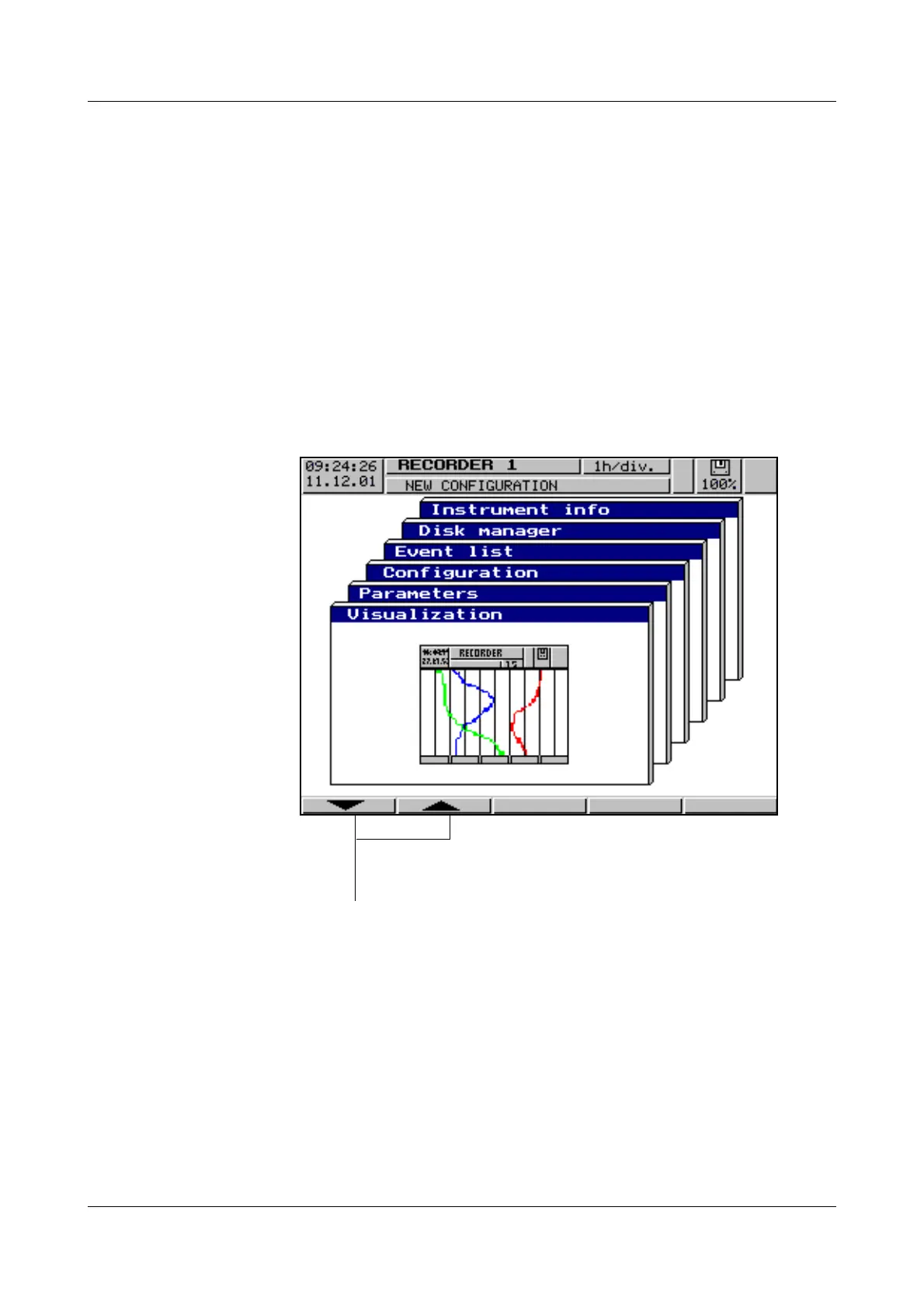
The basic menu is the central point from which the various levels of the instru-
ment branch out.
The following levels are available:
- Visualization
- Parameters
- Configuration
- Event list
-Disk manager
- Instrument info
The basic menu is displayed after pressing the
Mkey
1
.
1. not from configuration level,
if a parameter has already been altered there.
h Select the required level
h Confirm selection with E



 To Next Page