43
3 Operation and visualization
3.8 Text input
Input
options
The configurable texts can be input either through the setup program or di-
rectly on the instrument. This section describes the input on the instrument.
Character
selection
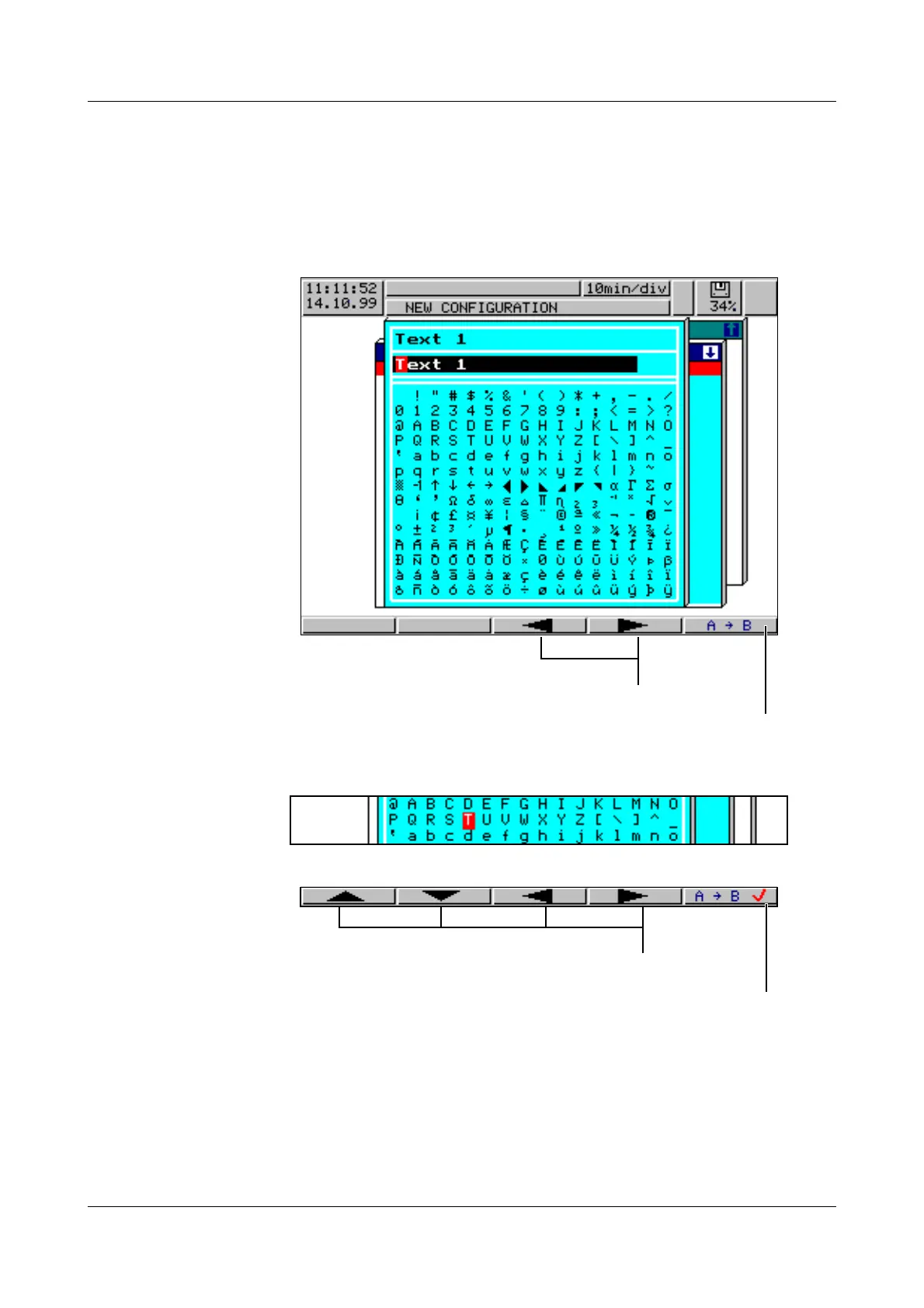
The display below is shown when a text (e. g. Configuration ➔ Texts) is select-
ed at the configuration level for editing by using
E.
After the character to be altered has been selected and the switch made to
character set matrix, the cursor is positioned on the current character in the
character set matrix.
Character input The softkeys change their function, as can be seen from the picture below:
After the entire text has been input, it can either be entered or all alterations
cancelled:
h Confirm text with
E
or
h cancel text input with
D
Switch to character set matrix
Select the character to be altered using the softkeys
Enter character
Select new character



 To Next Page