69
5 Setup program
5.4 Math and logic module
The math and logic module is available as an extra from instrument software
133.03.xx.
The math and logic module are channels that are not available as hardware
but are calculated by the instrument software.
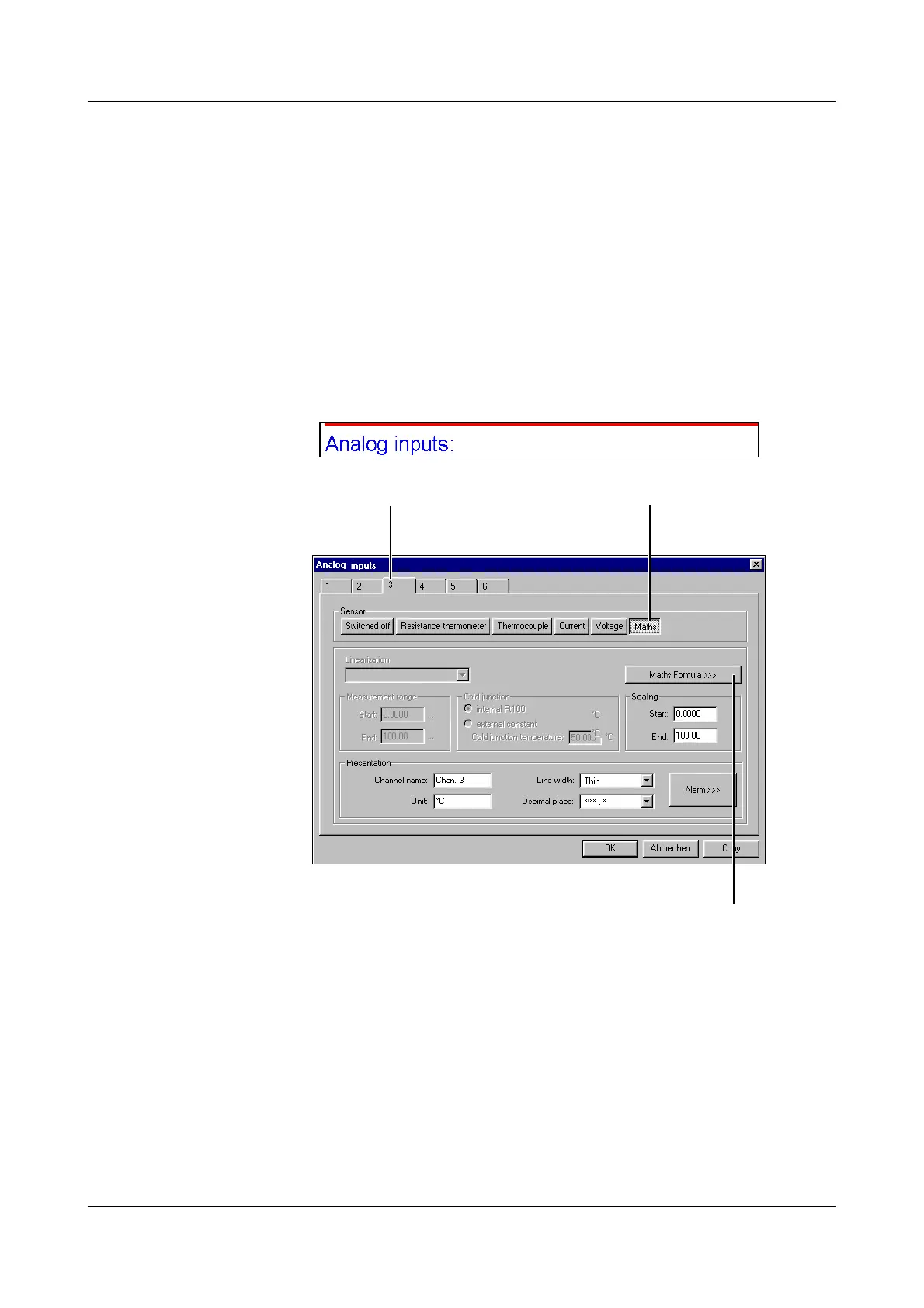
Mathematics You can activate math channels in the setup program under “Analog inputs”
(or via Menu
➔
Edit analog inputs).
In the example below, channel 3 is being used as math channel:
After carrying out steps 1.) and 2.), you have to start the math formula editor 3.).
A
If a math channel is used (e.g. math channel 3), the corresponding analog
channel (e.g. AE3) is no longer available.
This does not apply to the logic channels.
1.) Channel selection 2.) Select
Mathematics
3.) Define formula



 To Next Page