71
5 Setup program
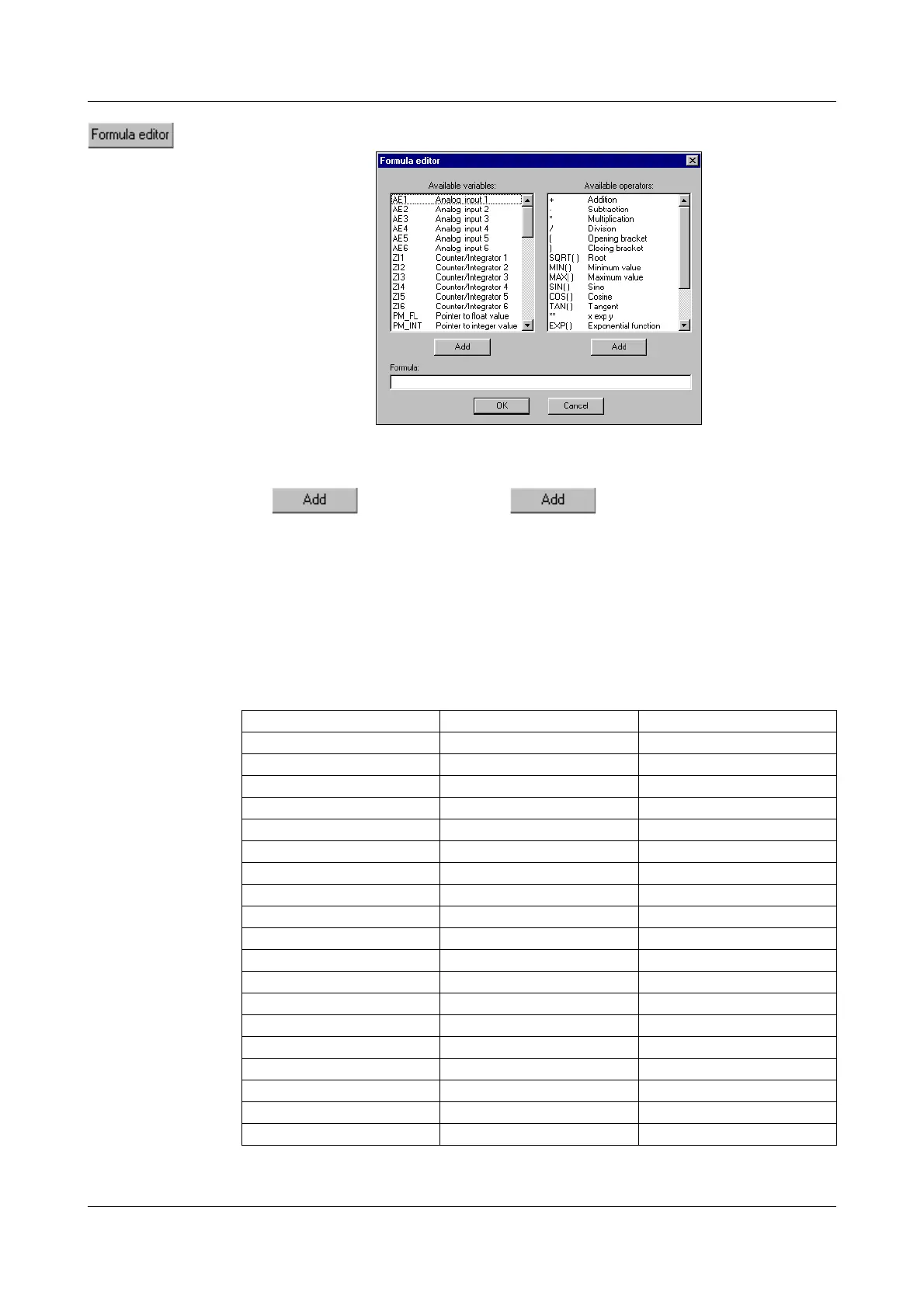
On calling up the function, this dialog box will appear:
In the left window you can select the desired signal, in the right window the re-
quired operator, and enter them into the formula by activating the correspond-
ing button. Instead of
, the selection can also be en-
tered
by a double-click with the left mouse button.
Overview of
operators
H
For functions ending with ( ), you will have to add the
closing bracket yourself.
Example:1. add SQRT() --> SQRT(
2. add AE1 --> SQRT(AE1
3. add ) --> SQRT(AE1)
Operator Explanation Example
+ addition AE1 + AE2
- subtraction AE1 - AE2
* multiplication AE1 * AE2
/ division AE1 / AE2
( opening bracket (
)closing bracket)
SQRT() root SQRT (AE1)
MIN() minimum value MIN (AE1, AE2)
MAX() maximum value MAX (AE1, AE2, AE3)
SIN() sine SIN (AE1)
COS() cosine COS (AE1)
TAN() tangent TAN (AE1)
** x to the power of y AE1 ** AE2
EXP() exponential function EXP (AE1)
ABS() absolute value ABS (AE1)
INT() integer portion INT (AE1)
FRC() decimal fraction FRC (AE1)
LOG() logarithm LOG (AE1)
LN() natural logarithm LN (AE1)



 To Next Page