14.4.5 Backup & Restore databases
Verification data as well as equipment data can be saved and backed up using this
menu.
14.4.6 Install USB driver
This button manually installs the USB driver used for the optical read-out head.
14.4.7 Help button
Contact The contact button provides links to Kamstrup’s website and mailbox.
Output Shows the latest activities/functions used in the program.
User manual Provides a link to the user manual for the meter on Kamstrup’s website.
14.4.8 About button
Lists the METERTOOL program versions and revision numbers as well as all sub-programs, incl. their type
numbers and revision numbers, for the entire METERTOOL HCW program.
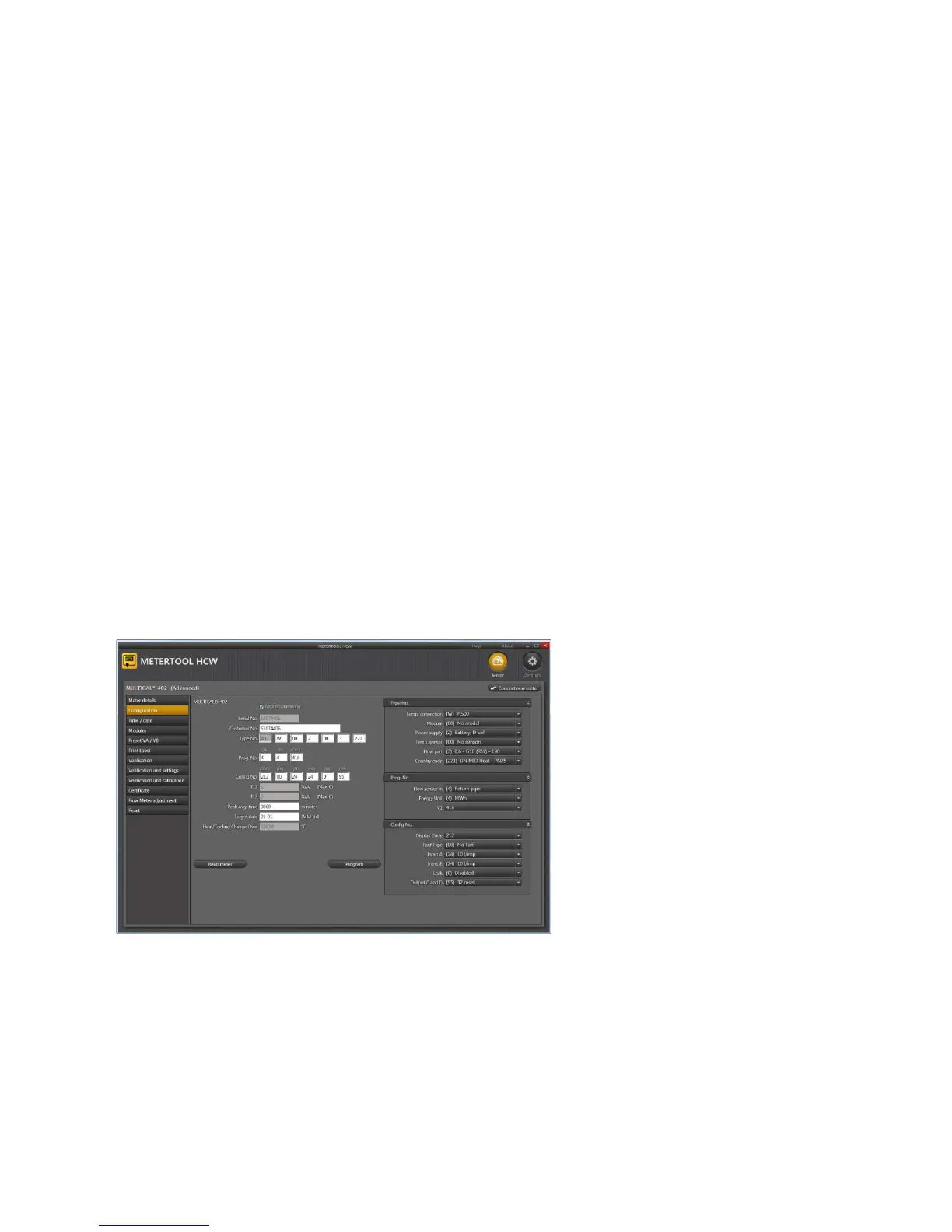
14.4.9 Application
Double-click on link or icon in order to start the program.
Click “Connect” to get in contact with the meter.
Activate “Configuration” in order to start meter configuration.
Enter the present configuration by
activating ”Read meter”.
Enter the required changes of coding
and activate ”Program” in order to
carry out the changes in the meter.
If USB interface is used, it must be
connected before













 To Next Page