14.6 Flow sensor adjustment
14.6.1 General information
Should it prove necessary, during verification, to adjust the flow sensor, this can be done by selecting “Flow
Sensor Adjustment” from the menu. This function is password protected and a password can be obtained from
Kamstrup A/S. Data connection between the PC and MULTICAL
®
402 can be made either via program cable
interface (see below) or verification equipment.
14.6.2 Interface
The following interfaces can be used:
type 66-99-108 Sub 9 Com port connector for PC and 10-pole connector for sensor
type 66-99-097 USB port connector for PC and 10-pole connector for sensor
Note! When the interface is connected the product/verification sealing of the meter is broken. Renewed
test/verification as well as sealing is subsequently required (current handling and reverification requirements
must be observed).
14.6.3 Application
Before adjusting a sensor you must make sure that the sensor functions satisfactorily in the flow stand in
question.
If a sensor is to be adjusted more than a few per cent, the sensor is probably defective, or it is a different error,
and therefore no adjustment should be made.
14.6.4 Flow sensor adjustment
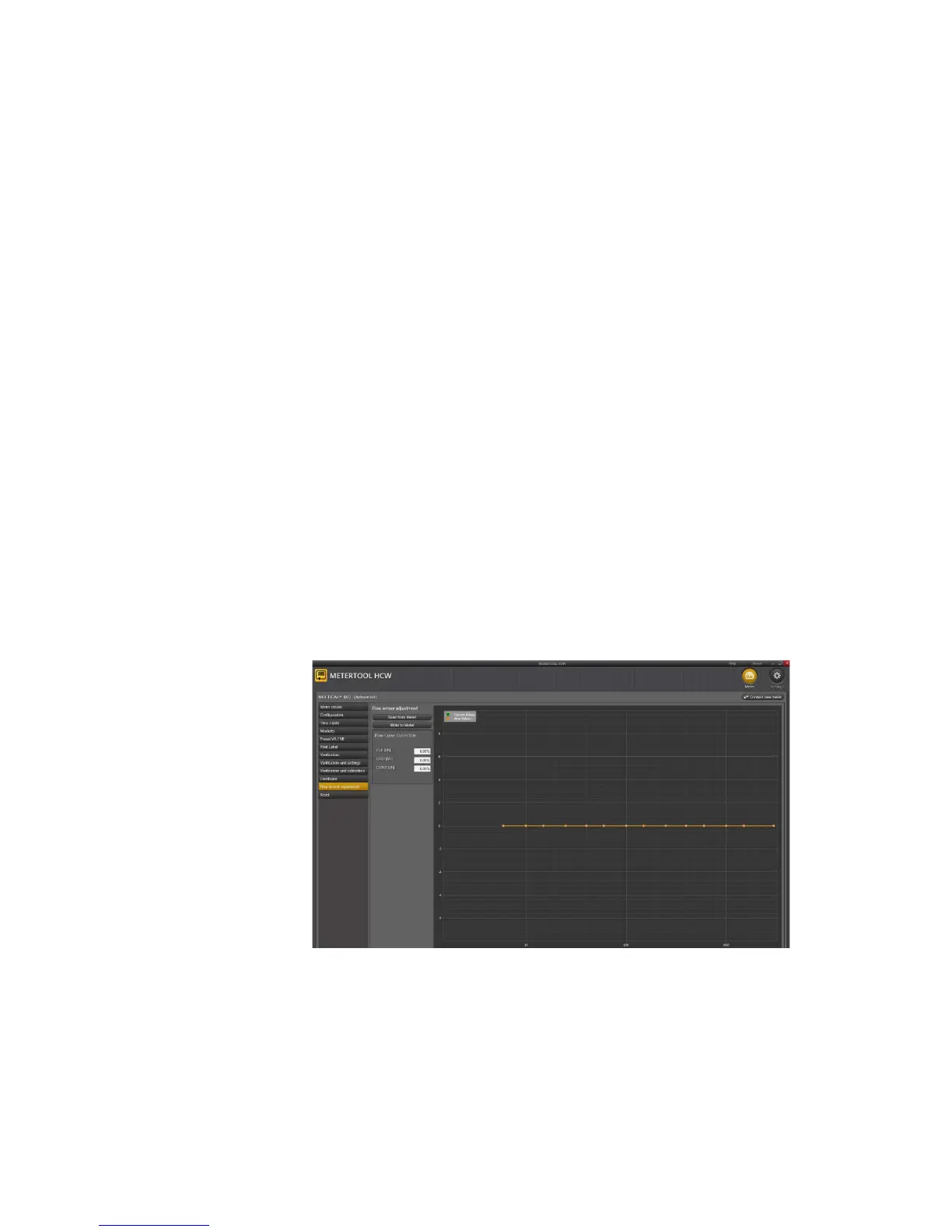
Open ”Flow sensor adjustment”:
”Read from Meter”:
Reads data from flow sensor data
The required correction in q
i
, 0.1xq
p
and q
p
can be entered in the field ”Flow Curve Correction”.
”Write to Meter”:
Writes the correction to the connected flow sensor













 To Next Page