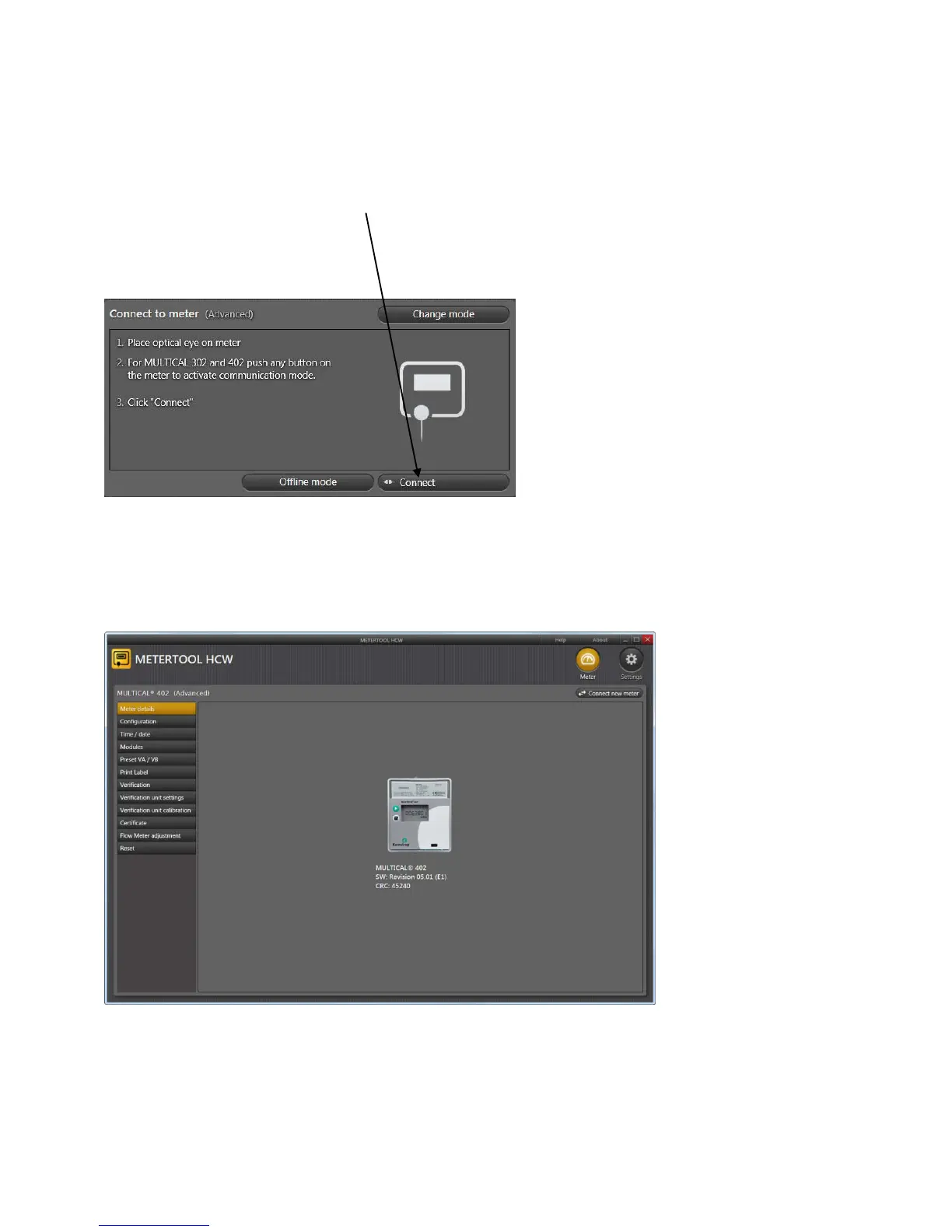
Before running the program, connect your optical read-out head to your computer and place the head on the
lower right-hand corner of the calculator front, resting the read-out head on the two plastic studs. Press any of the
buttons on the meter once to enable communication through the optical eye.
Start up METERTOOL HCW and click “Connect” in METERTOOL HCW.
In response METERTOOL HCW displays a picture of MULTICAL
®
402 with information on S/W revision etc.
From the menu in the left side of the screen a number of different options are available, depending on mode
(Basic/Advanced).













 To Next Page