16
|
English
General features
Memory Recall mode
Recall the value in the memory by the memory
mode.
1 Select the source to adjust
Press the [SRC] button.
2 Enter recall mode
Using the Control knob, select "DSP" > "PRESET"
> "RECALL".
For the operation method, refer to <Function
Control mode> (page 11).
3 Select the recall item
Select the recall number using the Control
knob.
Press the Control knob.
Recall the value put by <Memory mode> (page
15).
"Recall?" is displayed.
4 Recall the Audio Preset
Select "YES" using the Control knob.
"Recall Completed" is displayed.
5 Exit Memory Recall mode
Press the [FNC] button.
Display Type Selection
Changing the display mode.
1 Enter Display Type Selection mode
Using the Control knob, select "DISPLAY" >
"TYPE".
For the operation method, refer to <Function
Control mode> (page 11).
2 Select the Display Type
Turn the Control knob.
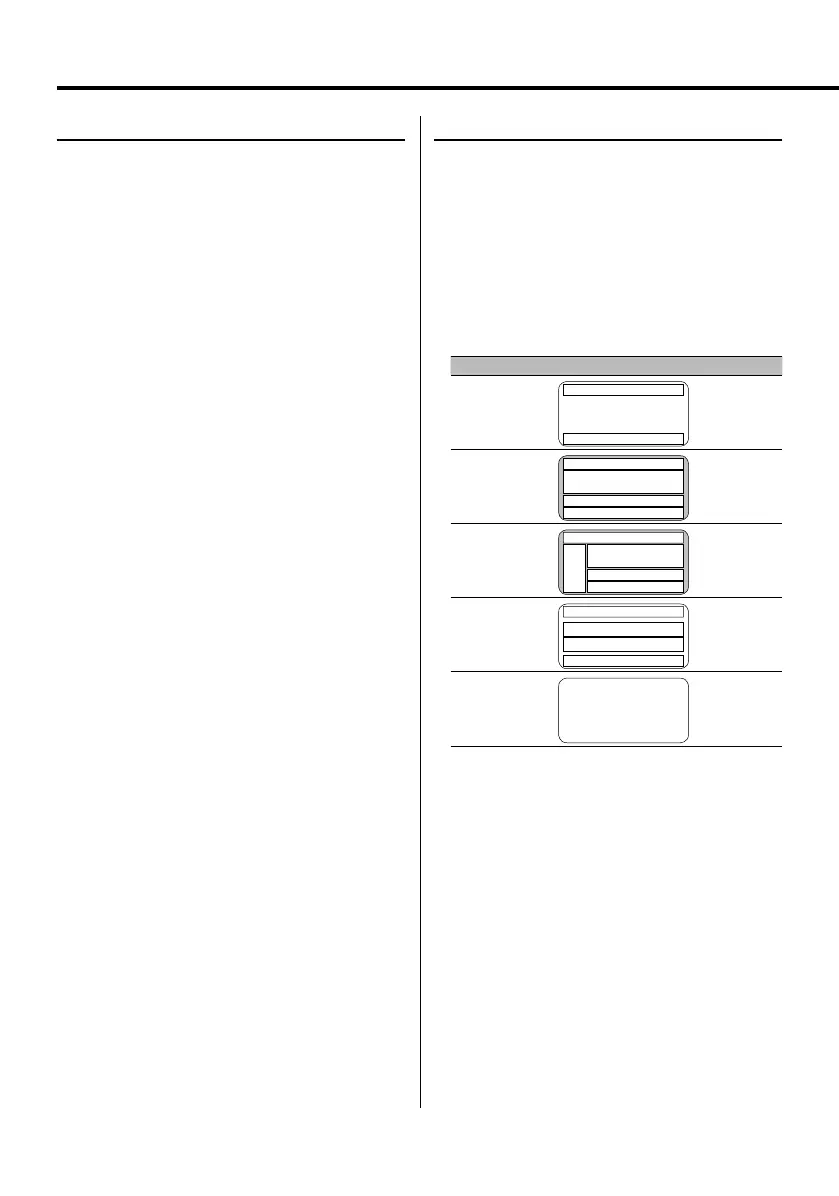
Select from the following display types:
Display Display Type
"TYPE SELECT [A]"
!
1
9
"TYPE SELECT [B]"
3
3
2
9
"TYPE SELECT [C]"
3
0
3
2
9
"TYPE SELECT [D]"
8
7
7
9
"TYPE SELECT [E]"
@
3 Exit Display Type Selection mode
Press the Control knob.
4 Enter Display Mode Selection mode (Display
Type B/ Display Type C only)
Using the Control knob, select "DISPLAY" >
"MODE".
B64-3767-0000KEnglish.indd16B64-3767-0000KEnglish.indd16 07.5.102:15:45PM07.5.102:15:45PM



 To Next Page
 Loading...