40
|
English
Satellite Radio tuner control features
Select Satellite Radio Mode
Selecting the Satellite Radio Tuner (optional
accessory) connected to this unit.
Selecting Satellite Radio Mode
Press the [SRC] button.
Select the "SAT" display.
⁄
• You need to register to the service provider to receive
the service by Satellite Radio. Consult the service
provider if "CALL TO SUBSCRIBE" appears.
• The radio may take a little time to start receiving after
you select the Satellite Radio source.
• If the signal reception fails, "Acquiring Signal" appears.
Switching Seek Mode
Sets the seeking mode.
Press the [AUTO] button.
Each time you press the button, the Seek mode
alternates between the operations shown in the
table below.
Display Operation
"Seek : Channel" Normal manual seeking control.
"Seek : Preset" Search in order of the channels in the Preset
memory.
Select the channel
Selecting the channel.
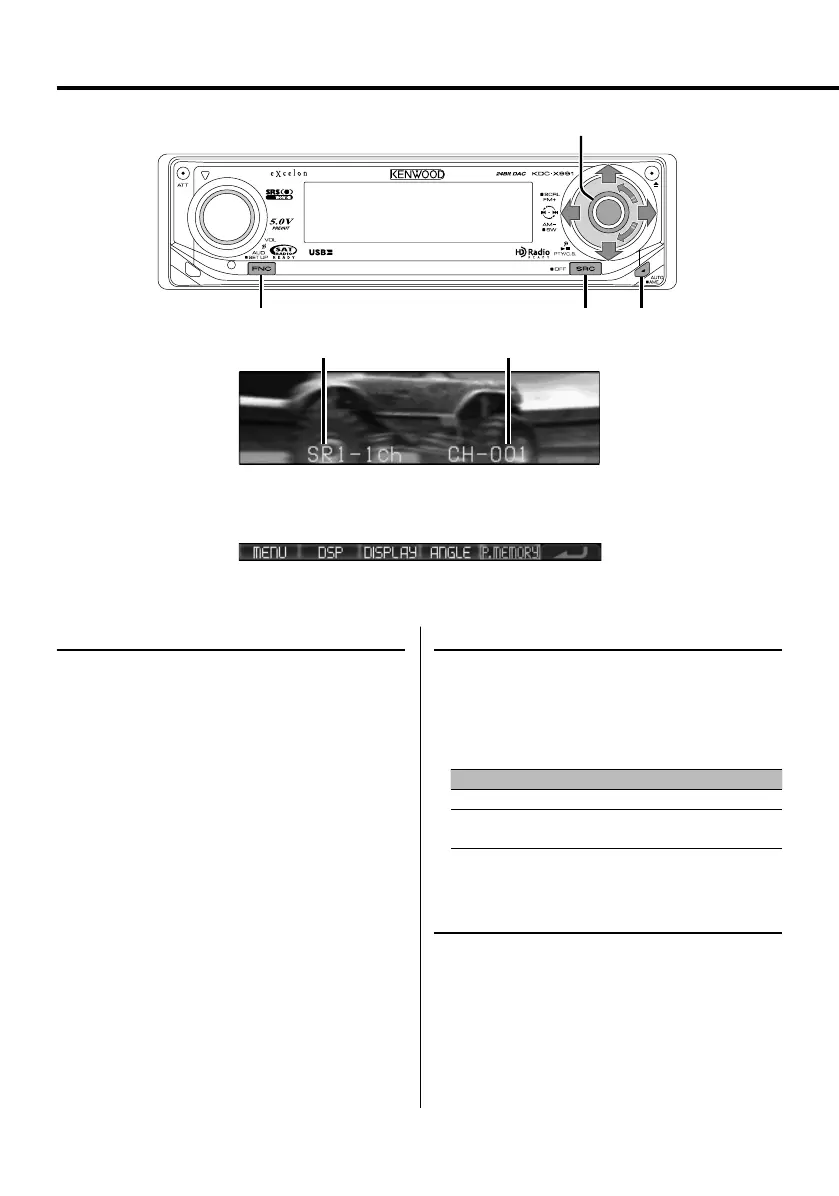
Push the Control knob towards [4] or [¢].
FM
AM
D
FNC SRC AUTO
Control knob
Channel number
Function icon
Band display
B64-3767-0000KEnglish.indd40B64-3767-0000KEnglish.indd40 07.5.102:16:00PM07.5.102:16:00PM



 To Next Page
 Loading...