Audya features a bunch of functions dedicated
to the disk management.
Disk Menu
▀
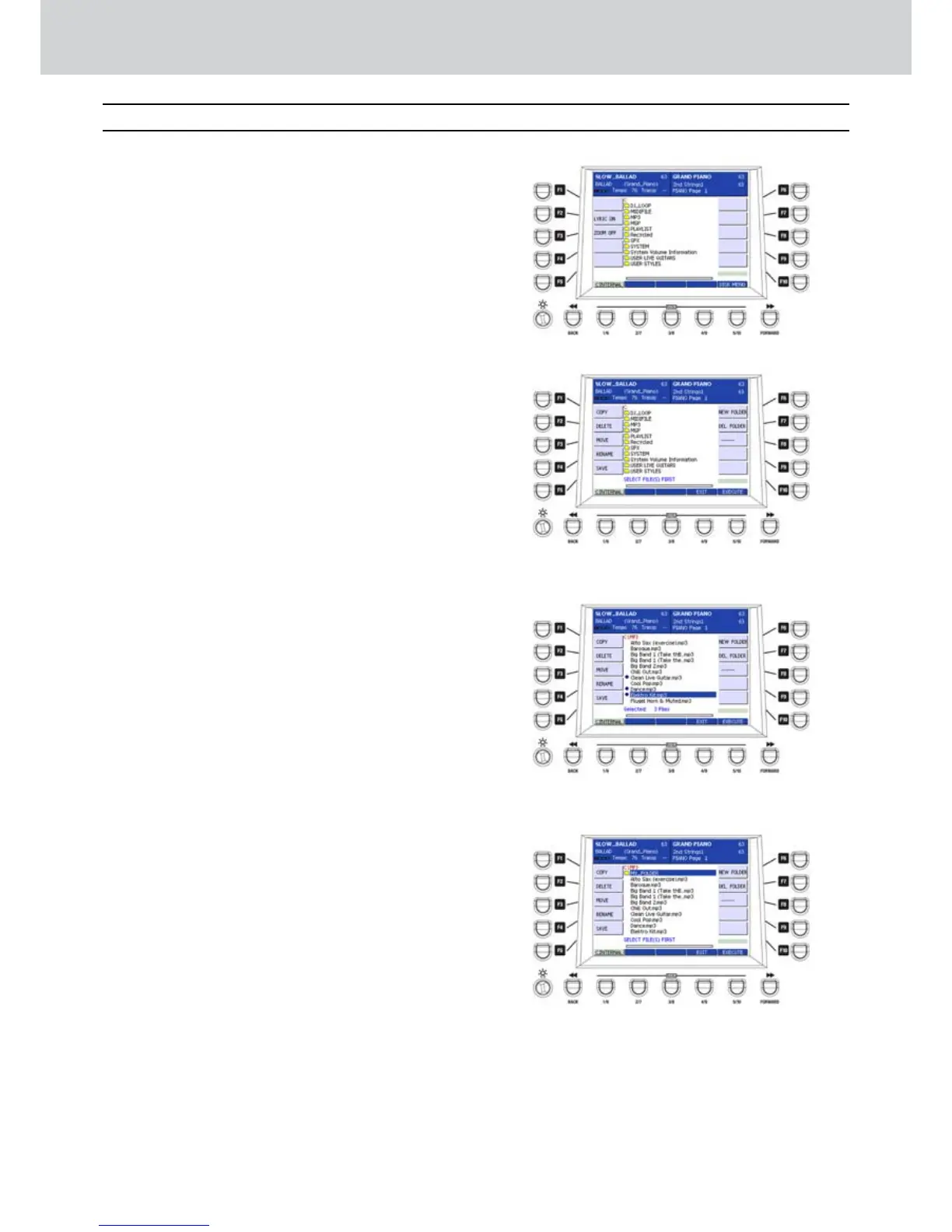
Press the DISK button to see the content of the 1.
internal disk (Figure 341). The disk contains a
certain number of folders, that you can access
by using the CURSOR
§ ¶ or the DATA/VALUE
wheel. The content is:
DJ LOOP
MIDIFILE
MP3
PLAYLIST
SFX
STYLES
WAVE
INSTRUMENTS
REGISTRATION
SYSTEM
Press the ENTER button to enter the selected 2.
folder.
Press the EXIT button to exit the selected folder 3.
and jump to the parent folder.
Press the USER 5 button (DISK MENU) to list all 4.
the available functions (Figure 342):
F1 - COPY: copies one or more files.
F2 - DELETE: deletes one or more files.
F3 - MOVE: moves one or more files.
F4 - RENAME: rename a file.
F5 - SAVE: open a screen to save PROGRAM, GM
VOICE, VOICE LIST, DRAWBAR, DRUMSET
F6 - NEW FOLDER: creates a new folder.
F7 - DEL. FOLDER: deletes a folder.
Copy, delete and move
▀
In order to execute the copy, delete and move 1.
functions, first select one or more files by using
the ENTER button. A blue dot near to each
selected file will appear (Figure 343).
Press the F1 button (COPY), F2 (DELETE) or F3 2.
(MOVE) to select the appropriate function.
Press the USER 5 button (EXECUTE) to execute 3.
the selected function or the USER 4 button (EXIT)
to cancel the operation.
Create or delete a folder
▀
Press the F6 button to create a new folder.1.
Give a name by inputting the characters from 2.
the keyboard. In the example, the folder name is
“NEW FOLDER”.
Press the USER 5 button (EXECUTE).3.
The folder will be created on the current position 4.
of the disk (Figure 344).
Press the F7 button (DEL. FOLDER) to enable the 5.
delete folder function.
Press the USER 5 button (EXECUTE) to delete the 6.
folder or the EXIT button to cancel the operation.
Disk
Figure 341
Figure 342
Figure 343
Figure 344
Disk



 To Next Page