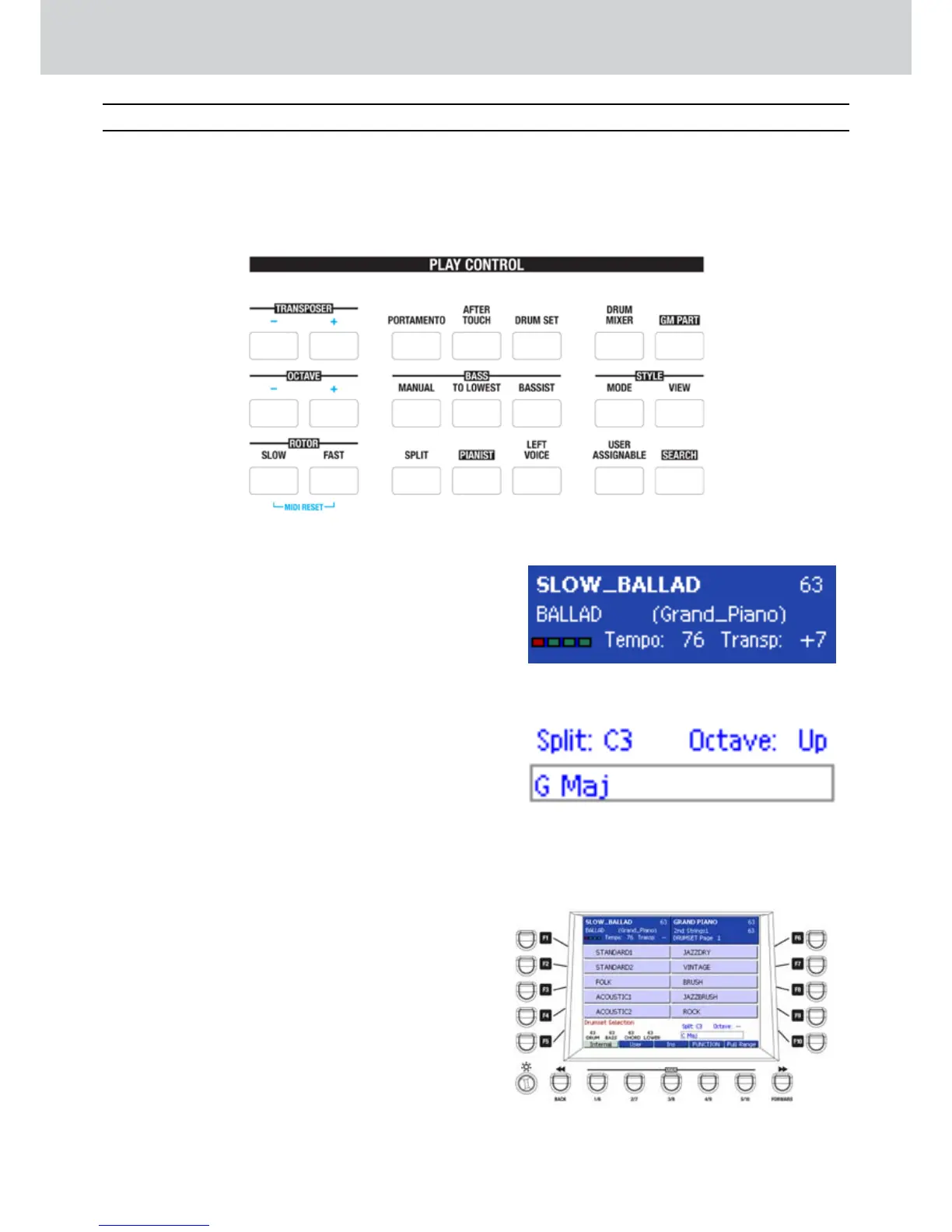
The PLAY CONTROL section contains all the
control functions so you can start playing the
keyboard and modify the settings accordingly to
your own way of playing.
TRANSPOSER
▀
By pressing the [-] and [+] buttons you can
transpose the overall pitch in 24 semitones up or
down (1 semitone step), including the Arranger
(except the drum). The display shows the current
TRANSPOSE value (Figure 13). Press the [+] and
[-] buttons simultaneously to instantly reset the
transpose value to 0.
O C T A V E
▀
The [+] and [-] buttons allow the pitch of the
RIGHT part to be shifted up or down by one
octave. The display shows the current value of
OCTAVE Up or Down (Figure 14).
ROTOR
▀
The SLOW and FAST buttons allow to change
the speed of Rotary Speaker, when you select
DRAWBARS in the VOICE section and for the
voices for which the ROTARY SPEAKER setting is
set to ON.
PORTAMENTO
▀
Turns the PORTAMENTO on and off, only the
voices for which the portamento has been
programmed. For example, the SYNTH family.
AFTER TOUCH
▀
Turns the AFTER TOUCH on and off, only
the voices for which the after touch has been
programmed (GUITAR, SYNTH, etc.)
DRUM SET
▀
Selects one of the 53 built-in DRUM SETS to play
directly from the keyboard (Figure 15). For more
details see DRUM SET section.
Figure 13
Figure 14
Figure 15
Play Control
Play Control
B



 To Next Page