Main View
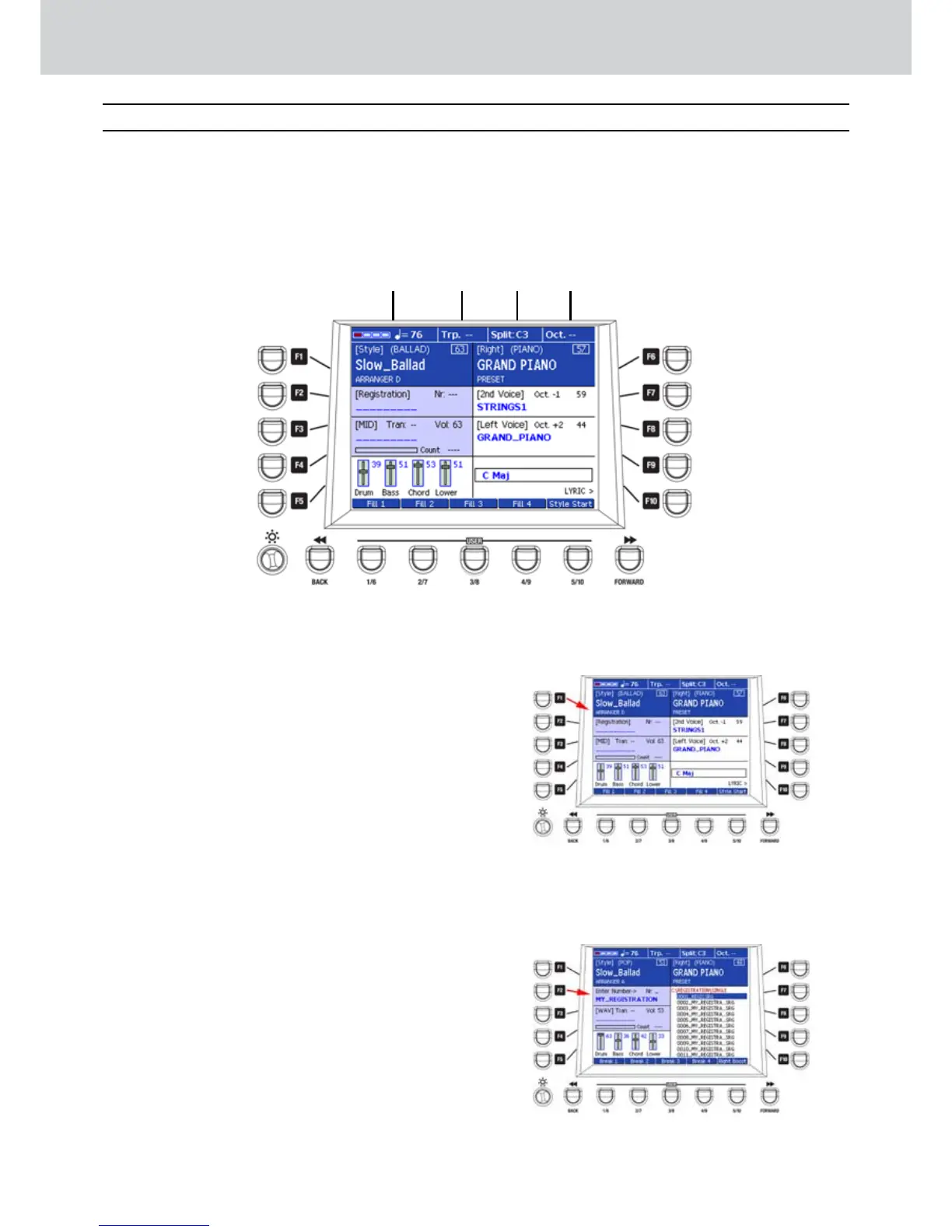
Hereunder, you can see the organization of the
graphical layout of the MAIN VIEW window.
MAIN VIEW Window
▀
1
1
BPM Tempo
It shows the BPM Tempo set for the
style or the current filely loaded in
the Player. When the Arranger or the
Player are playing, the red and green
LED light accordingly to the musical
division.
2
Transpose
It shows the transpoIf value of the right hand
or of the current filely loaded in the Player.
3
Split
It shows the split point currently set on the
keyboard.
4
Octave
It shows the octave transpoIf value for the
right hand.
F1 – The F1 button opens the window for style
selection. It shows also the value of the volume
set from STYLE MASTER and the ABCD
variation of the Arranger (Figure 42).
F2 – The F2 button opens the window for the
REGISTRATION selection (Figure 43). More
details in the REGISTRATION section of this
manual.
Main View description
1 2 43
Figure 42
Figure 43



 To Next Page