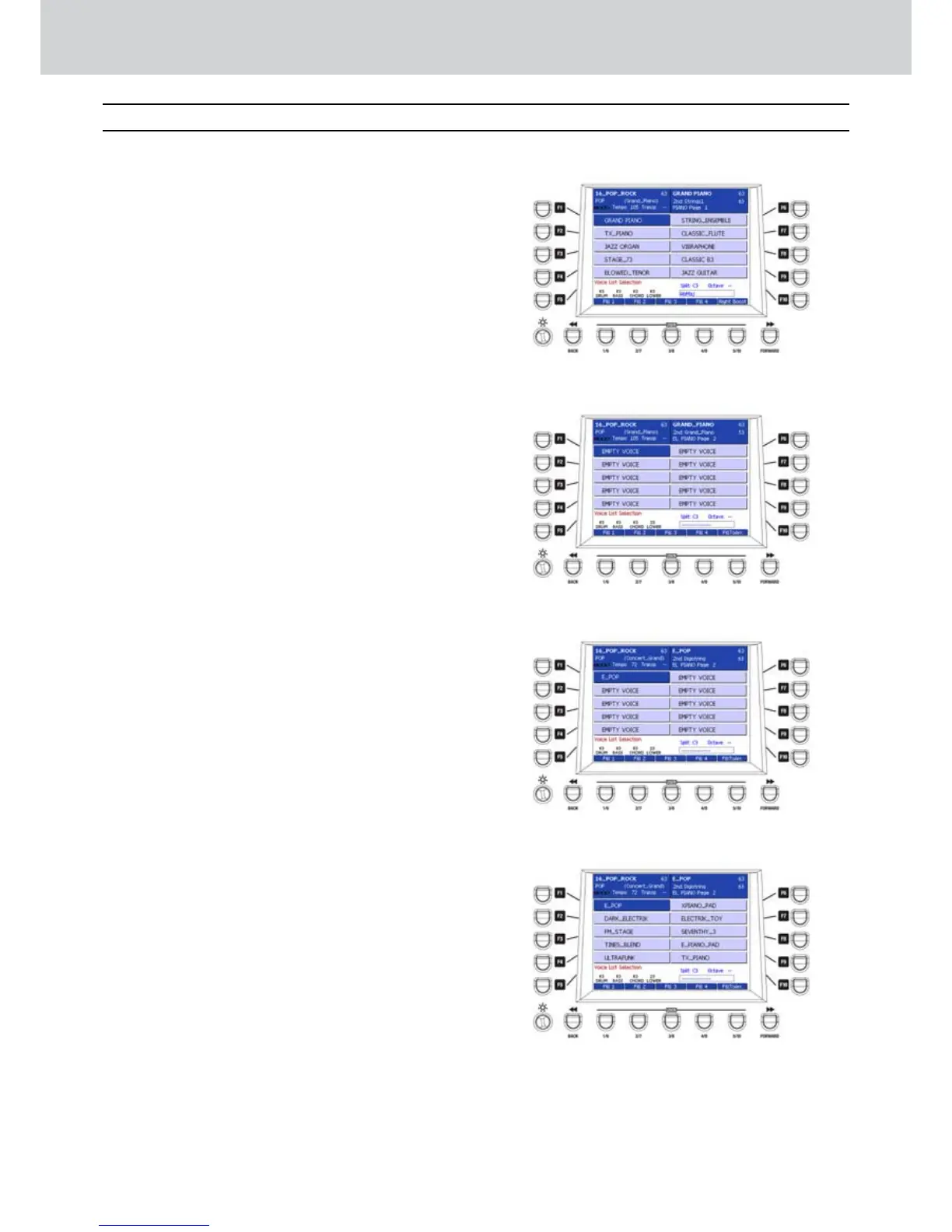
By pressing the VOICE LIST button in the VOICE
section, the screen of the custom voices will
appear. For each of the 16 VOICES (the first two
rows) you can access the VOICE LIST button
with 20 memory locations each. In this way, you
can customize your favourite voice lists to be
used for each voice family.
Storing a VOICE LIST
▀
Select one voice by pressing any keys in the 1.
VOICE section. For example, “EL. PIANO”.
Press the VOICE LIST button. A screen like 2. Figure
202 will appear, showing the first ten memory
locations.
Press the CURSOR 3.
Á
to jump to the second
page and see the next ten EMPTY VOICE
locations.
By using the F1-F10 buttons, select an empty 4.
memory location (Figure 203).
If you want, you can replace the voice in that 5.
location later.
Press the EDIT button. The VOICE LIST button 6.
flashes.
Select any keys in the VOICE section. For 7.
example, “EL. PIANO”, if you want to stay in the
same family, but you can choose any other family,
of course.
By using the F1-F10 buttons and the CURSOR 8.
Ó Á
for page selection, select any voice. For
example, “E_POP” on the second page of “EL.
PIANO” (Figure 204).
Press the ENTER button to confirm the selection.9.
If you want, choose further voices following the 10.
same procedure from step 5 to step 7, changing
each time the memory location by using the F1-
F10 buttons and the CURSOR
Ó Á
, until you
finish your favourite VOICE LIST (Figure 205).
Press SAVE, corresponding to the USER 5 button, 11.
or press the SAVE button on the panel to store
the custom VOICE LIST.
Press the EDIT button to exit edit mode. The 12.
VOICE LIST button will stop flashing.
At this point, if you press the VOICE LIST button, 13.
you will display your custom list for each family of
the VOICE section.
Voice List
Figure 202
Figure 203
Figure 204
Figure 205
Voice List



 To Next Page