Drawbars
By pressing the DRAWBARS button on the
VOICE section, you switch the DRAWBARS
mode on. For the selection of the different
organ types please see “Selecting the organ
DRAWBARS” on page 16.
Creating a new organ DRAWBARS
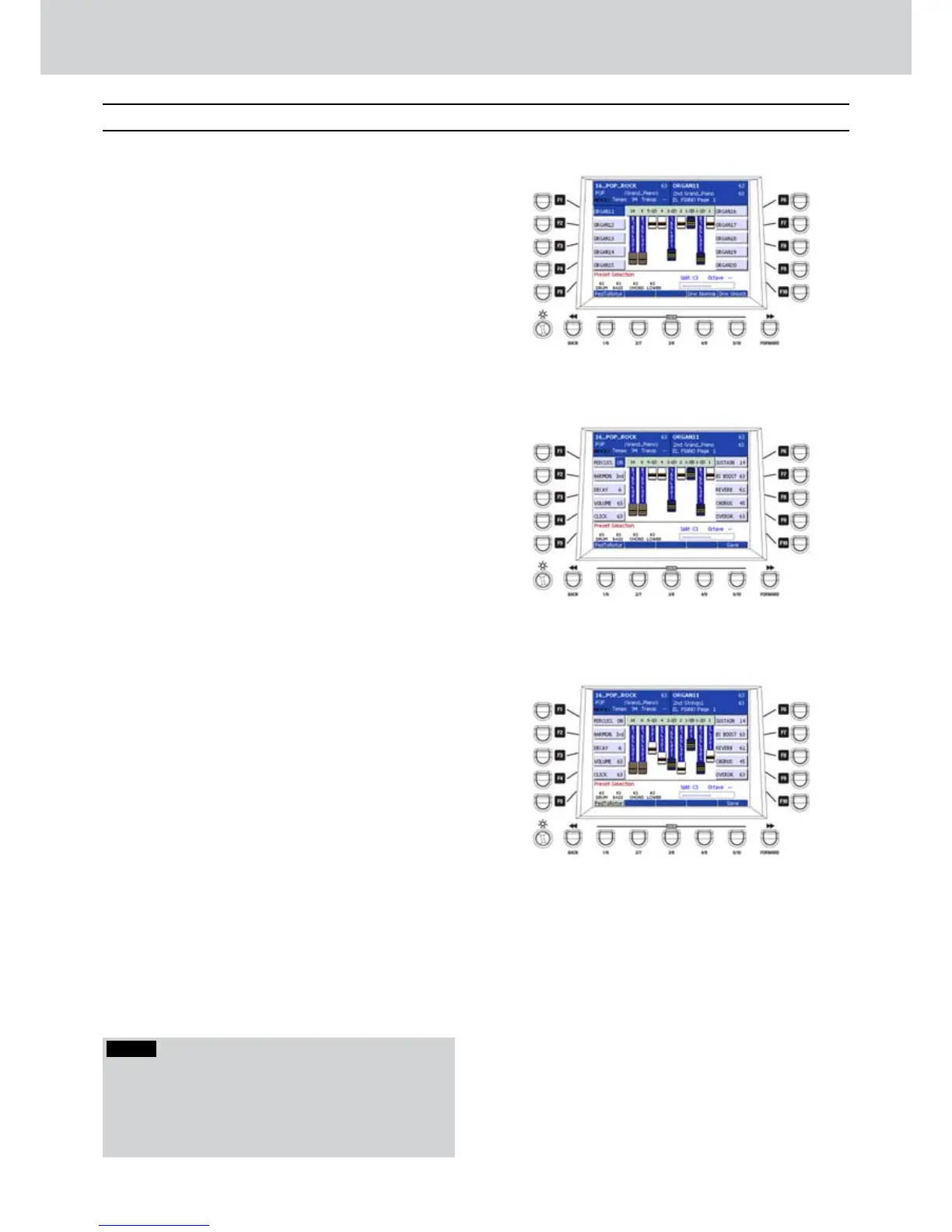
To create a new type of organ Drawbars, select
one of the 20 organs available from the two
DRAWBARS pages (Figure 195).
Press the EDIT button on the front panel to
1.
access the edit window. The F1-F10 buttons
allow to access the following parameters
(Figure 196):
F1–PERCUSS. ON/OFF: enables/disables the
organ percussion.
F2–HARMON. 2nd/3rd: adds even/odd
harmonics to the percussion.
F3–DECAY: decay of the percussion (0–7).
F4–VOLUME: volume of the percussion
(0–63).
F5–CLICK: “click” volume (0–63).
F6–SUSTAIN: Sustain amount (0–16).
F7–BS BOOST: bass boost (0–63).
F8–REVERB: Reverb amount (0–63)
F9–CHORUS: Chorus amount (0–63)
F10–OVERDR.: Distortion amount (0 to 63).
Set the DRAWBARS values by moving the 9
2.
sliders of the MIXER section independently
(Figure 197).
Press the USER 5 button (SAVE) to store
3.
the organ DRAWBARS setting. The store
position is the same of the current organ.
Drawbars
Figure 195
Figure 196
Figure 197
NOTE
In DRAWBARS mode, if you press the USER 1 button
(PedToRotor) you can activate the rotor by using the
pedal connected to SUSTAIN PEDAL on the rear panel.
The PedToRotor ON/OFF parameter is not stored into
the user DRAWBARS so it must be activated manually.



 To Next Page