Play List
By pressing the PLAY LIST button you can
access the Play Lists stored on the hard disk. In
order to create a Play List, follow the procedure
below.
Creating a PLAY LIST
▀
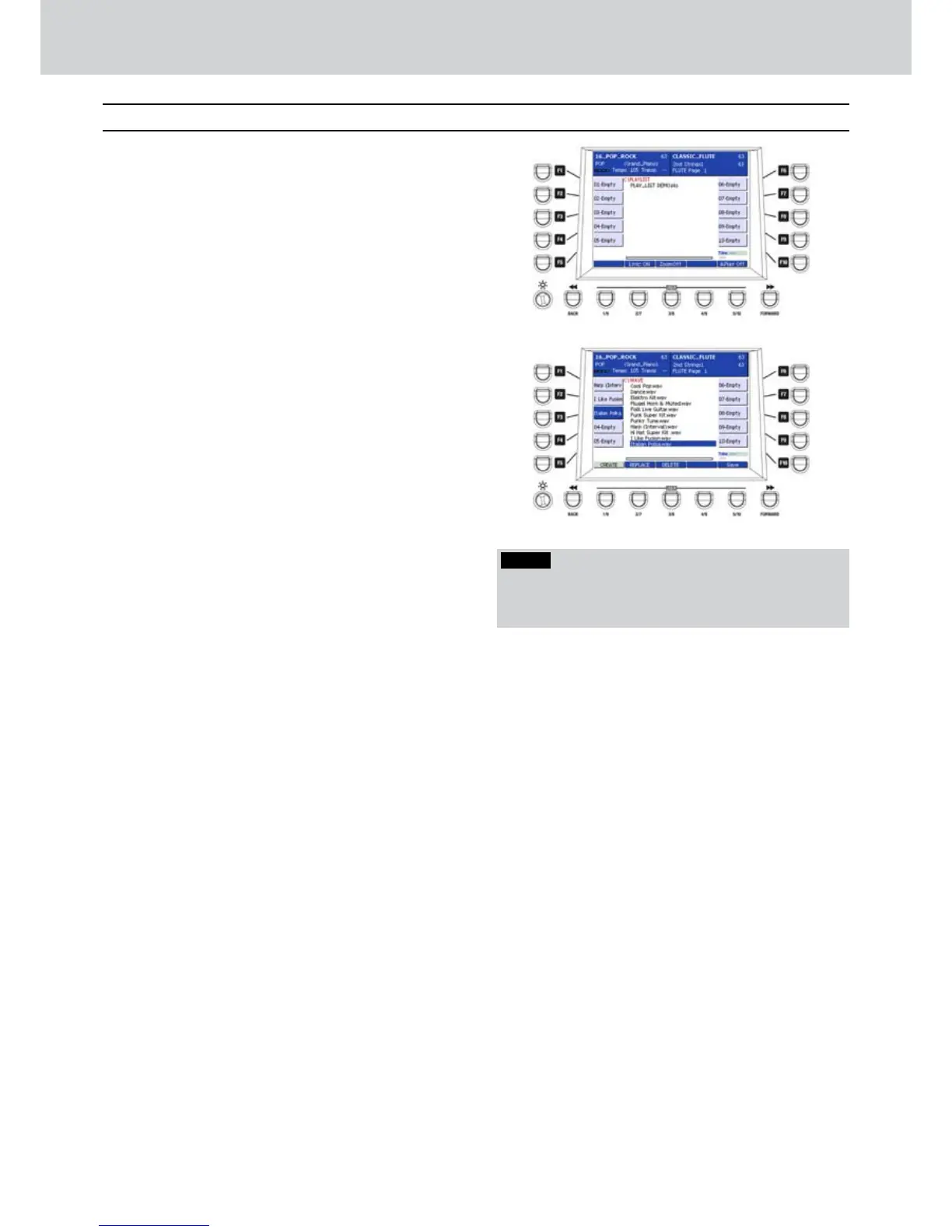
Press the PLAY LIST button. A screen like 1. Figure
117 will appear showing a PLAY LIST demo.
Select PLAY LIST DEMO by pressing CURSOR 2.

and press the EDIT button.
Press the CREATE button.3.
Press one of the F1-F10 buttons. For example, F1.4.
Press the WAVE button (or MP3, SFX, MIDI) to 5.
select a song or a MIDI file, and press ENTER.
The selected song/MIDI file will be assigned to the
F1 button.
Press the F2 button and select another song/MIDI 6.
file and press ENTER. The song will be assigned
to the F2 button.
Do the same for any other F1-F10 button (7. Figure
118).
When finished, press the USER 5 button (SAVE).8.
Give a name to the PLAY LIST and press SAVE 9.
again.
Play List
Figure 117
Figure 118
NOTE
By pressing the A.PLAY ON/OFF button (USER 5) you
can enable/disable the automatic playback of the songs
currently in the Play List.



 To Next Page