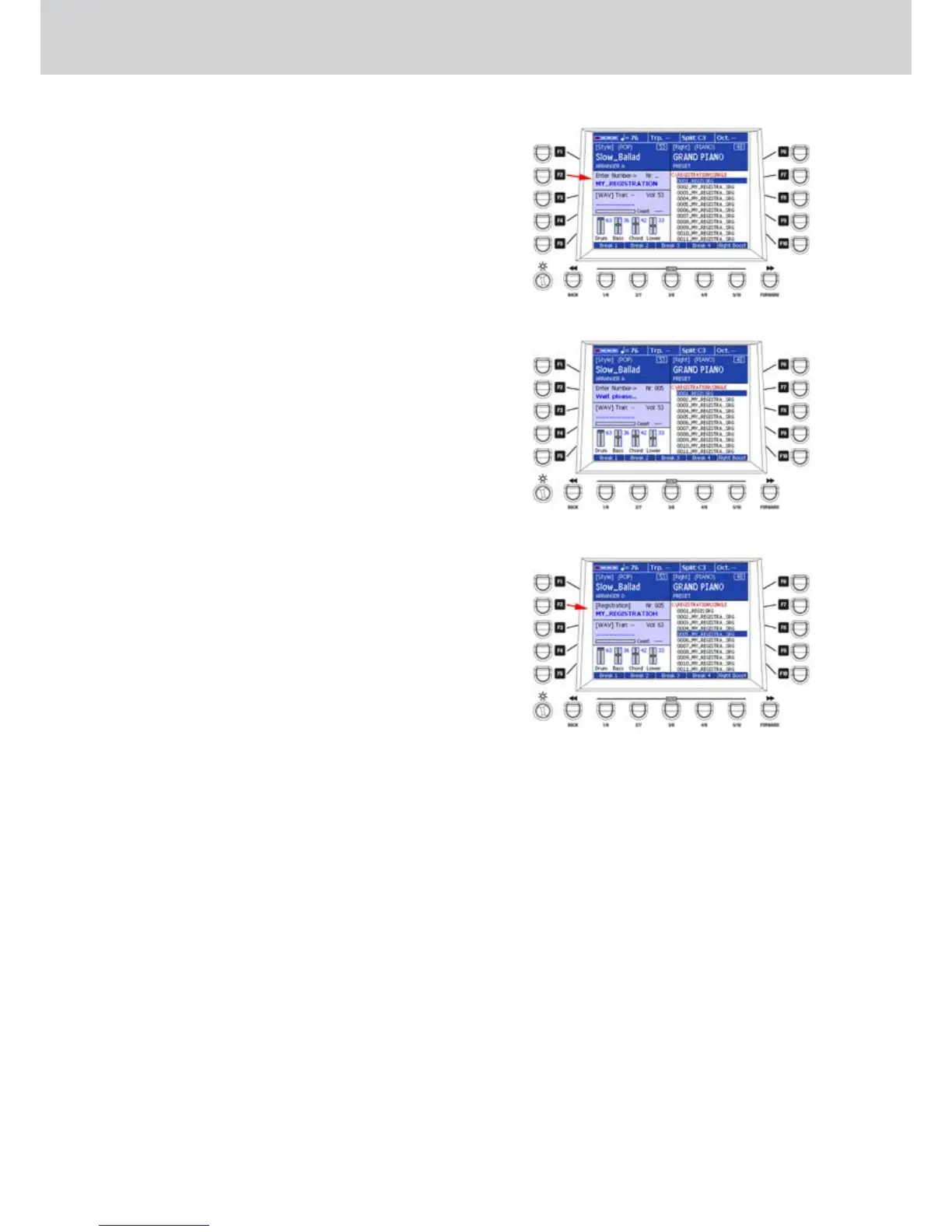
Recalling a REGISTRATION from the MAIN
▀
VIEW window
If the MAIN VIEW function and the NUMERIC ON
function are enabled, by pressing the F2 button
you can directly recall the REGISTRATION
number by using the numeric keypad.
From the MAIN VIEW window press the F2 button. 1.
“Enter Number ->” will appear (Figure 114).
Digit a REGISTRATION number by using the 2.
numeric keypad. “Wait Please...” will appear
(Figure 115). The corresponding REGISTRATION
will be automatically searched and loaded.
If the NUMERIC ON function is disabled, you must 3.
manually select the REGISTRATION by using
the CURSOR
§ ¶
buttons
or the DATA/VALUE
wheel and by pressing the ENTER button (Figure
116).
Figure 114
Figure 115
Figure 116
Registration



 To Next Page