Main View
From the MAIN VIEW window you can select
directly the MP3 or SFX files on disc.
Selecting an MP3/SFX file from MAIN VIEW
▀
The default MAIN VIEW window allows the 1.
selection of MIDI files. For this reason it’s
necessary to press the MP3 button or SFX button
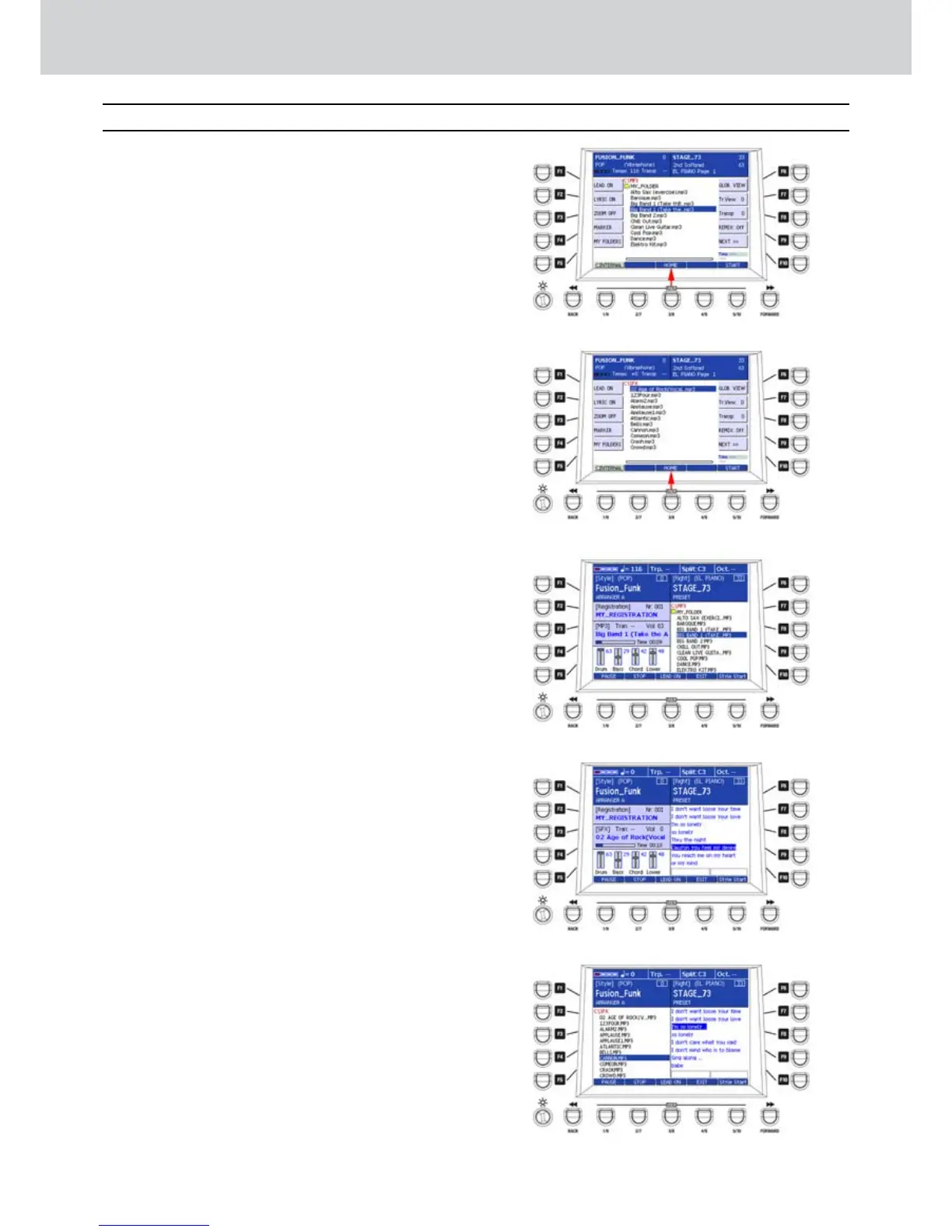
of the Player. A list of MP3 files of the MP3 folder
(Figure 55) or SFX files of the SFX folder will
appear (Figure 56).
Select an MP3 file or SFX from the list by using 2.
the CURSOR § ¶ buttons or the DATA/VALUE
wheel.
Press the ENTER button to start playback of the 3.
MP3 file or SFX file.
Press the USER 3 (HOME) button to activate the 4.
MAIN VIEW window, as shown by the arrow of
Figure 55 and Figure 56.
The MAIN VIEW window will appear and, on the 5.
right side, the list of MP3 files (Figure 57) or SFX
files (Figure 58) on the disc.
If an MP3/SFX file contains lyric, the LYRIC 6.
window will appear in place of the list, as
illustrated in Figure 58.
The USER from 1 to 4 buttons in the MAIN VIEW 7.
window will have the following functions:
USER 1: PAUSE/CONTINUE
USER 2: STOP
USER 3: LEAD ON/OFF (melody mute)
USER 4: EXIT (exit from the Lyric or MAIN VIEW
window).
By pressing the F3 button (or F4) a second time 8.
while an MP3/SFX file with lyric is playing back or
paused, the MAIN VIEW window is divided into
two sections (Figure 59):
the section LYRIC on the right side.
the list of the MP3/SFX files on the disc on the left
side.
In this way, while the current file is playing back, 9.
you can select a file from the list by using the
CURSOR § ¶ buttons or the DATA/VALUE
wheel and start with button ENTER.
To return to the ordinary window, press the F3 10.
button (or F4) again.
Figure 55
Figure 56
Figure 57
Figure 58
Figure 59
MP3/SFX Player (MAIN VIEW)



 To Next Page