By pressing the MODE button of the STYLE
section, you can access the functions and the
settings of the Arranger.
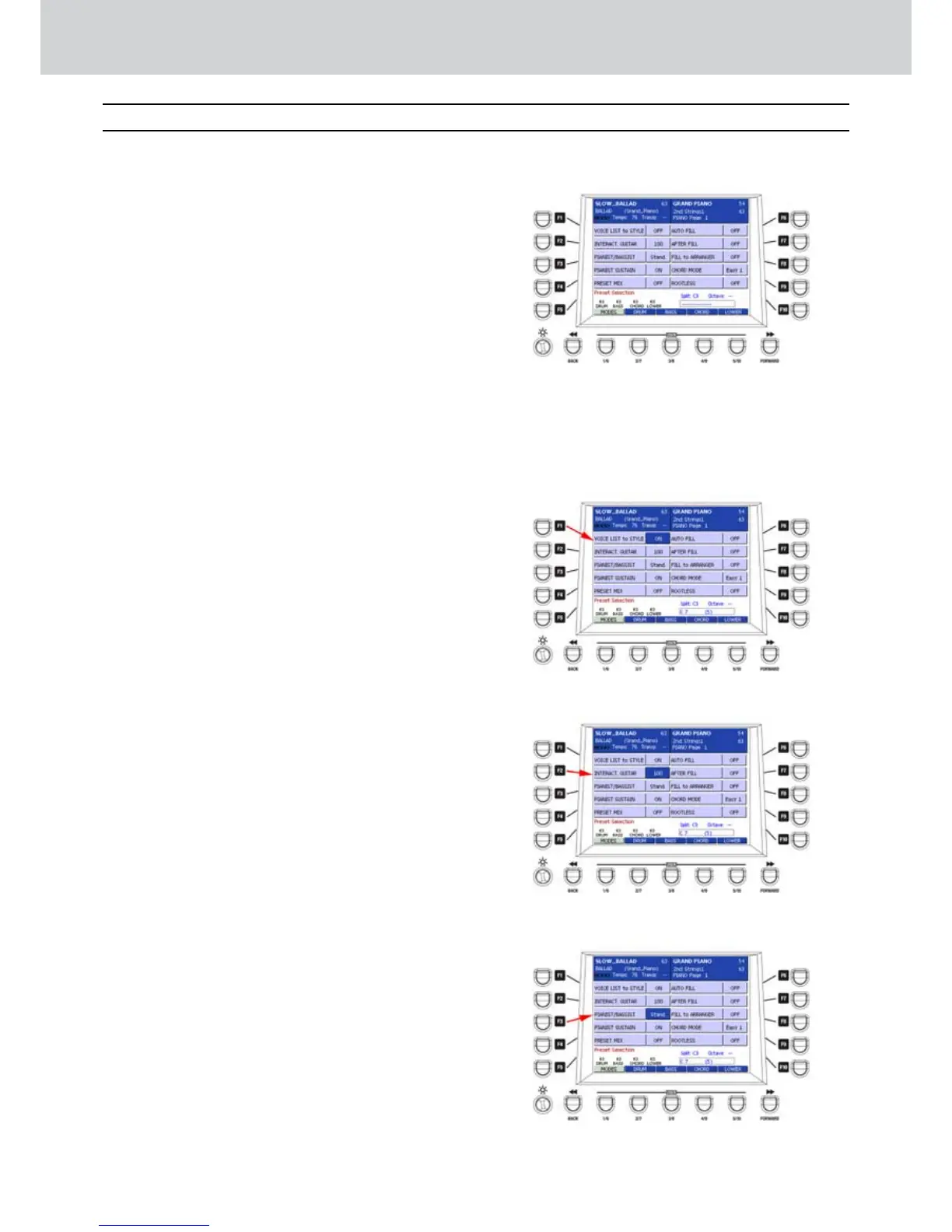
The STYLE MODE main window is similar
to Figure 138. From here you can choose 5
sections by using the USER buttons from 1 to 5:
MODES (USER 1)
DRUM (USER 2)
BASS (USER 3)
CHORDS (USER 4)
LOWER (USER 5)
MODES (1)
▀
By pressing the USER 1 button once, you can
access the first MODES window, where you can
see the following functions corresponding to the
F1-F10 buttons:
F1–VOICE LIST TO STYLE•
F2–INTERACT. GUITAR•
F3–PIANIST/BASSIST•
F4–PIANIST SUSTAIN•
F5–PRESET MIX•
F6–AUTO FILL•
F7–AFTER FILL•
F8–FILL TO ARRANGE•
F9–CHORD MODE•
F10–ROOTLESS•
VOICE LIST TO STYLE
When this function is ON, it enables the Voice List
to Style (Figure 139). You can store for each Style,
besides the various parameters, also the Voice List
currently selected on the panel. This function works
only if the Voice List button is lit while the Style is
running.
INTERACT. GUITAR
When the INTERACTIVE GUITAR function is ON, you
can set the dynamic value for the LIVE GUITAR part
(Figure 140). In other words, by playing harder on the
keyboard, the arrangement of the guitar becomes an
arpeggio. By playing softer, the guitar plays rhythmic
chords.
PIANIST/BASSIST
Once selected by using the F3 button, you can
choose between two operative modes by using the
CURSOR Ó Á
buttons or the DATA/VALUE wheel
for the PIANIST and BASSIST modes (Figure 141).
STANDARD: this mode, lets you freeze the
recognized chord by using the Sustain Pedal, so you
can play the keyboard without altering the tonality of
the Arranger.
AUTO: this mode lets you play 3 or more notes for
chord recognition and then play the melody with one
or two note max, without altering the tonality of the
Arranger.
Style Mode
Figure 138
Figure 139
Figure 140
Figure 141
Style Mode



 To Next Page