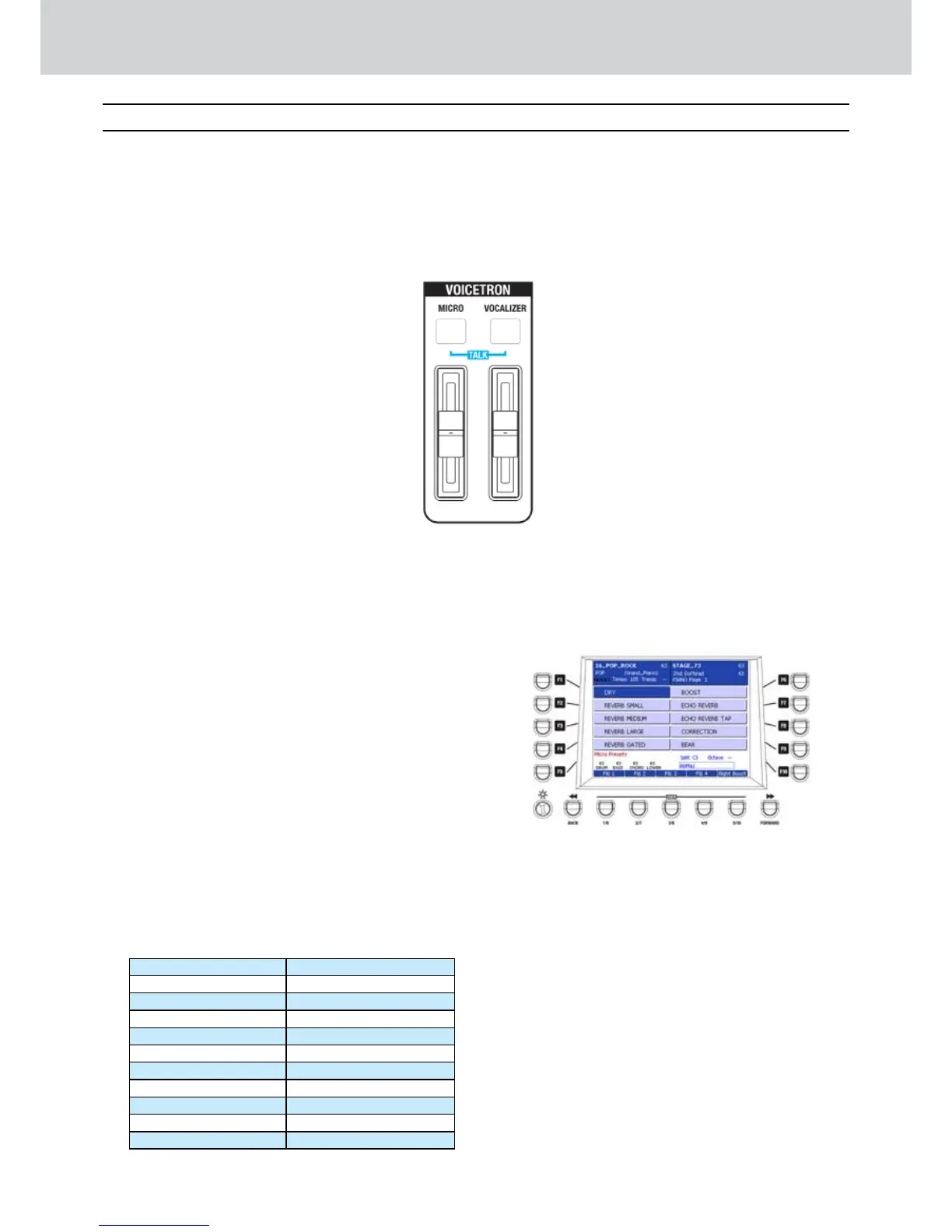
Voicetron
The Voicetron section has one volume fader for
MICRO and one volume fader for VOCALIZER,
both with on/off LED button. Once you connect
a microphone to the MICRO 1 connector and/or
MICRO 2 connector, you can access to a wide
range of options for the voice processing.
M I C R O
▀
The MICRO button enables both MICRO 1 and
MICRO 2 inputs. Connect one or two dynamic
microphones to the connectors on the rear panel
and adjust the gain level by using the GAIN 1 and
GAIN 2 small knobs on rear panel.
VOCALIZER
▀
The VOCALIZER button enables the multi-
processor effects for harmonization and
automatic pitch control only on MICRO 1 input.
Setting a vocal effect
▀
Press the MICRO button.1.
The screen where to choose the MICRO 2.
PRESETS will appear (Figure 31).
Press the F1-F10 buttons to set one of the MICRO 3.
PRESETS, that is an effect for the microphone
connected to MICRO 1 and/or MICRO 2 input.
Press the CURSOR 4.
Ó Á
to scroll the MICRO
PRESETS pages.
By pressing the F1-F10 buttons you can
access two pages with ten MICRO PRESETS
each:
PAGE 1 PAGE 2
F1–DRY F1–GIRL
F2–REVERB SMALL F2–BABY
F3–REVERB MEDIUM F3–VIBRATO
F4–REVERB LARGE F4–PHONE
F5–REVERB GATED F5–ANGEL
F6–BOOST F6–MICRO_01
F7–ECHO REVERB F7–MICRO_02
F8–ECHO REVERB TAP F8–MICRO_03
F9–CORRECTION F9–MICRO_04
F10–BEAR F10–MICRO_05
Figure 31
Voicetron
B



 To Next Page