Setting a VOCALIZER effect
▀
Press the VOCALIZER button.1.
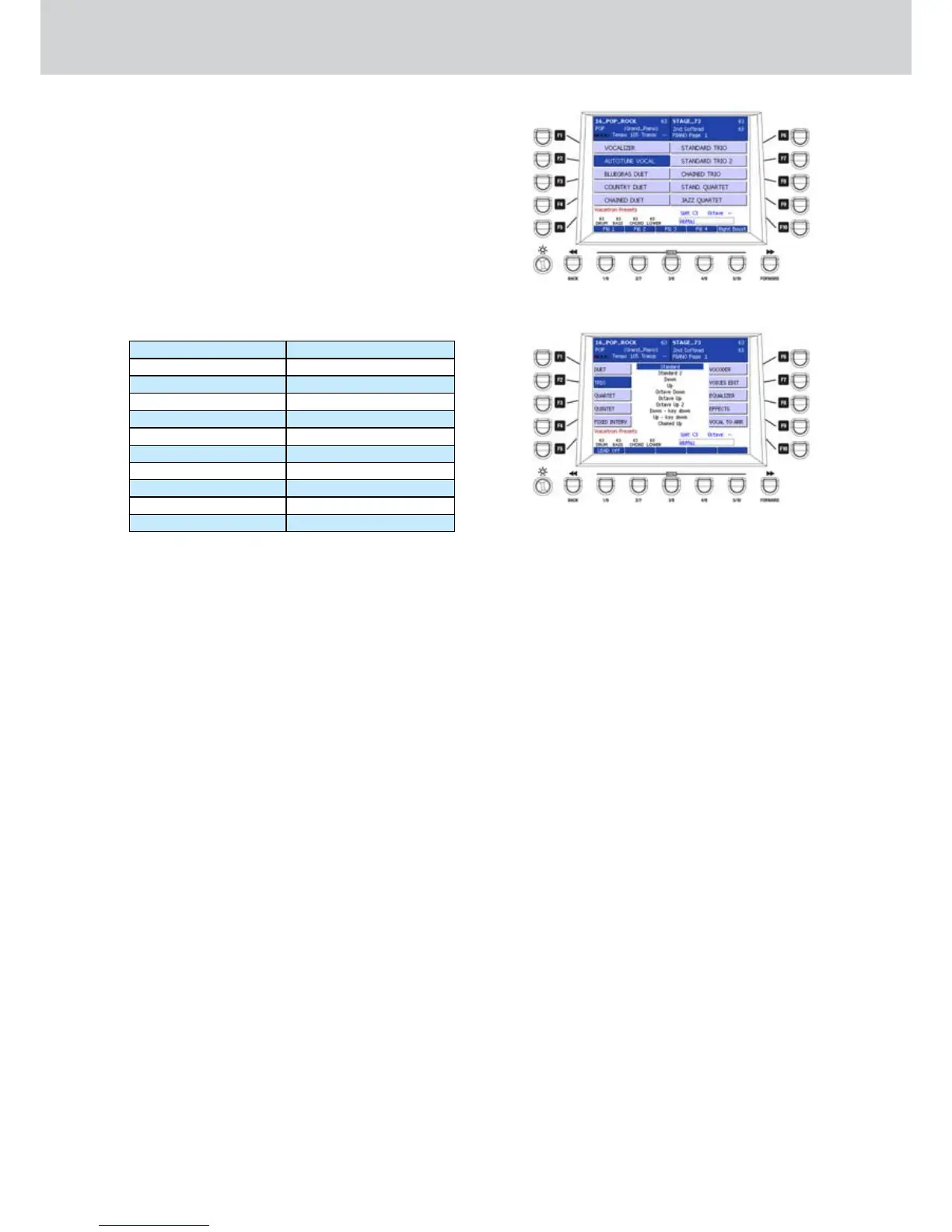
The screen where to choose the VOICETRON 2.
PRESETS will appear (Figure 32).
Press the F1-F10 buttons to set one of the 3.
VOICETRON PRESETS, that is an effect for the
microphone connected to MICRO 1 input.
Press the CURSOR 4.
Ó Á
to scroll the pages of
VOICETRON PRESETS.
By pressing the F1-F10 buttons you can
access two pages with ten VOICETRON
PRESETS each:
PAGE 1 PAGE 2
F1–VOCALIZER F1–USER 1
F2–AUTOTUNE VOCAL F2–USER 2
F3–BLUEGRASS DUET F3–USER 3
F4–COUNTRY DUET F4–USER 4
F5–CHAINED DUET F5–USER 5
F6–STANDARD TRIO F6–USER 6
F7–STANDARD TRIO 2 F7–USER 7
F8–CHAINED TRIO F8–USER 8
F9–STAND. QUARTET F9–USER 9
F10–JAZZ QUARTET F10–MIDI MODE
Editing a VOCALIZER effect
▀
Select a VOCALIZER effect.1.
By pressing the EDIT button, a screen like the 2.
Figure 33 will appear. Press the F1-F10 buttons to
access the parameter settings of the VOCALIZER
:
F1 - DUET: duet effects (two voices).
F2 - TRIO: trio effects (three voices).
F3 - QUARTET: quartet effects (four voices).
F4 - QUINTET: quintet effects (five voices).
F5 - FIXED INTERV.: fixed interval effects.
F6 - VOCODER: vocoder parameters.
F7 - VOICES EDIT: parameters of the voice
(up to five voices) Volume, Pan, Formant,
Detune, Cutoff, Resonance.
F8 - EQUALIZER: 10 bands graphic equalizer.
F9 - EFFECTS: parameters of the effects.
F10 - VOCAL TO ARR.: the vocalizer effect
changes accordingly to the Arranger parts.
For example, you can set a DUET effect for the
START, a TRIO effect for the A variation of the
Arranger, a VOCODER effect for the B variation
of the Arranger and so on. For details see on
page 104.
Figure 32
Figure 33
Voicetron



 To Next Page