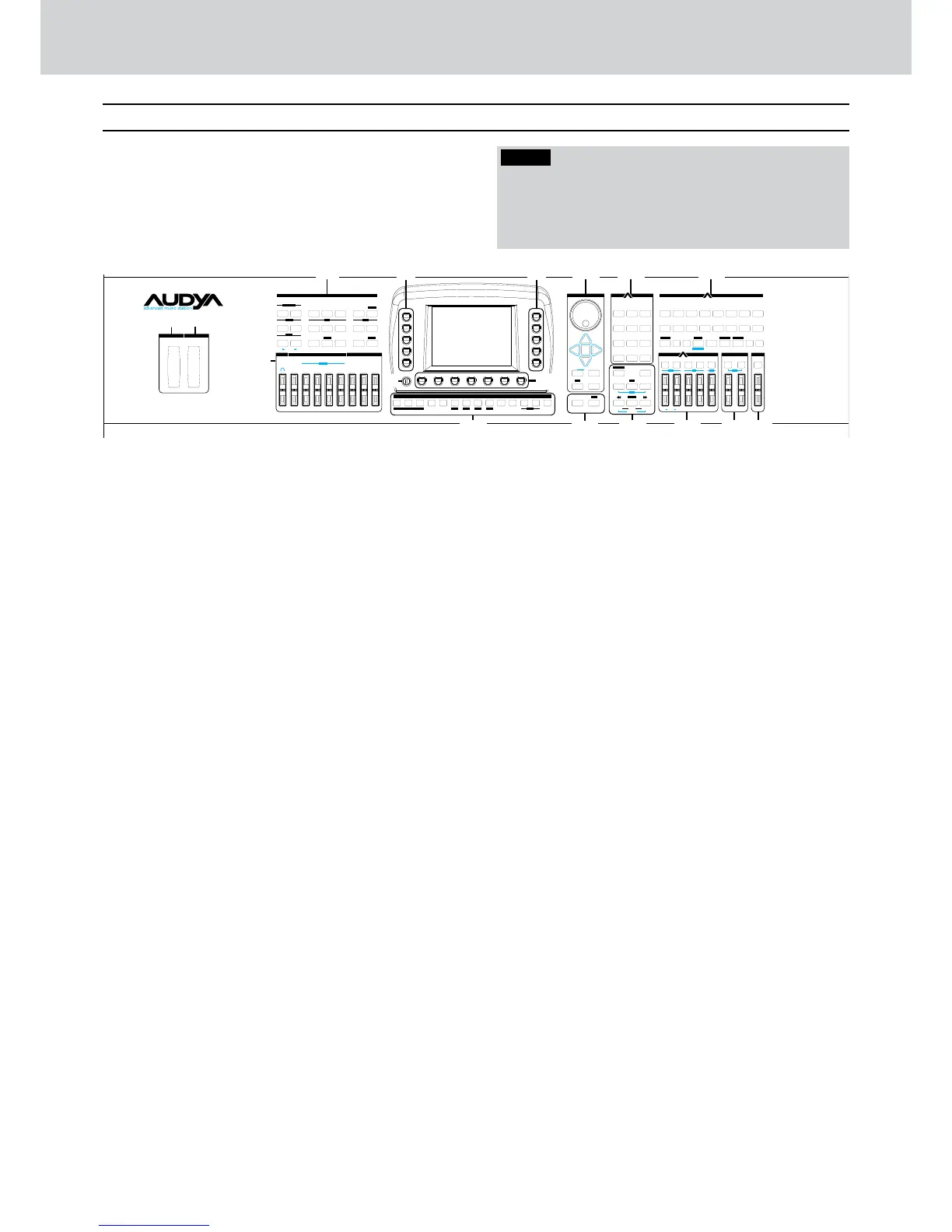
Top panel
The front panel of Audya is divided in various
operative sections.
In the figure below, each number corresponds to
its description.
1
Pitch
This wheel changes the pitch of the sound
currently selected for the right hand. The default
value is ±2 semitones, modifiable from MENU.
2
Modulation
This wheel changes the modulation of the sound
currently selected for the right hand. The default
value of sensitivity is 14, modifiable from MENU.
3
Play Control
Section for the main controls on sound:
Transposer, Octave, Rotor, etc. (see on page 18).
4
User / Arranger / Voices
Mixer section for the Arranger parts, the right/left
hand, the Style, etc. In DRAWBARS mode you can
control the Drawbars parameters (see on page
16).
5
Function buttons F1 - F5
The function buttons at left of the display allow the
selection of voices, styles, controls, parameters,
etc. that are shown on the left side of the display
accordingly to the different operative modes.
By pressing a function button, the name on the
display is highlighted in blue colour.
6
Function buttons F6 - F10
As above. Function buttons at right of the display.
7
Display
Colourful backlit liquid crystal display (LCD). See
on page 12 the explanation on how to operate the
display.
8
Brightness
Small knob for the display brightness adjustment.
Turn clockwise/counter-clockwise in order
to match the right brightness of the display
accordingly to your needs and the environmental
light conditions.
9
User, Back and Forward buttons
The five User buttons and two Back
Ô
and
Forward
Ô
buttons below the display allow
the selection of the functions that appear on the
display accordingly to the operative modes (see
on page 13).
0
Arranger Conductor
This section contains the buttons for real time
control of the Arranger: Intro/Ending, button Start/
Key Stop, ABCD, Fill In, Break, Tempo, Hold (see
on page 13).
q
Data/Value
This group is made of one wheel and four
CURSOR buttons (
Ó Á
§ ¶
). By using the
wheel and cursor buttons you can input data,
change parameter values or navigate through the
lists and menu items, accordingly to the operative
modes (see on page 15).
w
Transport
This section includes Start/Stop and Count In/
Restart controls in Arranger mode or Start/Stop
and Pause for the song currently selected.
e
Style
This section is for the selection of the Arranger
styles (see “Selecting the Styles” on page 17).
r
User Style/Disk area
This section is for the User Styles selection and
the disk management (see on pages 114 - 118).
t
Voice
Section dedicated to the selection of the voices
(see “Selecting voices” on page 14).
y
Player
Multimedia Player (see “Player” on page 21).
u
Voicetron
Microphone and voice effects (see “Voicetron” on
page 25).
i
Master
Main output control (see “Master” on page 27).



 To Next Page